How much you can bring a fabric into focus revolves around knowing how to create a DIY ghost mannequin effect. Blending multiple images together without any flaw while preserving the natural shape of the garment requires excellent photo editing.
Fitting and draping are very relevant here; that is, the viewer can see how they will look in the garment after wearing it. The expertise ranges from taking photos of mannequins to post-processing to adding ghost mannequin effects.
But doing all this at home does not mean working with limited tools and facilities. The professionalism required here is the same everywhere; all that is needed is to proceed step by step, and this article is going to reveal those stages before you.
How to Create Ghost Mannequin Effect DIY at Home for Clothing Photography?
You can follow different methods to add a mannequin effect to your clothing image. Here are some step-by-step guidelines to help you add a ghost mannequin effect DIY at home.
What Do You Need for Ghost Mannequin Clothing Photography?
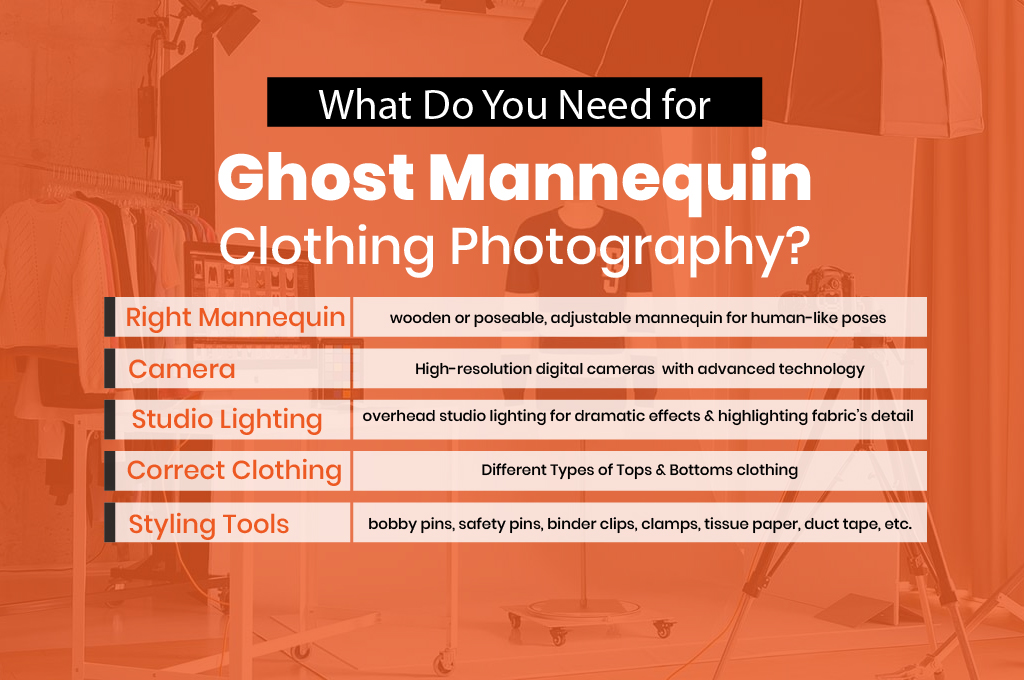
Right Mannequin: Choose an adjustable mannequin that has standardized measurements and decent proportional measurements. These wooden or poseable mannequins usually have human-like poses and adjustable features.
Camera: High-resolution digital cameras are used for clothing photography. They have advanced technology and are easy to connect with studio lighting.
Studio Lighting: Choose overhead studio lighting to create a dramatic effect in your clothing photography. Plus, it can highlight the fabric’s texture and detail.
Correct Clothing: Select the right clothing and prepare it for clothing photography. For mannequin photography, you can use shirts, jackets, coats, blazers, and other outer garments.
Styling Tools: Use Styling or bobby pins, safety pins, crocodile or binder clips, clamps, tissue paper, duct tape, etc., to tighten the attire.
How To Take a Perfect Ghost Mannequin Clothing Shot?
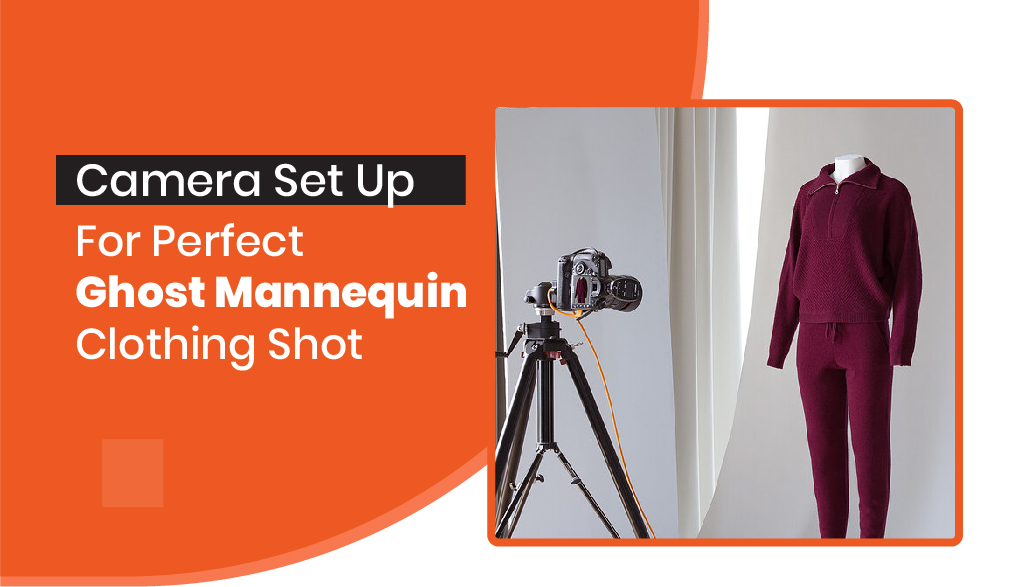
Camera Setup: ISO, aperture, and shutter speed are the three most important aspects of taking a perfect mannequin clothing shot. Keep the shutter speed at 1/13 initially. The ISO should be between 100 and 200 to minimize noise and grain.
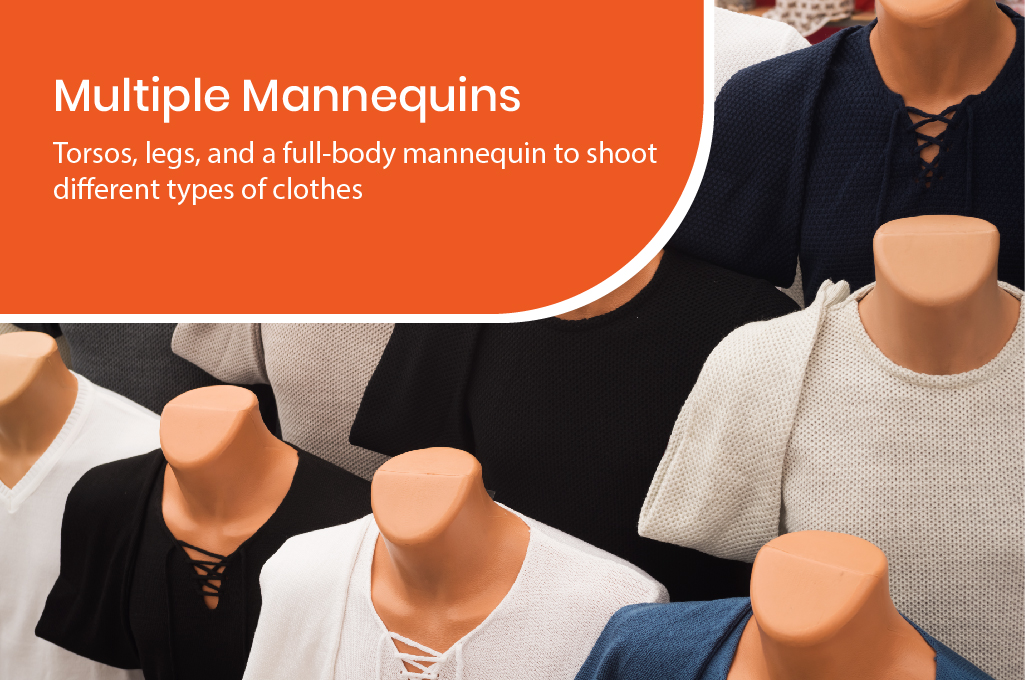
Multiple Mannequins: You may need torsos, legs, and a full-body mannequin to shoot different types of clothes.
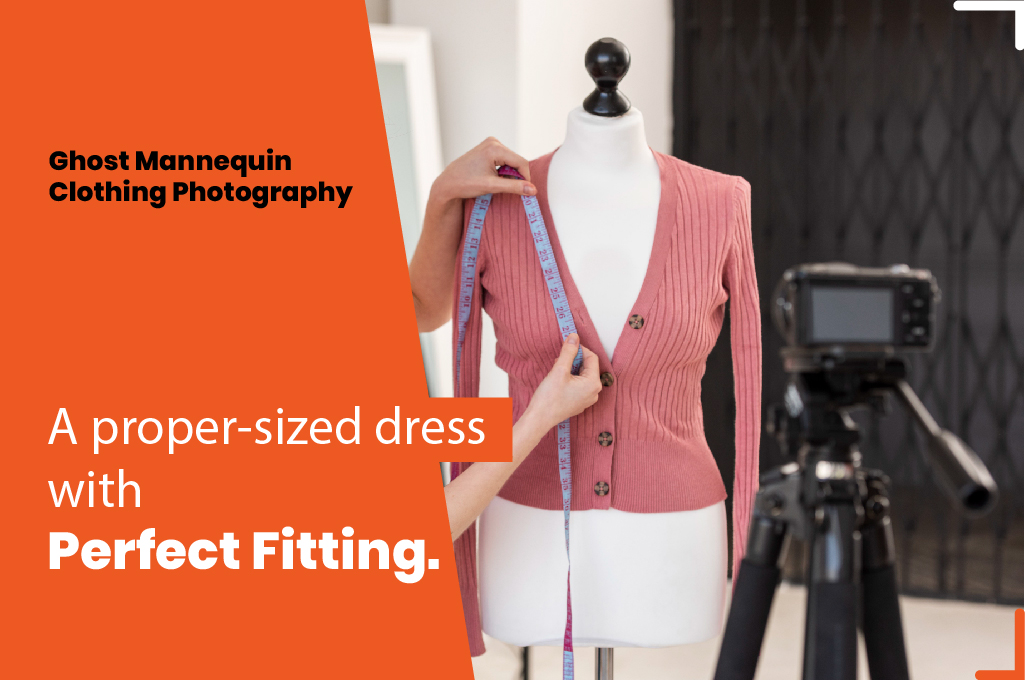
Dress Your Mannequins: Choose a proper-sized dress that flows naturally along the mannequin’s contours. It will show a realistic presentation of clothing. The fitting should not be too tight or loose. Take enough time to put the attire onto a white matte mannequin.
Style Your Clothes: If the garment is loose, use various styling tools to tighten it. There should not be any bad wrinkles, folding, or scratches. Keep the clothing free from visible creases or bunching.
Take Clothing Photos: Capture multiple images from different angles, including front, back, and inside out.
How to Edit a Clothing Image for Mannequin Photography
Once you are happy with the product shots, it is time to edit them and create the effect.
Executing a ghost mannequin effect Photoshop workflow involves merging your exterior shots with inner shots to create a 3D hollow look.
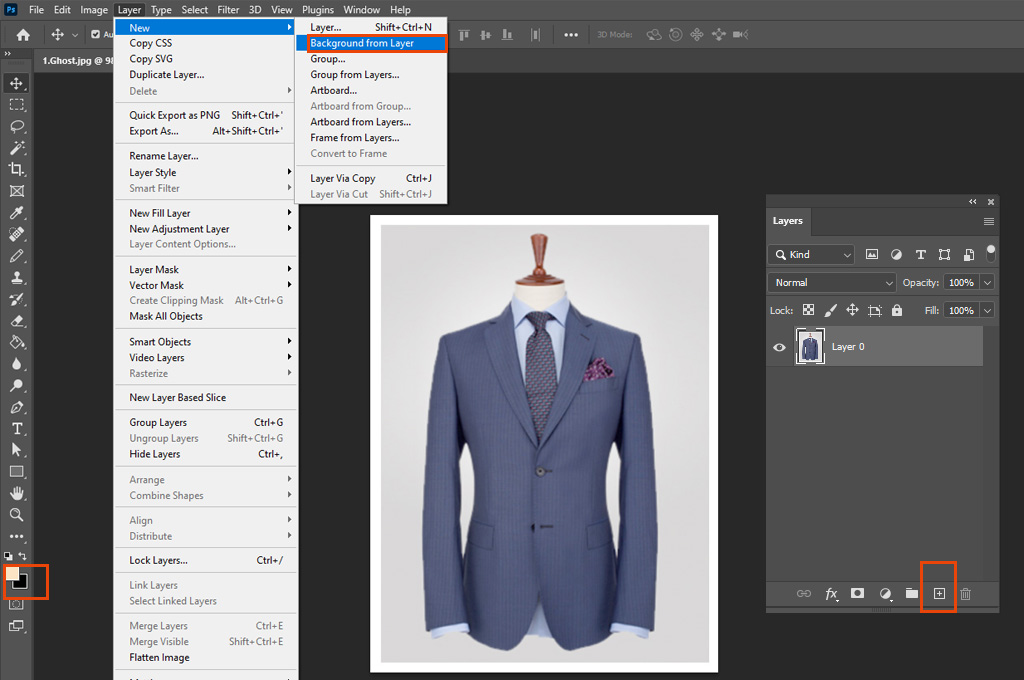
Step_01: Import the photo to which you want to add the effect. Select Layer > New > Background From Layer to add a new background layer. Choose Edit > Fill Layer and add white as “Foreground Color.”
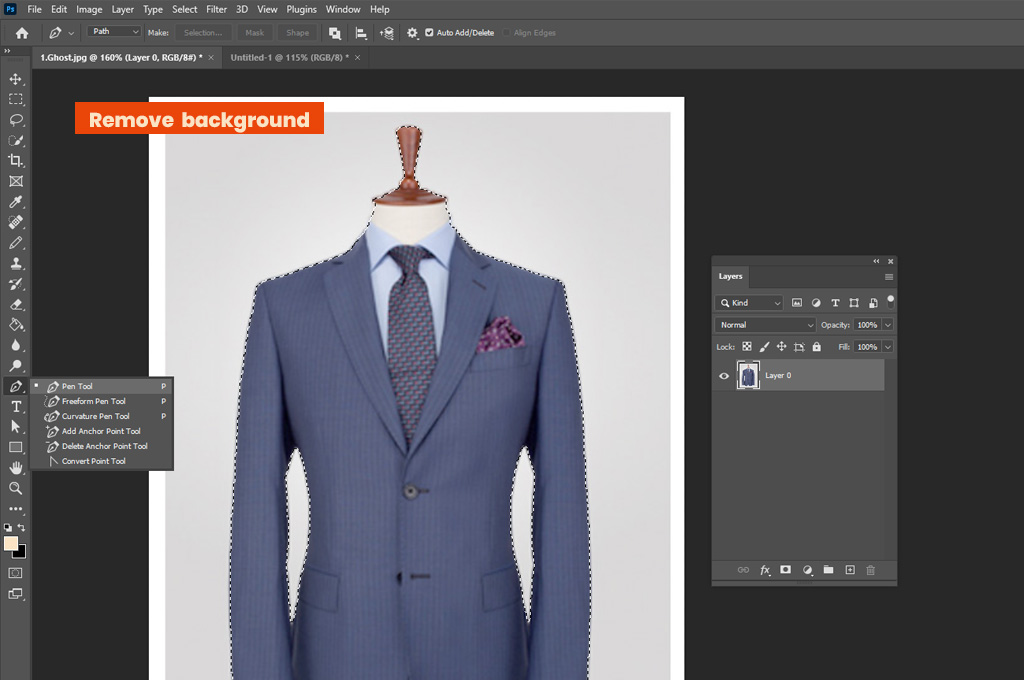
Step_02: Tap on the photo and figure out the product. Use a selection tool to select specific areas of the clothing product and remove the background.
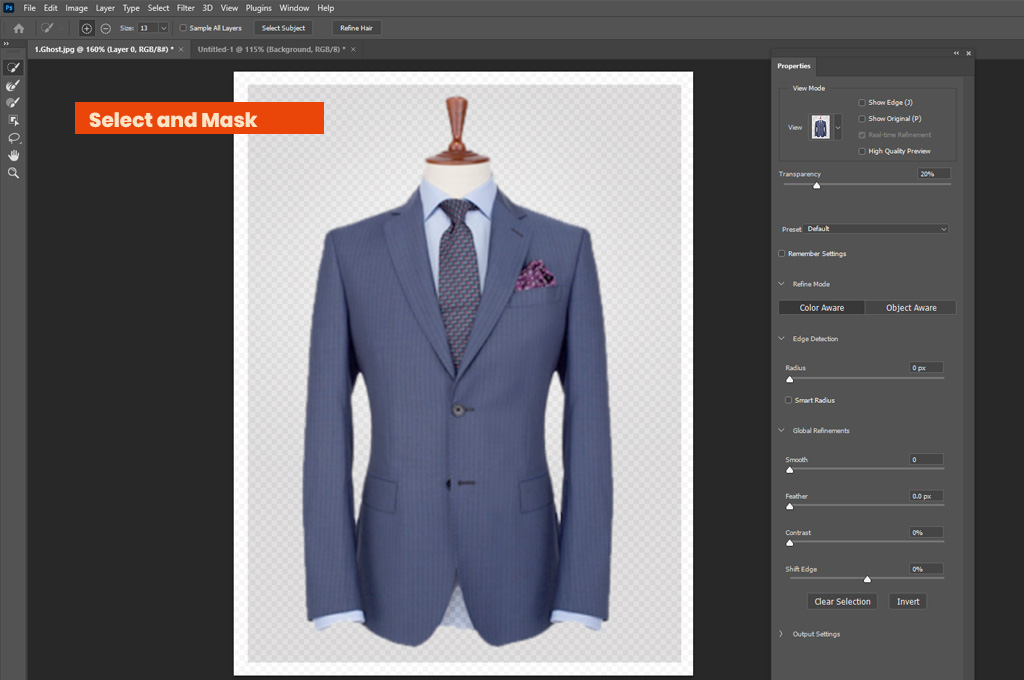
Step_03: Head to the Select and Mask option from the upper menu panel. Adjust the Refine Edge tool settings from the Properties tab.
Step_04: Navigate to the “Refine Edge” dialogue box, mask the image on that layer, and tap “OK.”
Step_05: Create a new layer. Choose the inner image of the product containing the neckline, tags, lining, or cuffs.
Step_06: Mask the inner image of the clothing and drag it over the mannequin garment photo. Make sure both masks are properly cleaned and tightened.
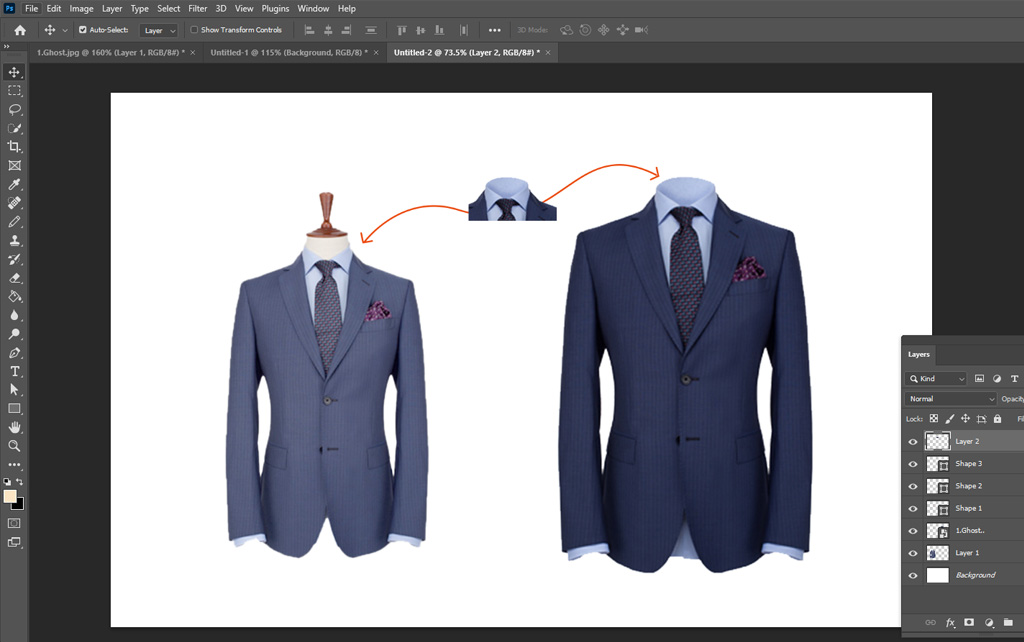
Step_07: Keep the inner image of the clothing on the bottom and the ghost mannequin image on the front panel of the layers.
Step_08: Adjust the position and proportion of the inner image perfectly to keep it properly aligned at the back of the mannequin photo.
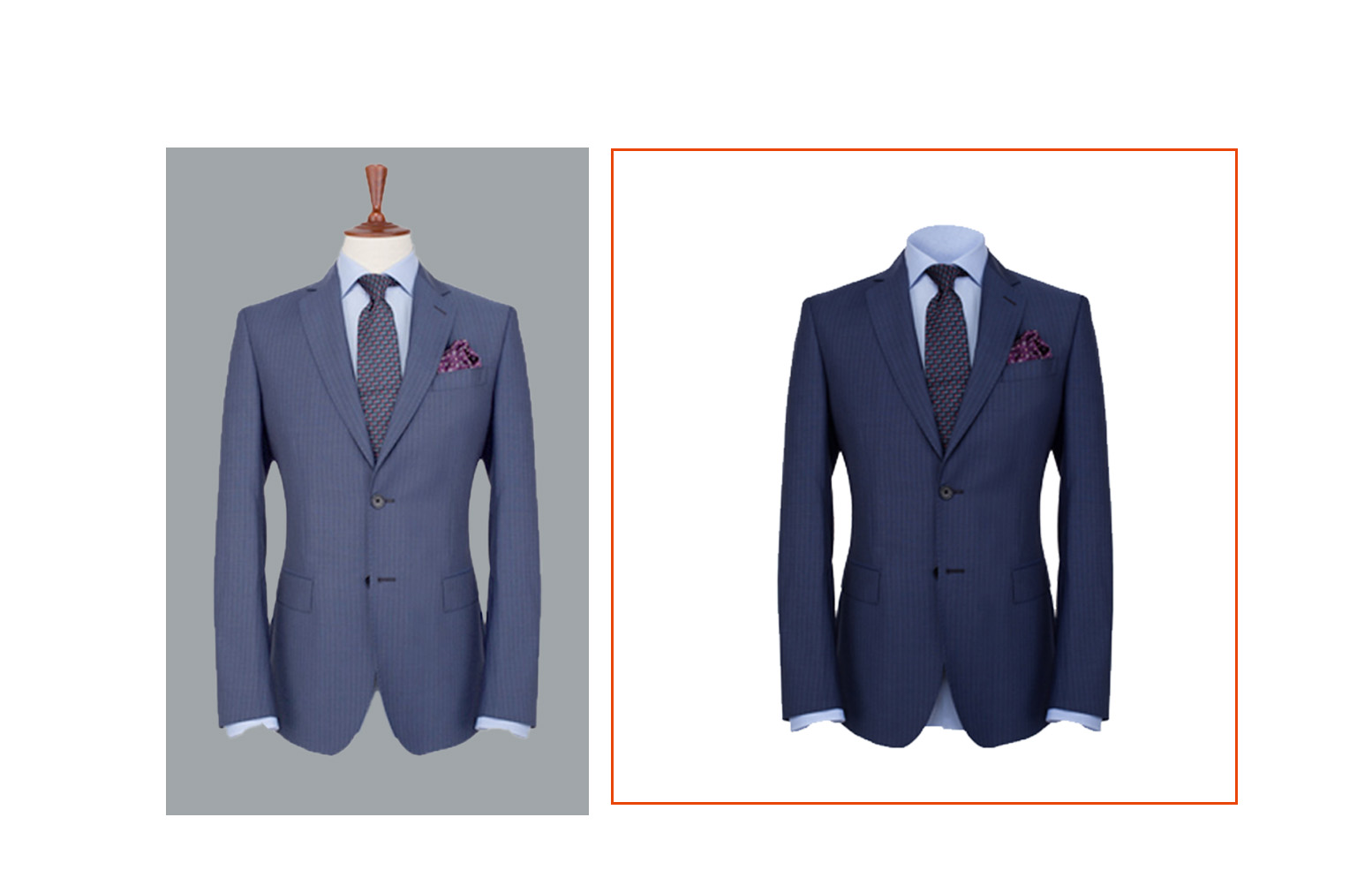
Step_09: Remove any unwanted parts from the inner image layer and keep it clean and precise. Finally, save the photo once you are satisfied with the result.
Frequently Asked Questions about Ghost Mannequin Effect DIY
1. What camera settings are recommended for ghost mannequin photography?
For the best results, you should set your shutter speed to 1/13 and keep your ISO between 100 and 200 to minimize grain and noise in the image.
2. Which types of clothing are best suited for the ghost mannequin photography method?
The ghost mannequin effect works well for outer garments such as shirts, jackets, coats, blazers, and other similar attire.
3. How to create a DIY ghost mannequin effect at home?
To create this effect, you must first photograph your clothing on a white matte mannequin using specific camera settings (ISO 100-200). Next, take additional shots of the garment’s interior, such as the neckline and tags.
Finally, use a photo editor to mask the mannequin out and layer the interior shots behind the exterior garment to create a hollow, 3D appearance.
4. Why do I need to take photos of the clothing “inside out”?
You need to capture the “inside” of the garment (like the neckline, tags, and lining) so that these areas can be masked and placed behind the main image during editing to create the hollow “ghost” effect.
5. How do I fix clothing that is too loose on the mannequin?
You can use styling tools such as bobby pins, safety pins, binder clips, clamps, and even duct tape or tissue paper to tighten the fabric and ensure it follows the mannequin’s contours without visible creases.
Wrapping UP
Following this guide on how to create a DIY ghost mannequin effect could end up attracting buyers to your clothes. Because every step, from adding a new background layer to removing unwanted parts, leads to crafting a realistic, lifelike look.
The creation of a beautiful hollow mannequin tends to be a true art form that perfectly represents your attire. So, whether at home or anywhere, if you want to do this photo editing yourself, pay close attention to this artistic presentation.