Clicks literally live up to what and how people search on the Internet. Not only are search engines or social media, all systems are now running on photo snapping. You can’t do anything with this inevitability but to cope with it.
According to Magecomp, the very image search option Google tackles the staggering 3.5 billion searches every day. So, for good reason, brands are now at war with each other over who can do the most visual search optimization.
Search with photos didn’t just stop at Google and Bing. Being a popular photo-based community, even Pinterest has not been spared from this shift.
You surely feel the gravity of how much traffic can flow to your eCommerce site if you can get your photo assets in line with this new trend of seo! But how to do that?
Carry on with this article till the end, and you will know how visual SEO is actually getting so many clicks on these different search platforms.
How Visual Search Optimization Improves CTR on Google
You must have noticed that Google and even Gemini don’t stop at just showing text-heavy answers and responses. Their snippets now show relevant pictures in complete grids, and you find them in shopping stores lined up vertically.
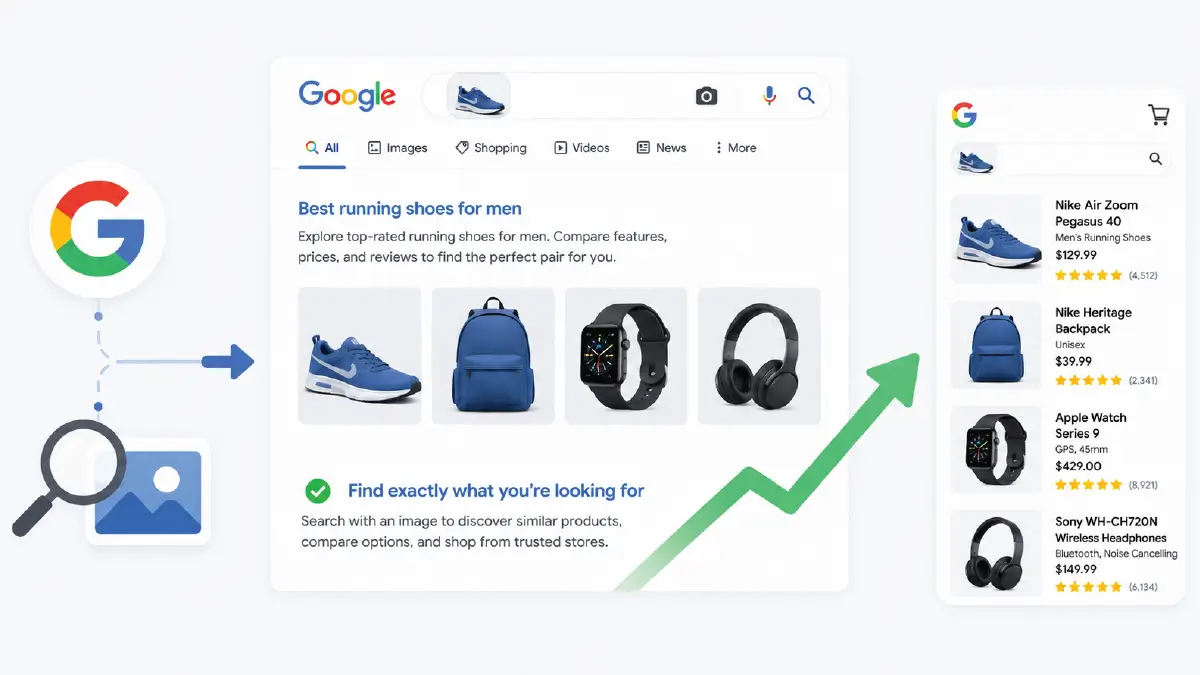
Did you miss an image in any response by any chance? This means that the site owner has not yet made his images in a way that search engines can interpret them clearly. So what are those with visible images actually doing?
Mastering the Google Lens Ecosystem
How does this special type of soft lens find the exact image of your product out of so many hundreds of images?
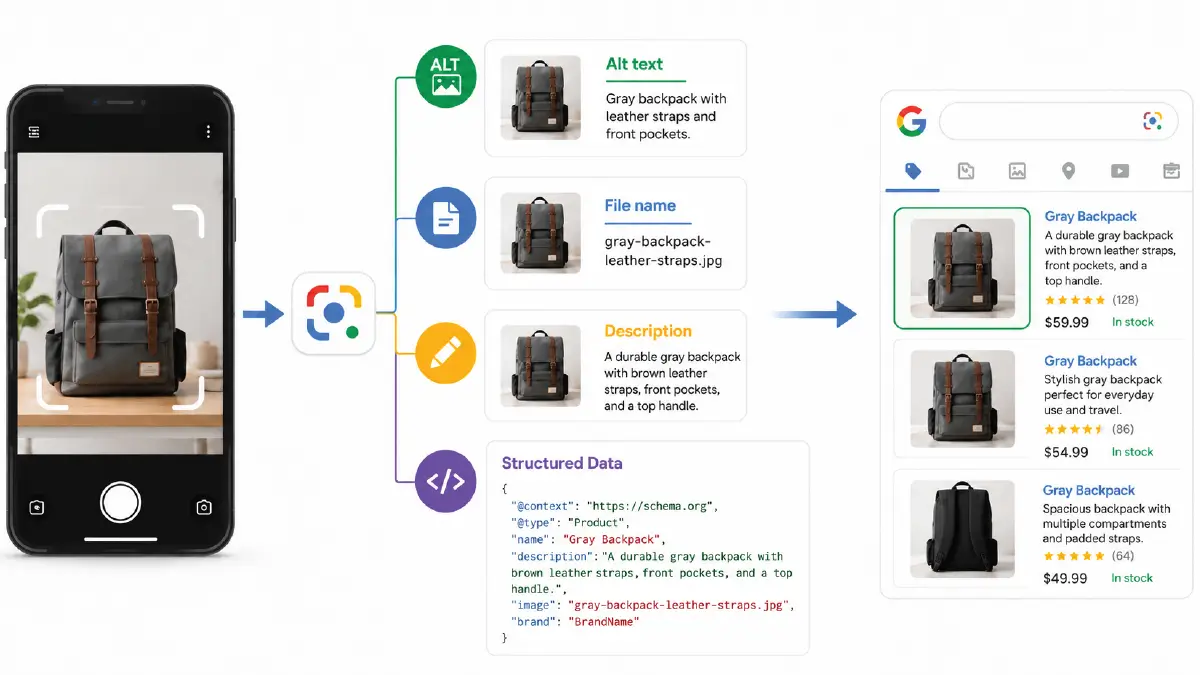
The answer is the relevant context surrounding what is in the image. This means that you need to include all the information about your product comprehensively, along with its image.
You can do this in the following places, each of which is closely related to the image:
- Alt text
- File name
- Description
Along with the above work, you need to take another thing into consideration, and that is structured data. This is actually a type of code that makes the very existence of your image clear to search engines so that they can find it easily.
Capturing the Visual Featured Snippet
When viewers find snippets while browsing, the expectation to see a highly relevant image alongside the pill of text eventually follows. In fact, this expectation was always there.
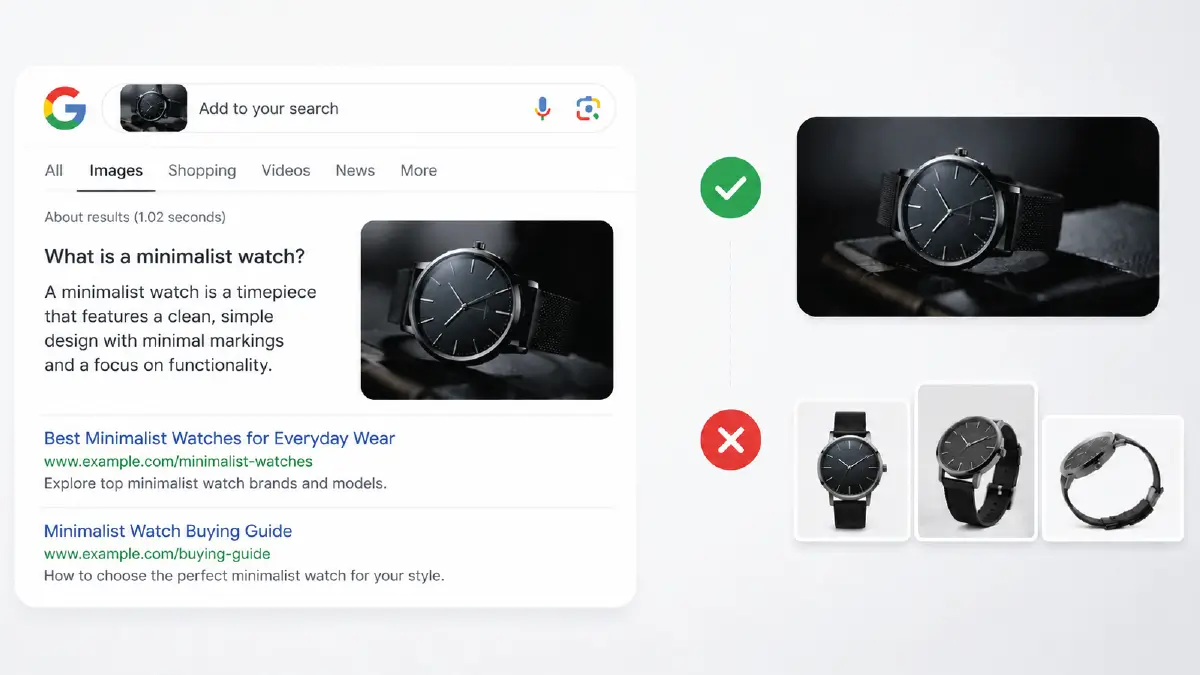
When you take a very ordinary photo from angles in which thousands of photos on the internet have already been captured, it quickly loses the context of being different. The things you need to keep in mind when taking product photos are innovation and quality.
Whatever you write with very common stock photos, we’ve got used to the fact that the search algorithm can’t take them into account. The reason is that many others have already used that with slightly different content.
The Role of Merchant Center Feeds
E-Commerce businessmen constantly strive to prepare their images on their product pages according to Google Merchant Center. In general, the types of images they put their most concern into are:
- High-resolution photo
- White background free of clutter
- Photo with lifestyle shot
This combination works so well for your product listing that it takes your shopper through an engaging buying journey.
Why Bing Rewards Better Visual Experiences
Like Google, Bing’s visual search also takes into account its users’ interactions with it. The difference is that Bing still works with reverse image finder, which Google has moved quite a bit forward from.
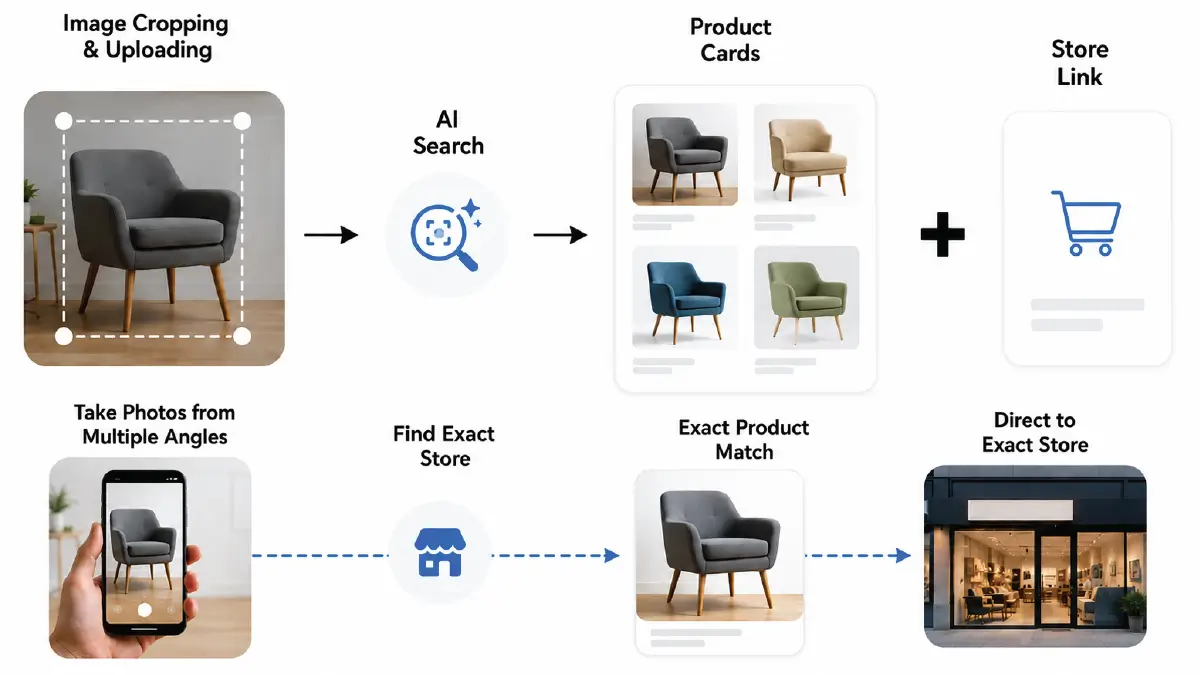
Here in the Bing search box, users can crop an image when uploading it, and they can even redraw the border line around it.
The brightest side of image search Bing is that it takes you to the exact store that houses the photo you are looking for.
To get the most out of these benefits, you have to come up with more versions, such as taking photos of your product from multiple angles.
High contrast and resolution are always expected, but you can settle for mediocre.
This much you can let off, but what you can’t give way at all is keeping the surroundings and background chaos-free.
What Makes Pinterest Users Click More Often
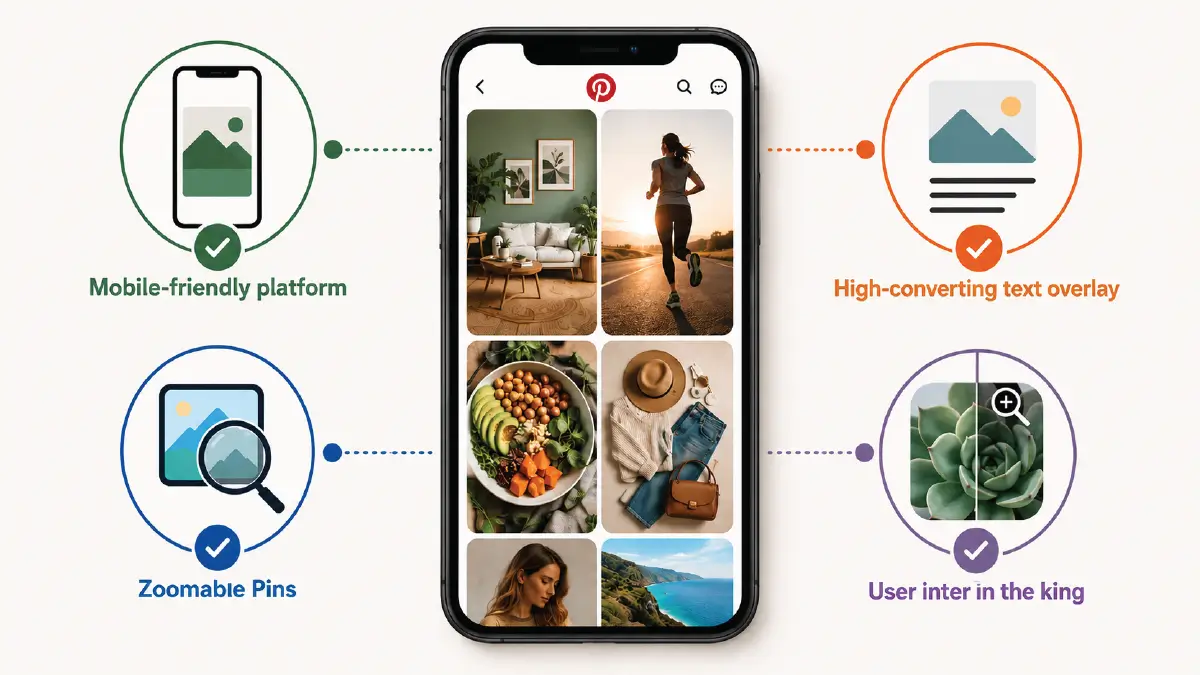
Although it started as a mere social media platform, Pinterest has become a visual discovery engine where people go to find new ideas. The reasons why this is now an essential tool for literally click harvesting are:
-
- Mobile-friendly platform: Users can scroll through images at will on vertical screens like the 2:3 aspect ratio, which keeps a comfort zone for them.
- High-converting text overlay: Short but clear text over the image fuels the attraction for users, and the ‘Pin’ thing easily brings them into the profile.
- User intent is the king: Here, you don’t have to make the background of your image transparent or white, but rather how clearly you can demonstrate the user’s needs is what matters.
- Zoomable Pins: When searching for images, the user can zoom in on any part of the image. This gives you enough space to find similar photos or view the details of a single photo.
Some precautions when uploading images to Pinterest
You’ll hardly find a better way than this to make your potential customers enter your eCommerce site by showing lifestyle photos. But the thing is, unlike conventional image search engines, this social media site reduces the quality of the photos you upload.

So spare some time to give your photo assets the necessary image editing before uploading. Give the resolution that follows the 2:3 aspect ratio and save the images in the sRGB color profile.
Compress the images beforehand in such a way that when you give them to Pinterest, it gets the signal that this is the image that goes with its system. So there is no need for additional compression.
Frequently Asked Questions About Visual Search Optimization on Google, Bing, and Pinterest
1. How does a reverse image finder bring traffic to my website?
Suppose someone uploaded an image to a reverse search finder. The system behind it starts searching for it across the internet. If the image on your site has the necessary metadata added to its backend, this finder shares your image page link to the searcher. Then that random searcher clicks that link and ends up on your website.
2. Can Google Lens recognize products inside lifestyle photos?
Yes, it can. You bring the entire lifestyle photo into Google Lens, and it will pick out the specific item from among the busyness in the image. To make this kind of identification right, you need to add descriptive alt text to the image. Because Google Lens takes into account the context behind it as well as its quality for this process.
3. What is the ideal image size for Bing image search optimization?
Like Google, for Bing optimization as well, you should give utmost importance to the high resolution of the image. However, what you need to keep in mind with Bing is that the picture must remain clear even after zooming or cropping. Note that the longest side of the image is at least 1200 pixels, but it cannot go too far up, or it can negatively impact page loading.
4. How do I optimize my product catalog for Pinterest image search?
Enable the Pinterest branded save button with images on your website, this will make it easy for visitors to pin your product images. Give your main product images the Pinterest-supported 2:3 aspect ratio. Place product-relevant schema markup across your product pages, and make sure it is descriptive.
5. Should I be careful about naming image files for visual search optimization?
Of course, you should. Your image file name should be such that it carries well the context of the image and the product inside it. The name 7xl-summer-short-sleeve-turn-down-collar-t-shirt-men-95%-cotton.webp is far better than t-shirt-for-men-summer-collection-2026.webp, where you always have to throw out names like IMG_0894521.webp.
Summing Up
Whether image searchers will find your image depends on how clear the image is and how many angles it was taken from. Adding structured data to this duo is what truly completes visual search optimization.
This is how search with photo brings your pictures so close to Google and Bing search engine browsers that they are bound to catch their eyes. This is the beauty of visual SEO, which turns your Pinterest profile into a breeding ground for CTR.
The thing is, if your photo assets are too thick, then making the necessary edits to them all and preparing them for upload can be a daunting task. The most effective way to solve this problem is to reach out to professionals.
But is there anyone you can trust to make your photos look so good that you can upload them as soon as you get them? The answer is Retouching Zone, a trusted name that has been around in the image editing services industry for a long time.
How to get in touch with them? Take this free trial and see how they work and notice how clearly the impression of expertise is there.