

If you can find the right words to describe the type of shoes, the shopkeeper can pull out the exact piece you want. But how many people, even among the most fashion-enthusiasts, can recall the details of their favorite footwear?
Being able to do this puts them in a distinct class of brand loyal customers. But then Google Lens shoe search came and questioned this tendency, whether it was ever necessary at all.
People love to be busy taking pictures all the time, so why not search for products by image then? At least they don’t have to show people pictures and ask them which store they bought the shoes from.
Even today, this asking continues. It’s Google they ask to. In today’s blog, you will learn step by step how shoppers are finding shoes to buy in 2026.
Step 1 | Photo Input in the Search Box

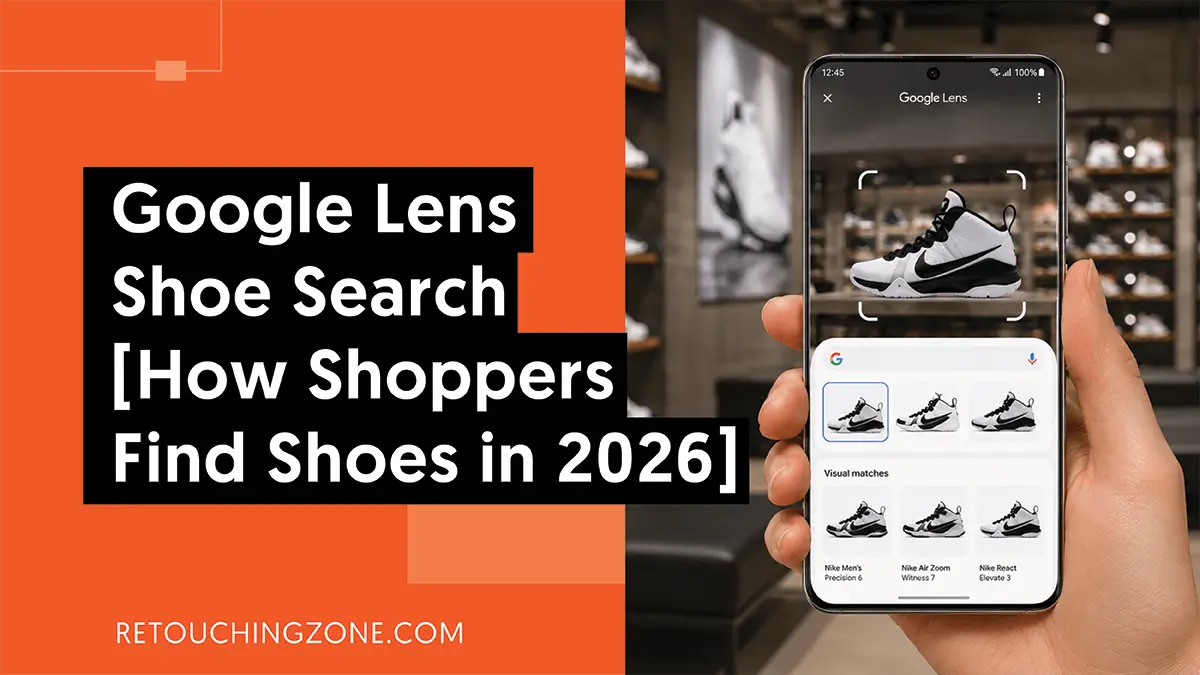
While roaming around the park or at a party, when people’s eyes are caught by a pair of sneakers, it doesn’t take long for them to pull out their smartphones and take a snap.
At this point, on the phone screen, a box appears with rounded edges surrounding the sneakers. They move this binding box as needed to bring the shoes exactly in the middle.
Once they are done with cropping or adjusting to their satisfaction, they tap, and the picture goes as input to the Google search engine.
Even if PC users cannot take photos directly like this, they can import previously taken photos to Google through this lens. They can also provide input by sharing image URL links from the internet and taking screenshots.
Step 2 | Multisearch with Text Input

Looking at the text input, you might wonder how Google Lens is new. But know that this is not just a repeat of the previous process, but rather it gives the lens another layer to search more clearly.
When users type ‘in coffee color’, Google AI does a deeper dive and moves towards finding the shoe by changing the previous color.
Here, the AI behaves so maturely that it can grasp the overall context behind the shoe, and for that, it maps out the entire product description as well.
| Of course, this step is not something that people necessarily follow. Without this additional text input, if you just input the photo and tap Enter, the product search starts right away. |
Step 3 | Stepping into the Product Page

After Google has done with all the search work, browsers end up in front of a panel where matched product images line up with their prices and descriptions. The information is in a gist form that people can easily skim through in a short time.
Next, they click on the one they like and get to the shoe product page. This discovery is so profound that visitors don’t have to manually search for the shoe page from an eCommerce site’s homepage.
✔ They don’t even have to worry about seeing out-of-stock, because AI search does all the work of tracing in-stock labels.
What Happens in Between Search and Found?
As soon as browsers press the Enter button, coming into action is AI search, which has a basic name: neural network. Now let’s see how it works:
AI scanning every detail of the shoe

The first thing AI does is to understand all the details of the input shoe image very well.
| AI picks up on everything, including what material the shoe is made of, what the design is like, how it looks from different angles, etc. |
At this time, even minor natural flaws like folds and leaks enter this picking. When the user uses multisearch, that instruction also gets included in the AI’s consideration.
Encoding the collected visual items into digital data

Every detail from just one shoe photo that the AI system has taken is converted into encoded data with alphanumeric characters. If the user also inputs words during the search, it also becomes part of these new names.
| For example, a maroon loafer in size 10 becomes a coded string consisting of digits and letters. |
Cross-matching with indexed images

Each of the vast image collections on Google’s network has its own unique digital data.
✔ Google sees whether the image the user looks for is the most similar in all respects to any of the images in its archive.
You can think of these as coordinates of different geographical locations. Like searching for places, Google Lens’s AI uses these coded names to find similar products.
This cross-matching continues until relevant images or at least very close ones are found, although this happens within seconds.
Tapping into the shopping territory

Google AI can understand search intent so deeply that it directs the user to an eCommerce store that sells shoes.
| The machine does all the work of reading customer reviews and checking if it’s in stock, and shows users the images of the right ones. |
The user simply makes up their mind about which one to click on and goes inside to make a purchase.
Frequently Asked Questions About Google Lens Shoe Search
1. Why is it that Google Lens doesn’t show me the exact same pair of shoes I snapped?
This usually happens when the lighting in your picture is quite low, or the whole picture is blurry. It’s also possible that your shoes were tailored to a design that has never been indexed on Google till now.
2. Can Lens verify whether a luxury sneaker is real or fake?
Google Lens is not really designed for this purpose. It actually shows you similar ones, but it cannot verify whether the materials or the brand logo used are genuine or fake.
3. How to activate Google Lens on Android?
If you have the Google Search widget added to your Android phone’s homepage, you will easily see the camera icon in it. This is actually Google Lens. If you tap on it and take a picture of anything, the photo will go into the search box as input.
4. Is there any way to use Google Lens on iPhone without apps?
Yes, there is. To use Google Lens on iPhone without a separate app, the default app, Safari, is enough. Open Google on it and look for the camera icon on the right side of the search bar. That’s Google Lens, and you can enjoy the search by image feature by tapping on this.
5. For non-English shoe brands, can I use Google Lens to find the shoes at a local store?
Of course, you can. Google Lens has a great feature called Translate, which you can get when you take a photo with the lens. Hold down on the non-English part, then tap Translate, and you’ll see the text automatically translated into English.
In a Nutshell
This search by image is creating new demand in the eCommerce industry, even for those in narrow business domains like footwear. Now, capturing this Google Lens shoe search community means quickly taking your store’s growth to a steady state.
Smartphone cameras are consistently bringing next-level quality and are always within the reach of shoppers. It effortlessly adds gravity to make your store photos clearer and more eye-popping.
And this is where you need some optimal image editing and retouching that can draw Google AI’s attention right to your shoe photo assets.
Meet Retouching Zone, who have been leading the ecommerce industry for 12 years with their professional shoe photo editing services. You can let them fix your shoe images and join the community of hundreds of footwear brands they serve.