

A website’s images carry its charm – and to photographers, this is true even more. How you present your work reflects how creative your eye is even when using top 7 free website builders for photography portfolios.
Smarts can make art even with straws; all they need is something that bends. You’re past the point of hearing that, aren’t you? The website builders I’m about to talk about are those straws for you.
Stay with this listicle of ours. You’re about to get 7 of the best, along with some amazing themes that will help you deepen your connections with clients.
1. Wix

We gave Wix the top spot on our list for its incredibly beautiful themes. If you want to create something impressive out of nowhere without getting bogged down in technical details, then its drag-and-drop builder is what you need.
Best Wix Website Themes for Photography Portfolio
You’ll find many of the eye-catching themes on this website-building platform as freemium. Among them, we’ve chosen these two –
- Fashion Photographer (Clean): Clean, minimalist, and open canvas for arranging your best portfolio [view]
- Photography Studio: Plenty of space to show projects and option to create multiple photo galleries [view]
Pros
- Clients can browse your multimedia gallery freely
- Its dedicated booking app helps in client handling
Cons
- The 500 MB storage plan is not enough for high-quality photo assets
- If you want to change the web theme later, you have to go premium
2. SITE123
For those just starting out in their photography career, there are very few site builders that can rival Site123. The UX design of its templates is such that it can quickly display images hosted on Site123 with the highest quality.
Top SITE123 Portfolio Website Templates for Photography
Beginners can give their own touch to site styling with a unique level of flexibility, even in categories outside of photography. Here’s a duo that impresses every visitor –
- Art of Street: One-page site layout, easy-going, and suitable for black and white contrast [view]
Patrick Wilson: Center-aligned one-page layout, and portfolio with diverse photo boxes [view]
Pros
- You can complete your portfolio by uploading your volume of photos at once
- You can divide your portfolio into different categories as needed
Cons
- The storage size and site bandwidth limitations can be frustrating
3. WordPress
When you are up for building a website for free, working with WordPress then gets much narrower. But the best part is that no other CMS can tackle the technical aspects of SEO better than this one.
Plus, you’ll get a lot of community support out there, thanks to its worldwide popularity.
Most Impressive WordPress Themes for Photography Portfolio
A wide range of WordPress themes, even multipurpose ones, are ready to easily fit into your checklist. The following ones may resonate with your artist choices –
- Nova: Photography-focused with a clean structure and layout for image quality and fast loading [view]
- Photography Journal: Made by the Gutenberg block editor, minimal, clean, and responsive design, can run on Elementor, Divi, Brizy Builder [view]
Pros
- Designs are well responsive to devices and search engines
- You will get extensive tutorials, how-to resources, and technical supports
Cons
- There is no way to use plugins
- You have to deal with the ad clutter throughout the interface
- Lack of adequate storage for high-quality photo assets
4. Webador

If you want unparalleled ease of adding elements like photo albums and galleries, you’ll need to turn to Webador. This great site builder gives you unlimited space for free, so you don’t have to worry about uploading your photos.
Best Webador Portfolio Website Themes for Photography
Overall, it has a decent number of templates, but if you’re just into photography, you’ll have to be content. You can try the following to make your portfolio more client-engaging –
- Glow: Multi-layer grid system, multi-pages, more focused on calls to action and images [view]
- Fjord: Large header, landscape image-centric, grid-based sections, multiple webpages, and aesthetic layout view [view]
Pros
- Incredibly easy drag-and-drop editor for jump-starting
- Its social media and client communication widgets are pro-level
Cons
- You will have to endure ads throughout the site
- Webador is not the right choice if you plan to sell images on your site
5. Canva
You’ll get a clear impression that it’s unrivaled in image creation when building a website with Canva. Here too, you have an extensive element library, color palette generator, and you can drag-and-drop each one of them.
Top Canva Website Templates for Photography Portfolio
Here are the top 2 website themes for photography that put Canva ahead of the other site builders –
- Theme 1: Black and white, minimal, elegant portfolio presentation with a full of graphic elements [view]
- Theme 2: Black and yellow, neon gradient, modern bold, and sparkle geometric presentation [view]
Pros
- You’ll find the familiar drag-and-drop interface of image creation in Canva
- The templates with single and multiple pages are versatile
- After making your site, you won’t have to worry about viewing it on different devices
Cons
- You have to work hard to make your website SEO and image-friendly
- You don’t get any features for blogging
- You won’t be able to do anything with any third-party apps
6. Framer

Not just a builder, you have to call Framer a complete solution for web design and publishing a site. Here you can create the website you want with all the effective functions without writing any code, and you will have AI as your assistant.
Top Framer Website Templates for Photography Portfolio
For creating a photography portfolio, if Framer is your choice, you’ll want to give the following themes a try –
- Aerra: Cinematic layout, minimal, visual storytelling, and smooth transitions [view]
- Noirra: Fullscreen hero, excellent transitions, grid gallery, lightbox photos, fully responsive, animations and hover effects [view]
Pros
- You can add interactive elements without coding
- You will get community support to help with your web design
- Framer team updates themes every month
- Within the web editing canvas, you will get the help of AI
Cons
- You won’t get the same performance from its CMS as you get from WordPress
- You won’t be able to add any other third-party tools if needed
7. Pixieset
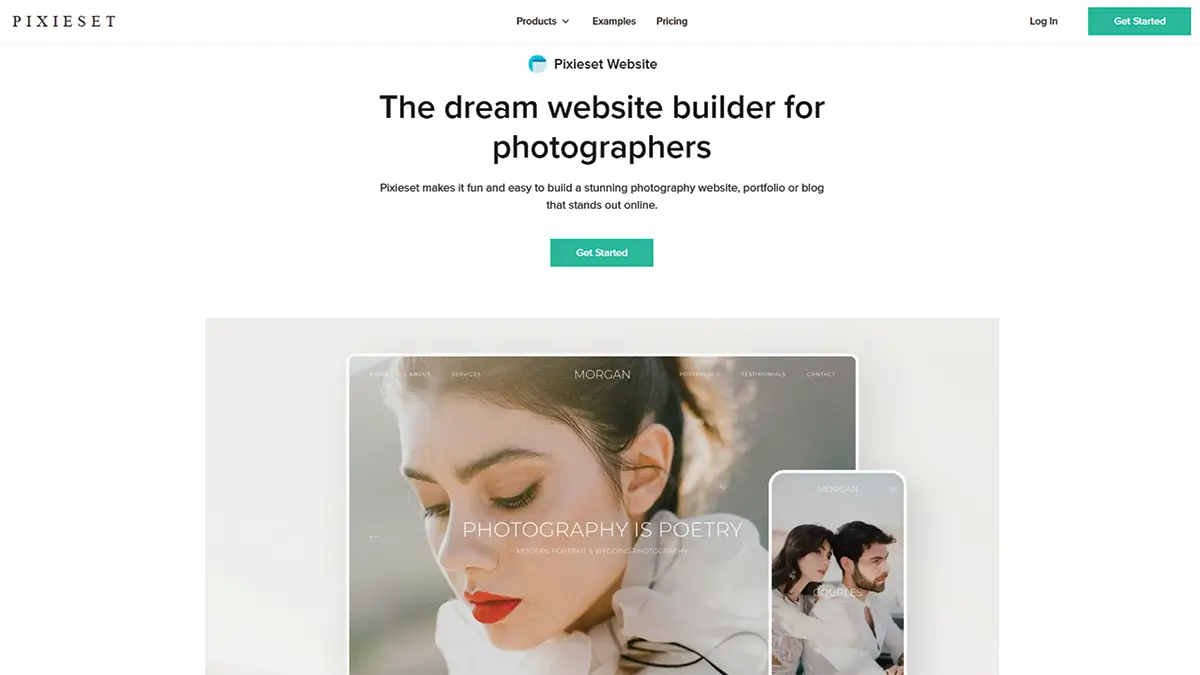
Working with Pixieset is not only efficient, but you will also go through a fun journey while building your site. Made specifically for photographers, you won’t have to worry about getting a theme that has a full page layout and content block library.
Most Amazing Pixieset Portfolio Website Themes for Photography
Here is a list of themes that you can work on to see why working on Pixieset is so much fun –
- Torres: Landscape picture boxes, parallel grid gallery, easy-going layout [view]
- Mason: Stylish pages, versatile galleries, unique transitions on different pages and content layouts [view]
Pros
- You’ll get a creative gallery experience on every page
- If you plan to sell photos, this is a must-choose
- You get everything in one place, no need to go to a third party
Cons
- You will need enough time to get everything organized and complete the setup
Frequently Asked Questions on Free Photography Portfolio Websites
1. What things should I look for when choosing a website builder for making a photography portfolio?
In this case, you need to see if the website builder has enough drag-and-drop tools. At the same time, you also need to take into account how user-friendly and responsive the themes are.
2. Which of these portfolio makers is the easiest to learn?
If you’re looking for the easiest option to learn, Canva is the one that comes first. If you want fun when creating sites, you will want to give Webador and Pixieset a gentle try.
3. One page or multiple pages, which portfolio sites have better impressions?
It actually depends on a few things. If you are an individual entity, it is better to go for one page, not to mention people spend very little time checking portfolios. The thing is – those with long experience often keep multiple pages to showcase their categorical work.
4. Responsive or artistic, which should I focus on when creating an online portfolio?
There is no way to lean more towards either of the two. The theme needs to be responsive because your site needs to be visible to users on different devices and browsers.
And by seeing your artistic presentation, clients will understand how skilled a photographer you’re.
5. Which of these is best for storing my photos without compromizing its quality?
If photo quality is your main focus, you can safely go for Webador, as it gives you unlimited storage for free. You don’t have to worry too much about publishing your work on the site with its own quality.
In a Nutshell
This careful curation of ours doesn’t just bypass the technical issues and go hand in hand with your easy site building. These 7 best free photography portfolio websites bring enough resources to spark your inner creativity.
When you check out the themes of each one, you’ll find something new in each one that you didn’t find in the previous one. This will help you bring together all the innovations you find and build your site with them through the ultimate builder.
Thing is – it’s always frustrating to see significant problems with your images right before uploading them to the site. It’s almost like your boat is about to sink when it reaches shore.
There is no need to worry about this when the Retouching Zone is standing by to shoulder this burden of yours. This company, with 400+ experienced professionals, has been making its presence felt in the photo editing industry.
Start with this free trial. See the results and then decide. This is going to be your first step towards getting upload-ready photo assets for your portfolio site.