

You’ll quickly realize how important different types of shadows in Photoshop are when you’re trying to give your audience a three-dimensional experience. 3D views give site visitors a sense of the product image, speaking for itself.
What you need to understand is which shadows work best in which situations. If you can create natural shadows, customer engagement with your product will start to skyrocket.
Let’s take a look at various types of shadows in Photoshop that have worked for successful brands at the product presentation.
Different Types of Shadows in Photoshop
There are mainly three types of shadows in Photoshop:
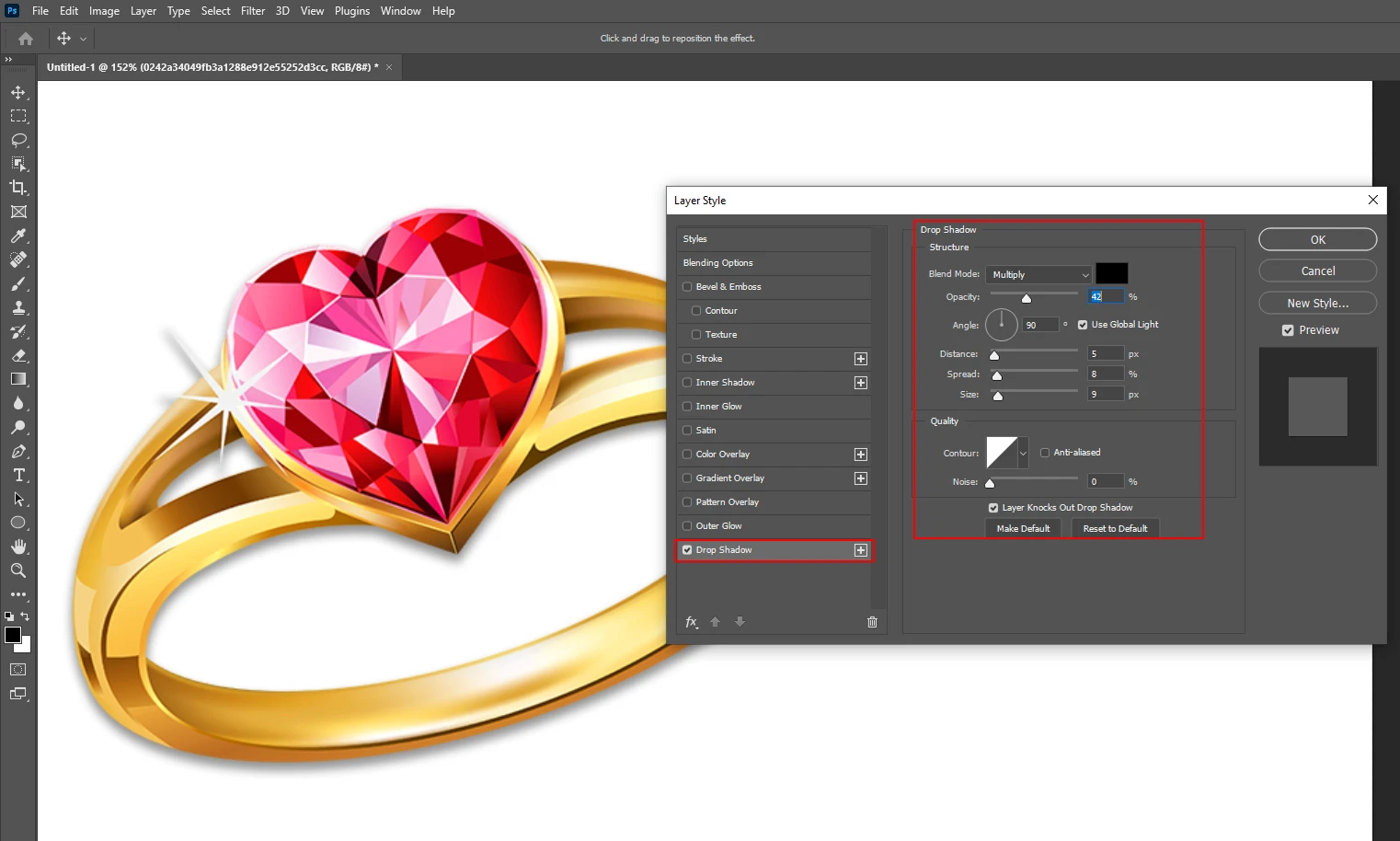
Drop Shadow
Drop shadow involves adding a shadow beneath or behind the image to create a floating or grounded effect. The drop shadow should closely resemble the natural shadow of the original object. This technique enhances the depth of the product, making it look more realistic. It is particularly effective in eCommerce to attract viewers by providing a natural and polished look.
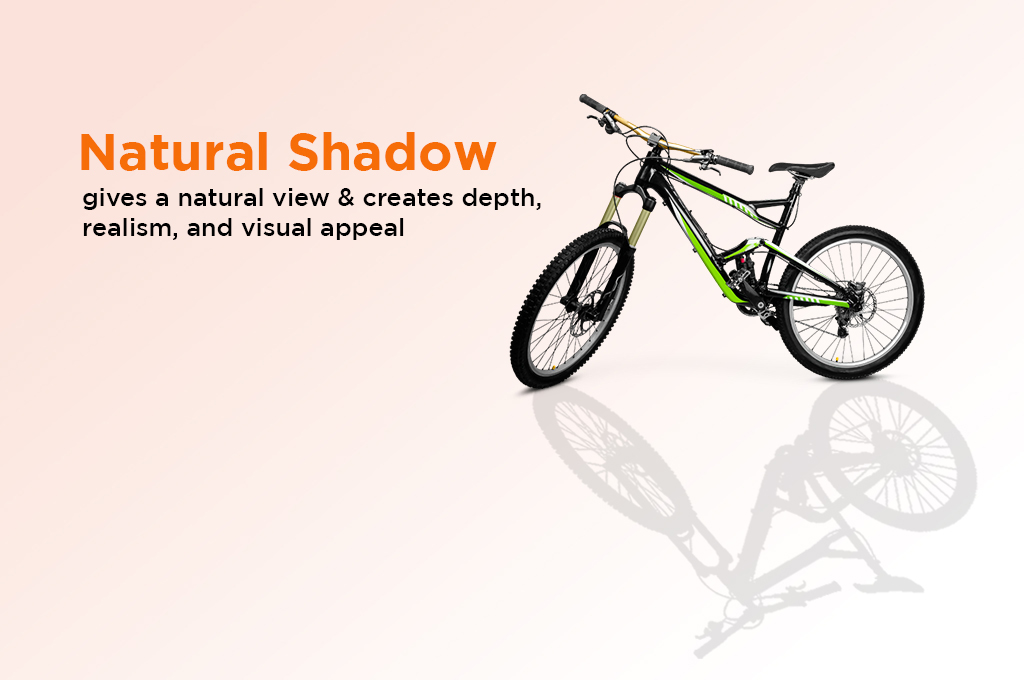
Natural Shadow
A natural shadow gives the product a realistic appearance by replicating the way light interacts with the object. To achieve this, the proportion between the shadow and the original object must be accurate. A well-executed natural shadow makes the product look as if it is glowing.
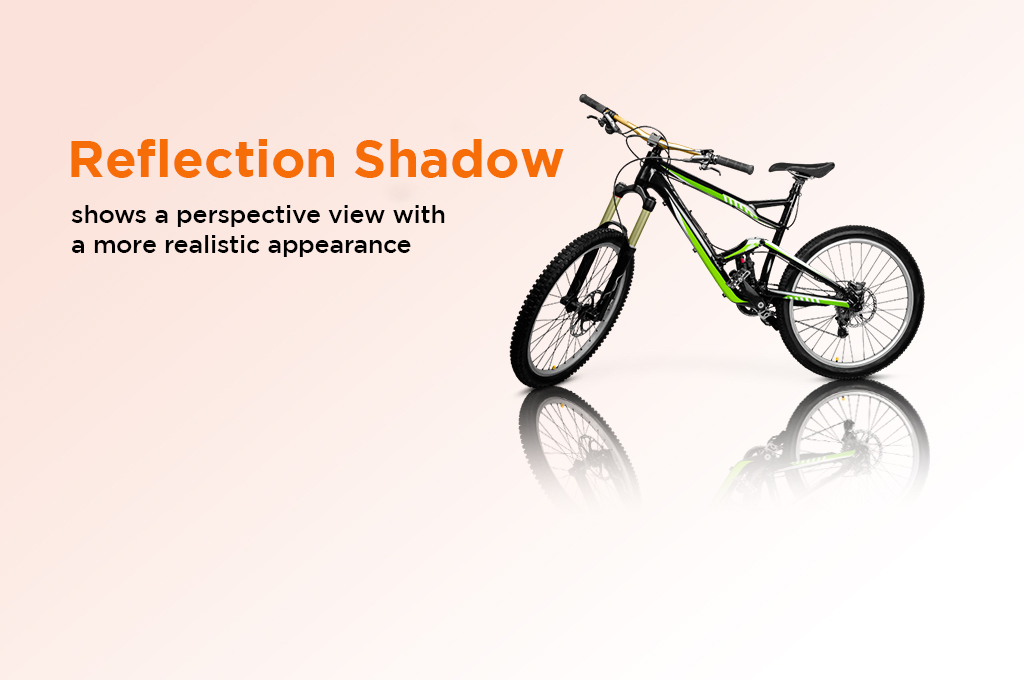
Reflection Shadow (Mirror Effect)
The reflection shadow effect creates a reflection of the product. With this shadow, you will feel as if the product is placed on a glass or reflective surface. Reflection shadows come in two forms:
- Hard Shadow: A sharp, distinct shadow that appears closer to the object.
- Soft Shadow: A diffused shadow that fades away as it gets further from the object.
Apart from these, you can apply shadow effects in Photoshop using your own creativity.
Shadow Creation Process
A professional image-editing company like ours enhances product images by adding realistic and visually appealing shadows. Shadow creation involves the careful application of natural shadows, reflection shadows, and drop shadows.
Designers ensure the smooth and proper adjustment of shadows to enhance the final image. This process is often linked with clipping path service, where designers first outline the object, cut it from the background, and then create shadows that suit the image’s angle and lighting.
Shadow Creation Best Practices
Photographers often encounter shadows when capturing product photos. In product photography, it’s important to refine or remove unwanted shadows. However, keeping a natural shadow can also help in displaying the product more realistically.
There are two main types of shadows:
- Soft Shadow: Occurs when the object is farther from the light source, creating a gentle, diffused shadow.
- Hard Shadow: Results from a close light source, producing sharp and defined shadows.
Sometimes, bringing in additional light is necessary to generate the desired shadow effect.
Can you create Photoshop Shadow on your own?
Creating natural-looking shadows in Photoshop is usually done by professional image editors. They have years of experience doing this. They know the perfect type of shadow applicable to the product. Hence, it’s recommended to hire a professional editor to do this job if you are running a commercial project.
However, if you are a beginner in photography and dealing with a small number of photos, you can do it yourself. Try to learn Photoshop from someone you know or get help from YouTube tutorials. I hope this content will help you learn about different types of shadows. Try to apply your knowledge by practically using Photoshop.
Frequently Asked Questions for Different Types of Shadows in Photoshop
-
What are the primary different types of shadows in Photoshop used in e-commerce?
There are three main types: Drop Shadows (creating a floating or grounded effect), Natural Shadows (replicating real light interaction), and Reflection Shadows (creating a mirror-like effect on surfaces).
-
What is the difference between a Hard Shadow and a Soft Shadow?
A Hard Shadow is sharp and distinct, usually resulting from a close light source, while a Soft Shadow is gentle and diffused, occurring when the object is farther from the light source.
-
How does a Reflection Shadow change the appearance of a product?
A reflection shadow (or mirror effect) makes the product appear as if it is sitting on a glass or highly reflective surface, adding a sophisticated and premium feel to the visual.
-
Why is the Clipping Path service often linked to shadow creation?
Designers use a clipping path to first outline and cut the object from its original background, which provides a clean slate to create new, properly adjusted shadows that match the image’s specific angle.
-
When should you hire a professional editor for shadow making?
While beginners can learn via tutorials for small projects, hiring a professional is recommended for commercial projects because they have the experience to choose the “perfect” shadow type and ensure a realistic, high-quality result.
Conclusion
Understanding the different types of shadows in Photoshop is a fundamental skill for any digital creator or online retailer. From the crisp lines of a solid shadow to the elegant symmetry of a reflection, these effects bridge the gap between a basic cutout and a realistic product presentation.
Pay careful attention to the lighting source when applying soft and hard shadows. You can DIY or learn from professional editors how to apply the best shadows for each situation.