If you want to download the Adobe Photoshop 7.0 version for free, you’re in the right place. In this context, we’ll show you the easy process of using this excellent photo editing tool without breaking the bank. Let’s get started.
How was Photoshop 7.0: A look back in History
With the code name ‘Liquid Sky’, Photoshop 7.0 was launched in March 2002. This version was an important milestone to support Mac OS X, marking a significant shift in cross-platform compatibility. In that time, the system requirements were:
Understanding how much Photoshop has evolved helps illustrate why version 7.0 is obsolete:
Photoshop Timeline
| Photoshop Versions | Year | New Feature |
| Photoshop 7.0 | 2002 | Healing Brush introduced |
| Photoshop CS | 2003 | First numbered “Creative Suite” version |
| Photoshop CS2 | 2005 | Smart Objects, improved healing tools |
| Photoshop CS5 | 2010 | Content-Aware Fill (revolutionary feature) |
| Photoshop CC | 2013 | Shift to a cloud-based subscription model |
| Photoshop 2021 | 2020 | Neural Filters, Sky Replacement |
| Photoshop 2024 | 2023 | Generative Fill with AI |
| Photoshop 2025 | 2025 | Enhanced AI tools, Generative Workspace |
Click to Download Adobe Photoshop 7.0 Free
The software has undergone fundamental architectural changes. Modern Photoshop is essentially a completely different application from Photoshop 7.0.
Why should you use Photoshop 7.0?
You should use an older version of Photoshop. Because,
- Easy access to the interface.
- There are no fancy features.
- It has a lower price than the newer version.
- The older versions do not come with the “always online” feature, so it has less impact on the PC while using it.
Key features of Photoshop 7.0
Some of the significant tools used in Photoshop 7.0 are described below.
Healing Brush Tool
Unlike the Clone Stamp tool, the Healing Brush intelligently blends sampled pixels with surrounding areas, producing natural-looking corrections. This feature alone made Photoshop 7.0 attractive to professional retouchers at the time.
The healing brush remains fundamental to Photoshop even today, though modern versions have significantly enhanced its capabilities.
File Browser
This improved file navigation tool allowed editors to organize, rename, and rank image files directly within Photoshop. It introduced the ability to view EXIF metadata, which was useful for photographers managing large image libraries. This feature later evolved into Adobe Bridge in Photoshop CS2.
Enhanced Text Tools
Photoshop 7.0 offered improved vector-based text capabilities, allowing designers to work with text more flexibly than previous versions.
Better Color Management
The software included enhanced color management options that were important for print professionals and photographers.
Layer Support and Compositions
Advanced layer manipulation capabilities allowed artists to work non-destructively and organize complex projects efficiently.
Layer tool
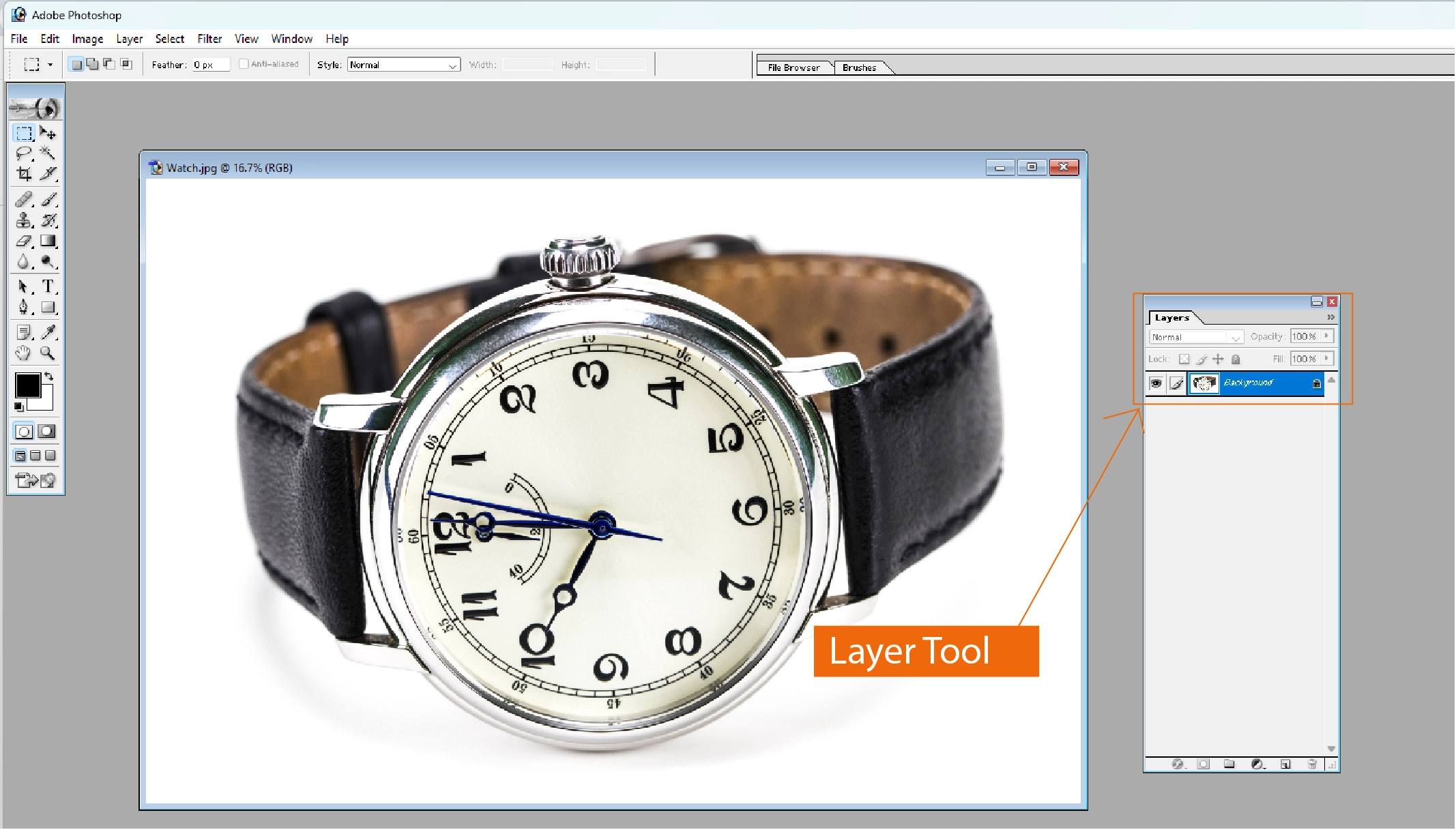
This tool can add multiple pictures or objects to draw or edit them in different layers. Each layer has its border, and all the edits or mistakes inside don’t affect the others. After completing all the layers, the editor can copy and paste them into a single particular frame.
Selection feature
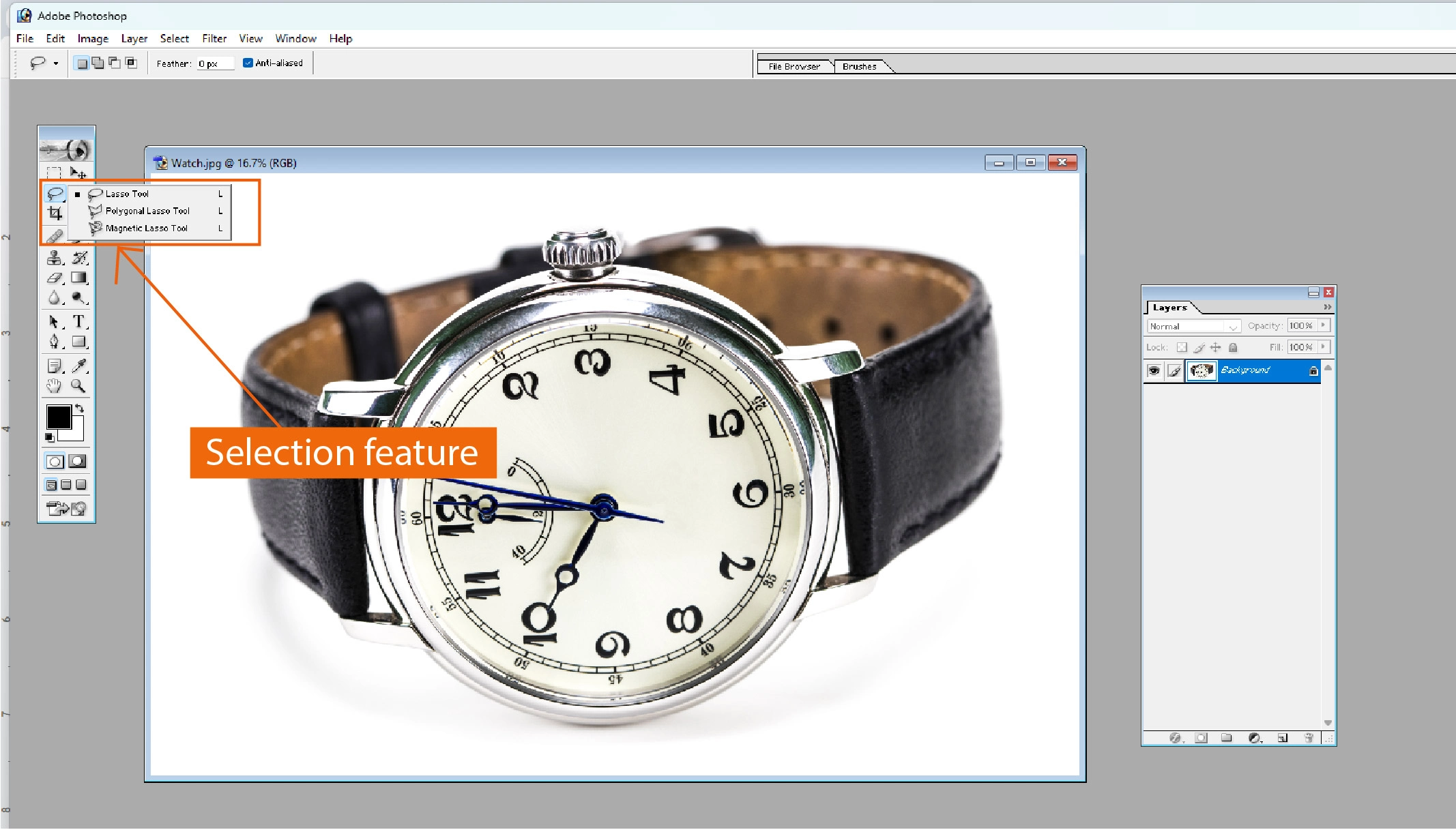
This tool mainly selects a particular part of a picture or drawing. When the editor edits anything inside the designated area, it only affects that part. So he can choose a different design for different parts of the image or drawing.
Pen feature
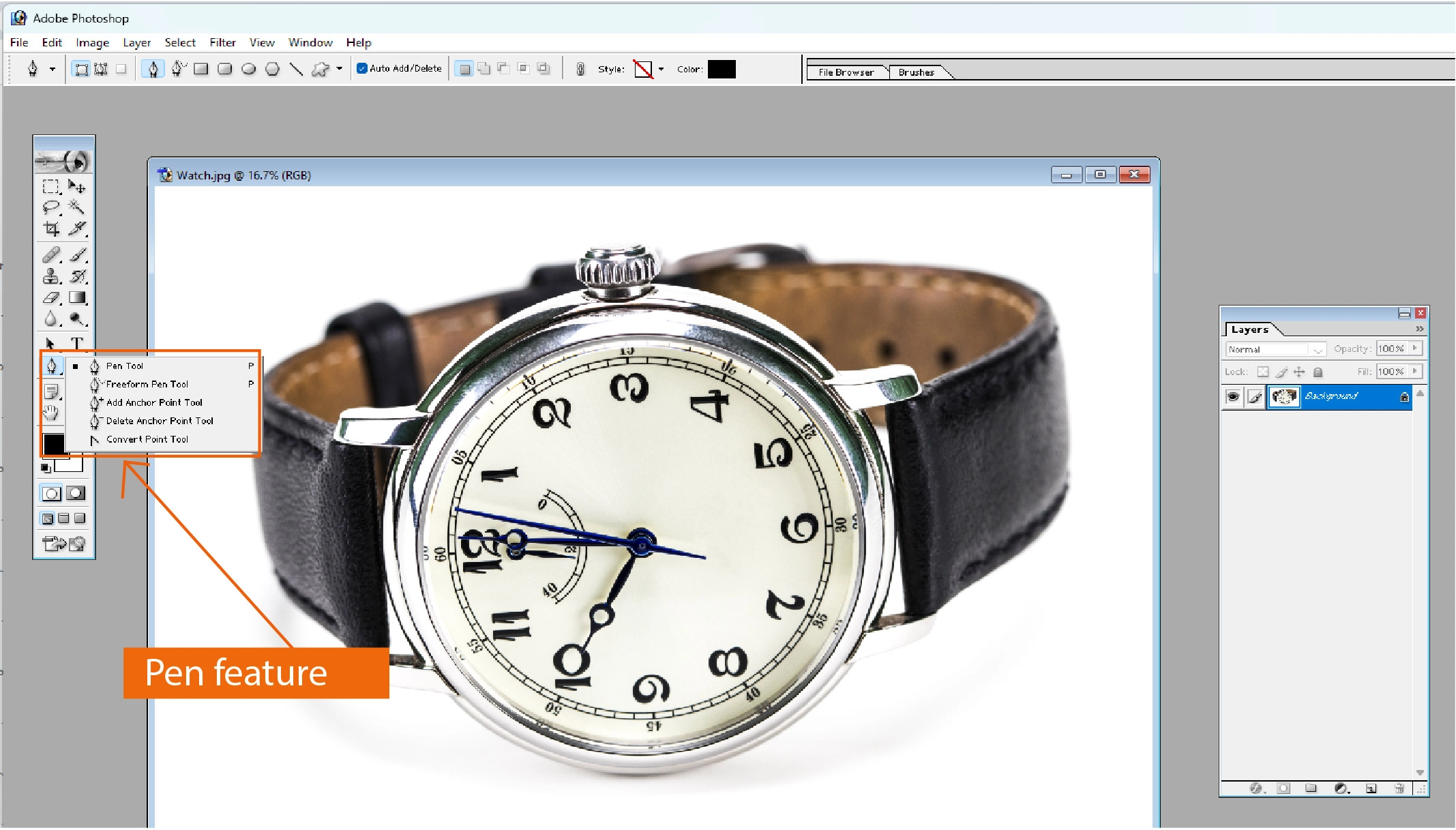
With this tool, any editor can draw any shape of any size with their bare hand.
Shape tool
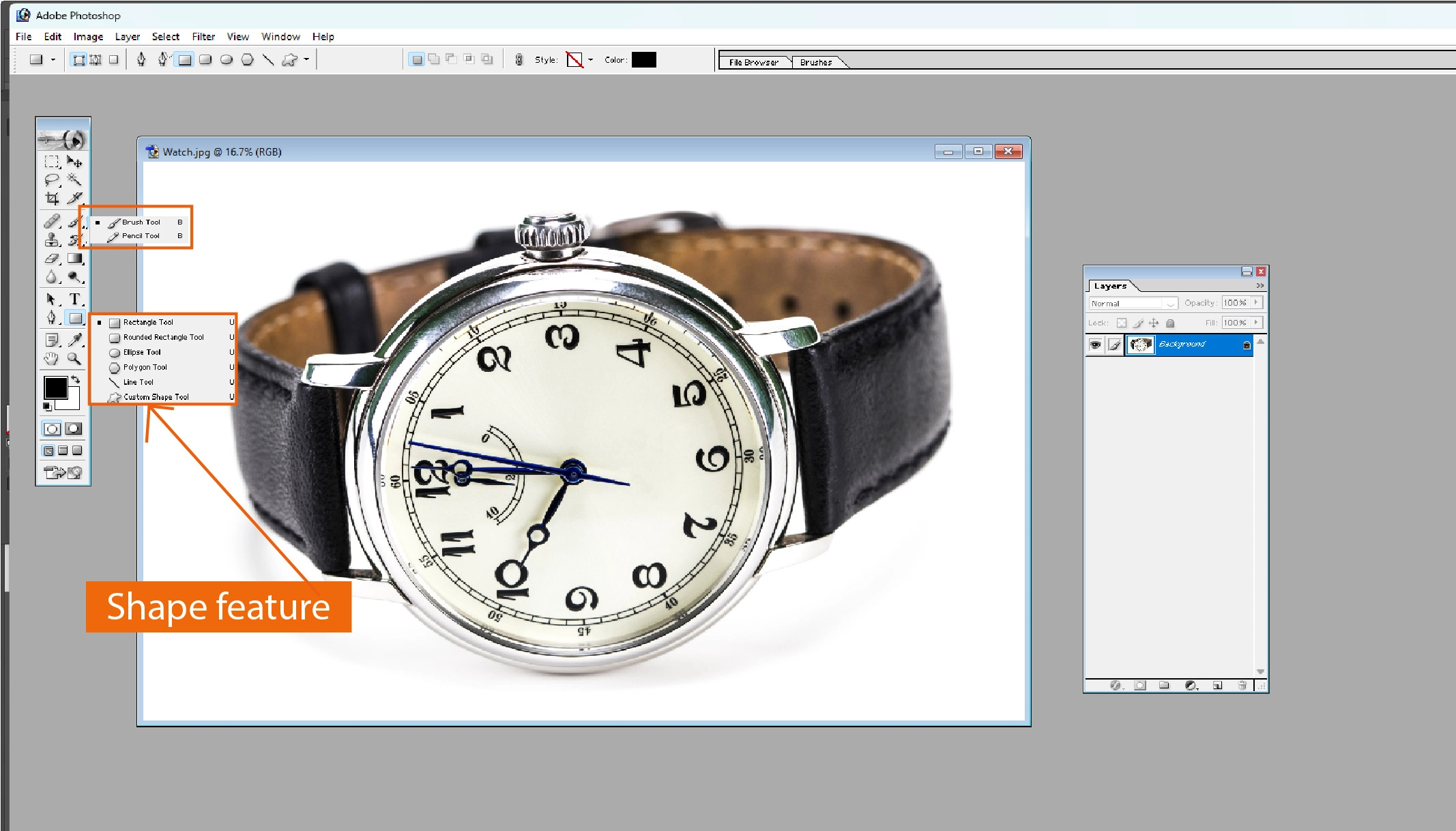
This feature helps a designer create or edit any shape of a particular object. You need to select the shape from the tool list and choose its start point. Then, provide the shape size.
Slice feature
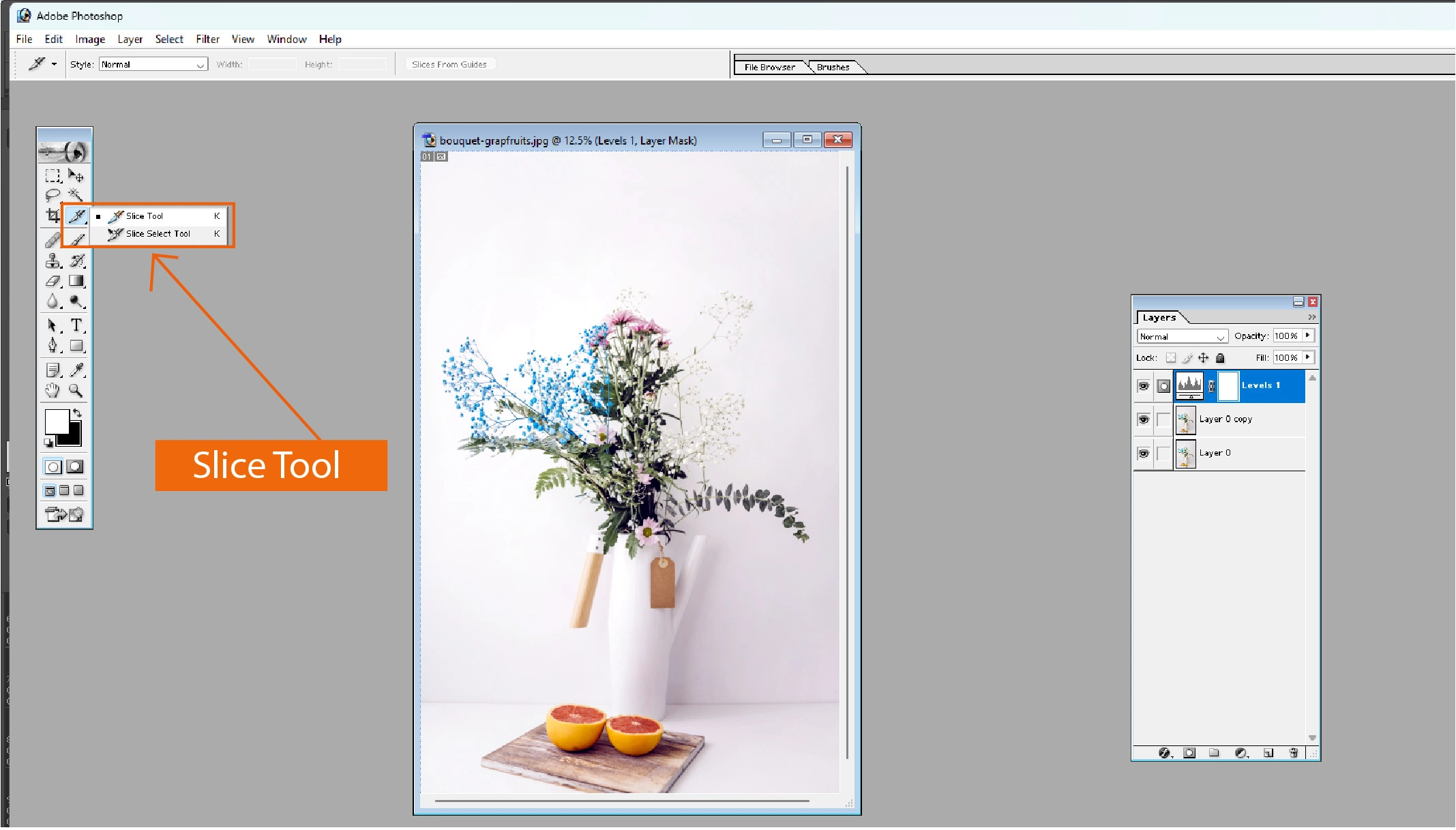
An editor can cut his images or drawings into a couple of slices with these slice features. However, the use of this tool is decreasing these days.
Retouching feature
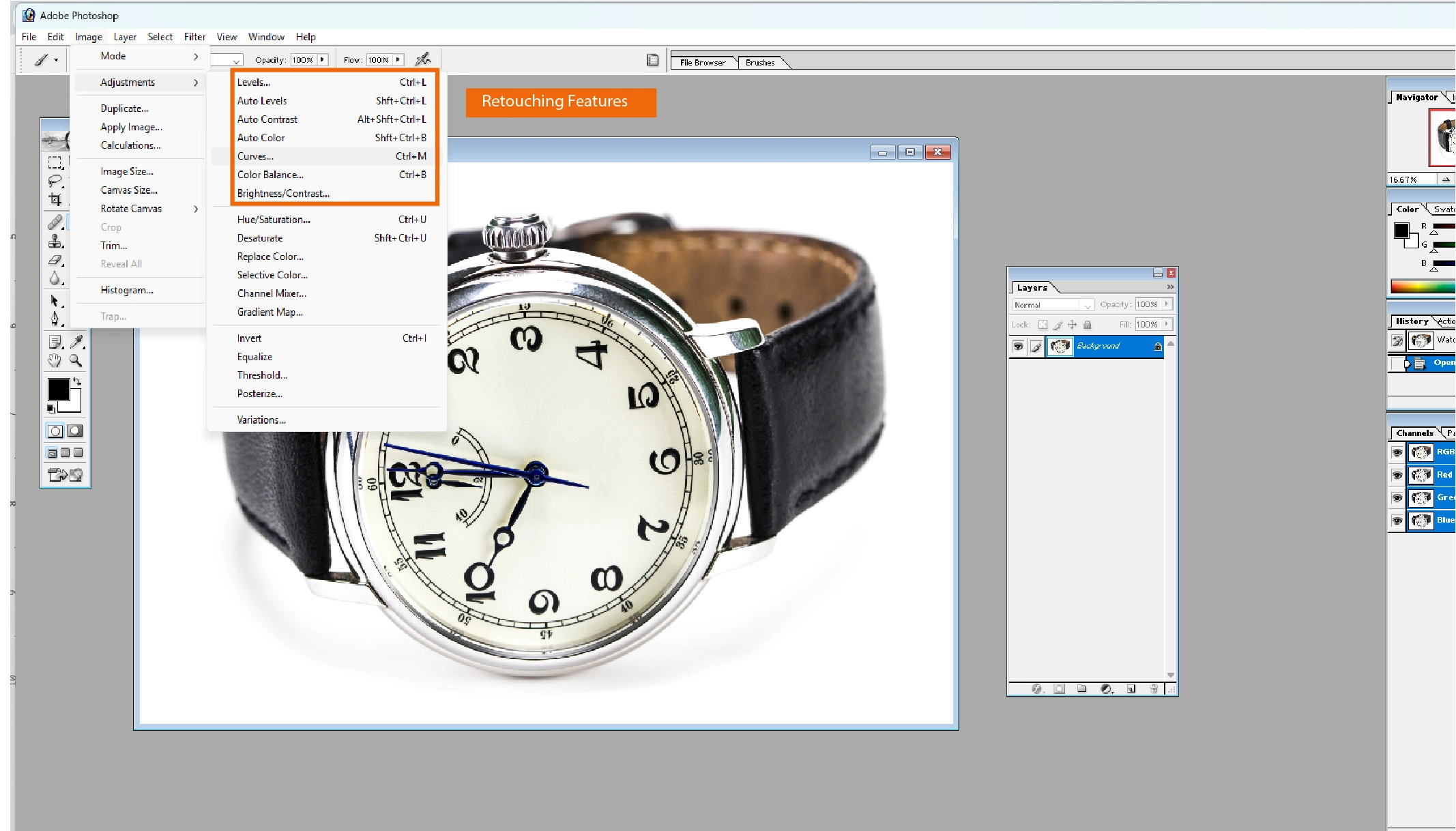
This tool is used to condense raster pictures or drawings.
Photoshop 3D feature
You can draw or design three-dimensional photos or objects. It can also turn multiple images into a 3D picture. This tool allows for editing the 3D pictures and selecting the right pose or design for their drawing.
You may also like to read… A Complete Guide to Download Beta Photoshop AI Free in Adobe
Smart object technology
This feature remembers all the previous edits made on a particular image to check whether someone edited a part twice or not. With it, you can also bring the original form of a picture if necessary.
Check out the best Photoshop photo background removal service for professionals.
Some new features in Adobe Photoshop 7.0
File browsing feature
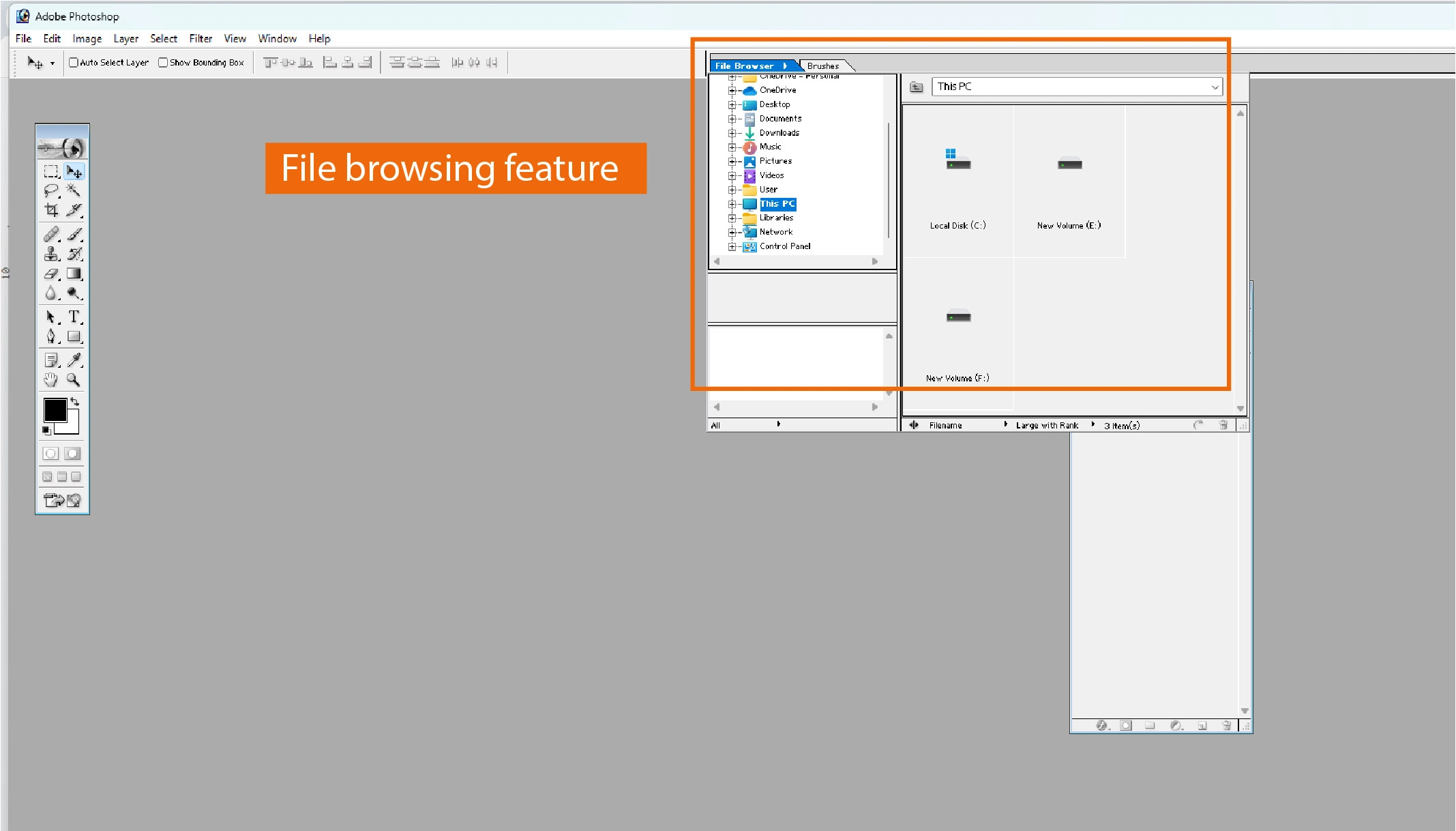
Adobe recently introduced this feature. With this feature, an editor can rename, sort, and rank his image files. He can even check their Exif metadata if it’s necessary for his edit.
Auto color technology
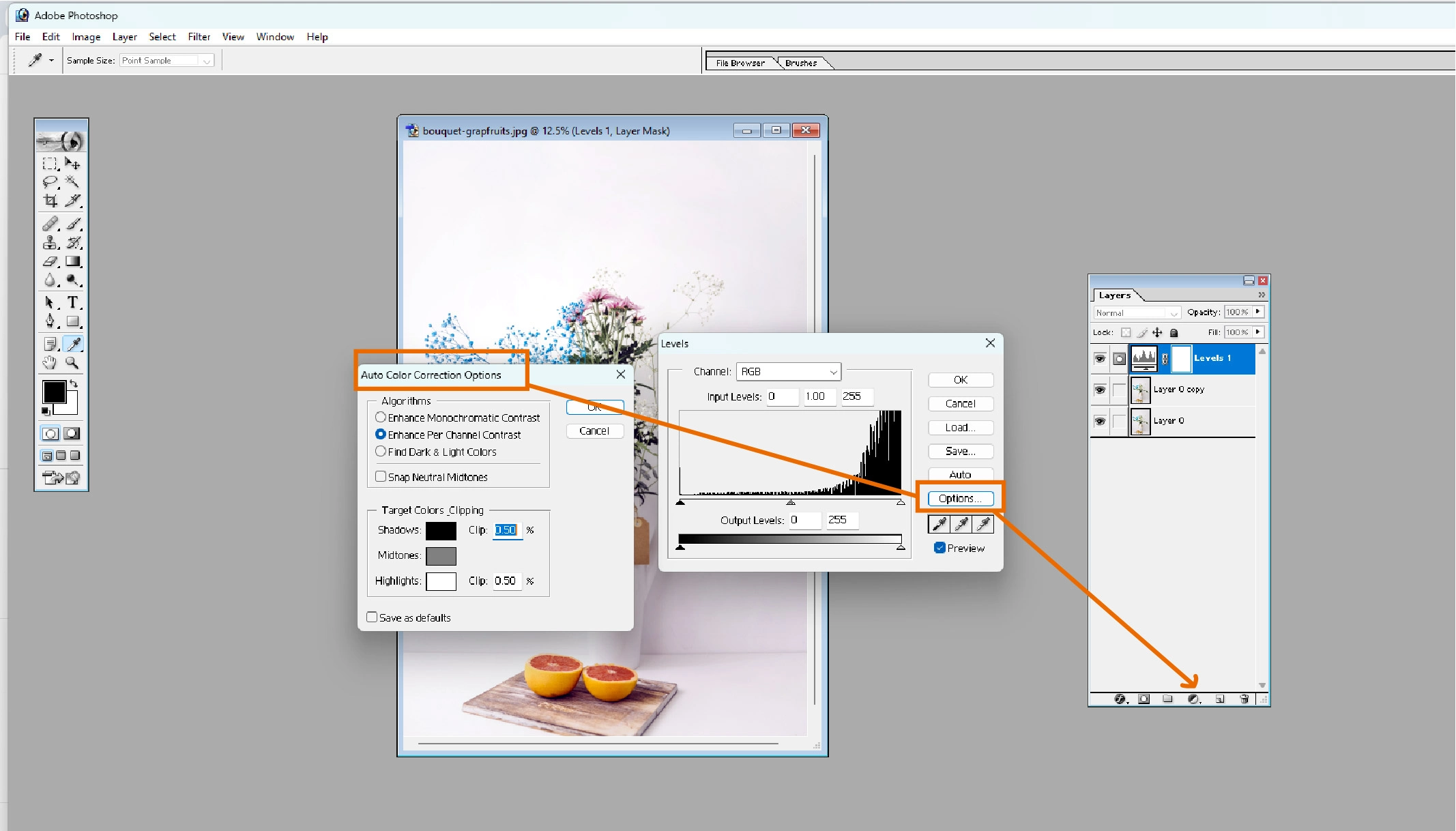
With this feature, you can change the color of a particular area of an image. It is a far better technology than auto-better or auto-contrast features.
New engine to create better pictures
Adobe has introduced a new painting engine, and Photoshop 7.0 has been updated. It comes with enhanced brush tool technology. As a result, editors can wriggle with their images with numerous brush tools.
Zoom-view feature tool
With this tool, the editor can zoom in and out of any image as much as they want. As a consequence, they can edit or design more efficiently.
Adobe Photoshop 7.0 Technical Setup Details
The Adobe Photoshop 7.0 setup process is described below.
- Install the DVD of the software on your PC first.
- If you don’t have a DVD, you can download it online.
- Click on the installation software twice.
- Select an installation path there.
- Click on the “Install” option.
You will see the software being installed. Could you wait until it’s finished?
Is Photoshop 7.0 outdated?
Well, not.
Some key editing features, such as lightweight and low-price experience, keep it in the market even now.
It would be overwhelming to think of downloading Photoshop 7.0 for free, just because it is inexpensive. Besides, pirated Adobe Photoshop 7.0 download 32-bit can damage your pc. You can get an original copy of Adobe Photoshop 7.0 from here with cloud and other facilities.
Adobe Photoshop 7.0 System Requirements:
The system requirements of Photoshop 7.0 on Windows and Mac are described below.
Windows
- Processor: Intel Pentium III or 4
- RAM: 128 MB (192 MB recommended)
- Hard Disk Space: 280 MB available
- Monitor: 800×600 resolution with 16-bit color or greater
- Operating System: Windows 98, Windows ME, Windows NT with Service Pack 6a, Windows 2000 with Service Pack 2, or Windows XP
Macintosh
- Processor: PowerPC G3, G4, or G4 dual
- RAM: 128 MB (192 MB recommended)
- Hard Disk Space: 320 MB available
- Monitor: 800×600 resolution with 16-bit color or greater
- Operating System: Mac OS 9.1, 9.2, or Mac OS X version 10.1.3
Should you download Photoshop 7.0 free from pirated sites?
You shouldn’t download Adobe Photoshop 7.0 for free from the pirated website. The reasons are described below.
It may contain viruses.
Files downloaded from pirated sites are full of viruses. Hackers upload fake software with malware to steal all your data. They can even get access to your bank account credentials. A virus, like a trojan, can destroy your PC components.
Antivirus software can remove cracks
Photoshop 7.0 from a pirated website contains the crack files. Your PC’s antivirus software can delete these files. As a result, you are no longer able to use this software.
No cloud feature
An official software key from Adobe does not activate the pirated Photoshop 7.0. That’s why Adobe’s official cloud system doesn’t work.
No new updates
As mentioned before, the pleated Photoshop 7.0 isn’t officially unlocked. So they don’t get any updates. When a version has major bugs, Adobe provides updates to fix them. However, as a pirated copy user, you cannot access their official server. So you won’t get any updates.
A ransack of projects
These days, hackers can steal your drawings or designs and sell them with pirated Photoshop software. It can also damage your company’s or business’s reputation.
Best Photoshop 7.0 Alternatives
Adobe Photoshop CC Latest Version 2025
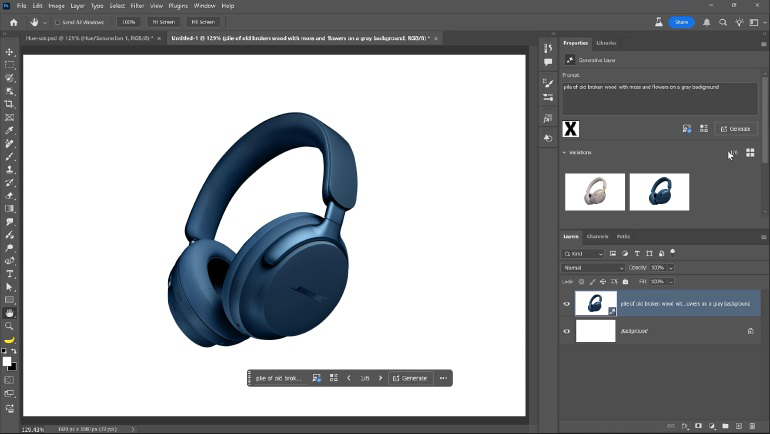
Price: $23.49/month (includes 100GB cloud storage, Lightroom)
Best For: Professional photographers, designers, and e-commerce professionals
Why Choose
- Full suite of modern AI-powered editing tools
- Generative Fill for intelligent object removal
- Sky Replacement for automatic background changes
- Cloud synchronization across devices
- 7-day free trial available
GIMP (Free, Open-Source)
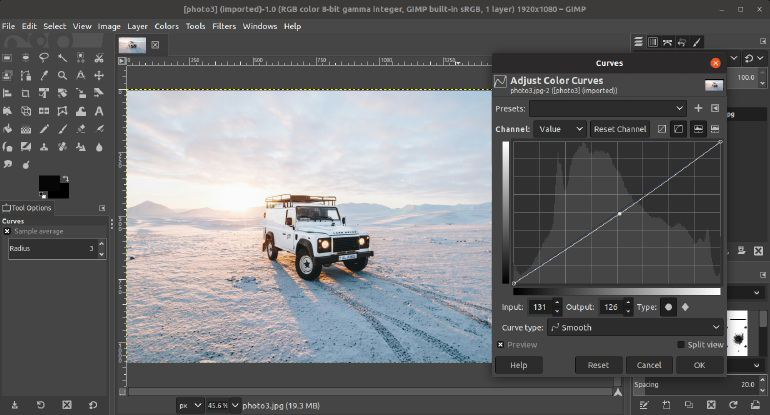
Price: Completely free
Best For: Photographers and designers on a budget
Features
- Professional-grade raster image editing
- Multi-layer support with blending modes
- Healing and clone tools for retouching
- Advanced selection tools
- Cross-platform (Windows, macOS, Linux)
- Large community support and tutorials
- Actively developed with regular updates
Why Choose
- Most complete free Photoshop alternative
- No subscription required
- No licensing restrictions
- Familiar interface for Photoshop users
Adobe Photoshop Elements
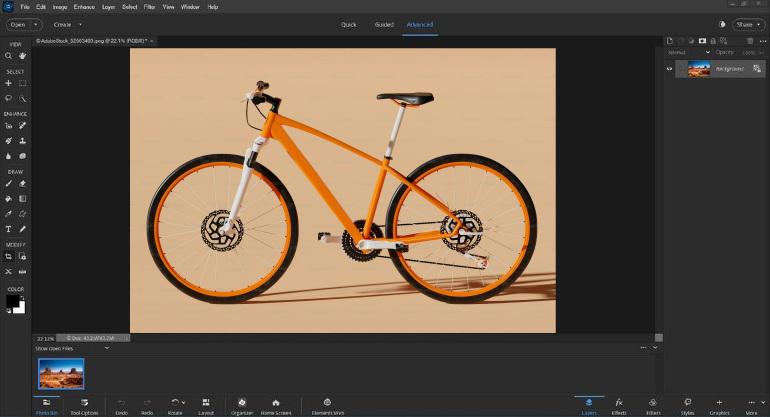
Price: One-time purchase of $99 (no subscription)
Best For: Casual users and hobbyist photographers
Features
- Simplified interface compared to Photoshop CC
- Guided editing for beginners
- AI-powered Auto Tone and Color Correction
- Batch editing capabilities
- Supports PSD files from Photoshop
Why Choose
- No monthly subscription
- Easier to learn than full Photoshop
- Official Adobe product with support
- Regular updates and improvements
Affinity Photo (Mac and Windows)
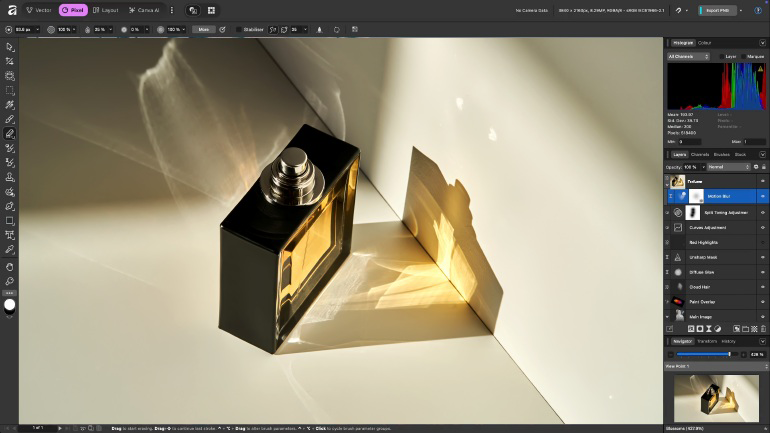
Price: $79.99 (one-time purchase)
Best For: Professional photographers wanting a non-subscription option
Features
- Professional-grade editing tools
- Non-destructive editing with adjustment layers
- RAW file support for modern cameras
- 64-bit architecture for performance
- Layer masks and blending modes
- One-time payment model
Why Choose
- Permanent license (no subscription)
- Professional capabilities at a lower cost
- No cloud dependency
- Regular updates included
GNU Image Manipulation Software
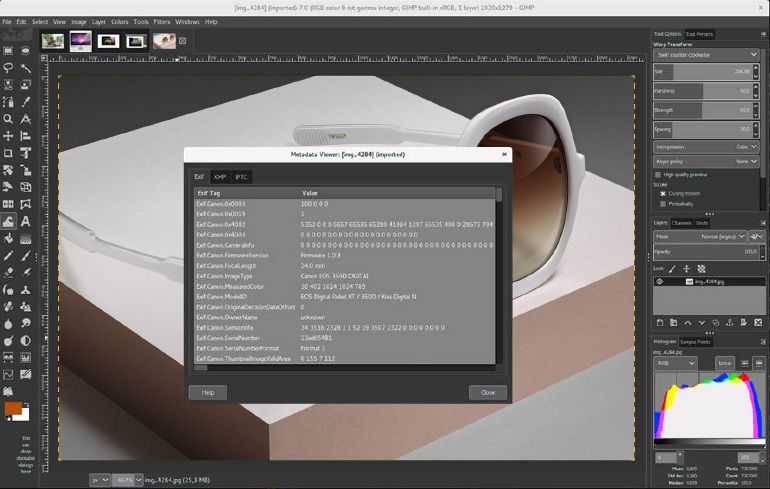
Price: Completely free and open-source, no subscription or licensing costs
Best For: Budget-conscious photographers and designers, users needing cross-platform compatibility, and systems with low or mid-range hardware
Features
- Professional-grade image editing tools
- Modular installation for low-resource systems
- Advanced layer management and blending modes
- Retouching tools, including healing and cloning
- Supports Windows, macOS, and Linux
- Downloadable from GitHub with frequent updates
Why Choose
- Most powerful free alternative to Photoshop
- Customisable for low-performance PCs
- No usage restrictions or hidden costs
- Strong community support and plugins
Paint.Net software (Free, Windows)
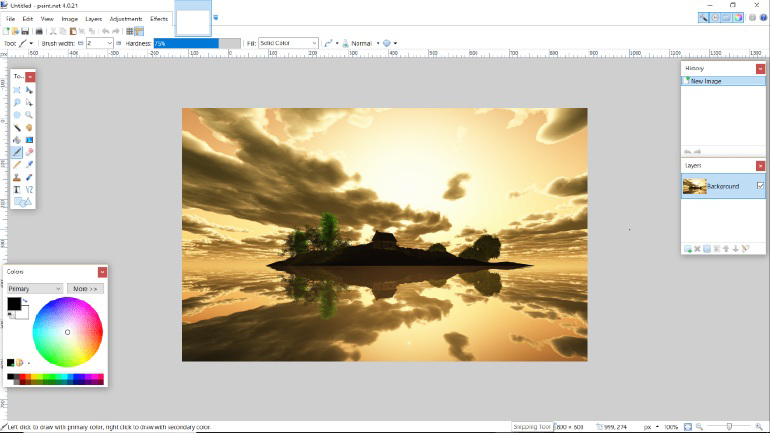
Price: Completely free
Best For: Windows users wanting simplicity
Features
- Lightweight and fast
- Layer support
- Basic retouching tools
- Selection tools and filters
- Simple, intuitive interface
- Regular updates
Why Choose
- Very lightweight
- Quick to launch
- Good for basic tasks
- No learning curve
Corel PaintShop Pro software
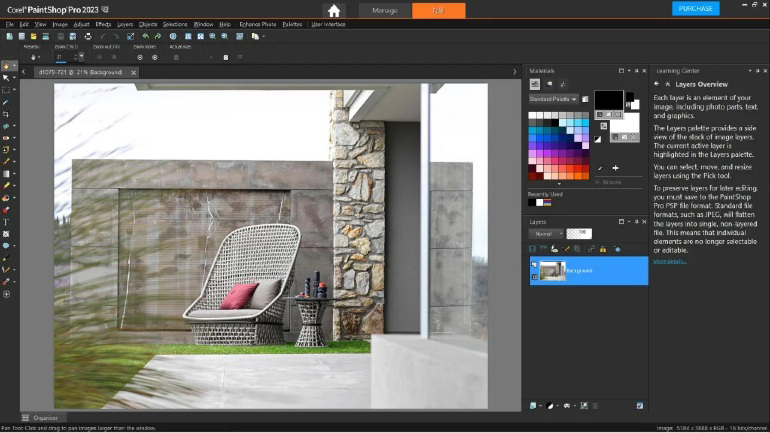
Price: One-time purchase ($99.99) (no subscription required)
Best For: Windows users seeking a Photoshop-style editor, and photographers needing advanced enhancement tools
Features
- Professional photo enhancement tools
- RAW image editing support
- Custom effects and filters
- Layer-based editing system
- Intuitive and user-friendly interface
- Multi-tasking workflow for complex edits
Why Choose
- Powerful desktop photo editor without monthly fees
- Easier learning curve compared to Photoshop
- Strong feature set for professional photo editing
FastStone Image Viewer software
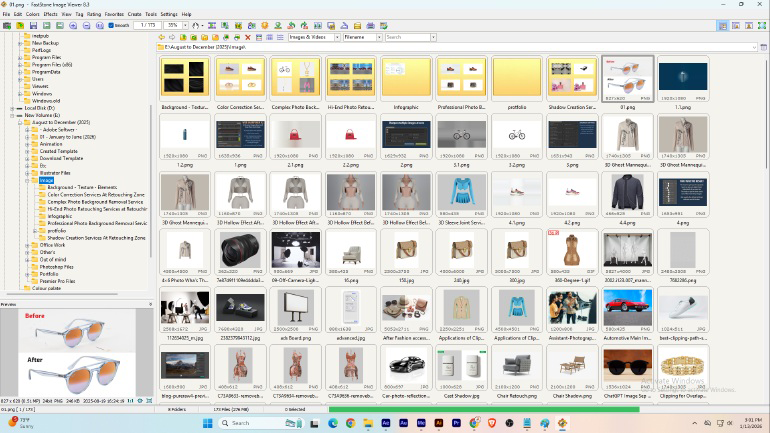
Price: Free for personal use
Best For: Users needing quick image viewing and basic edits, and creating slideshows or image-based videos
Features
- Simple and lightweight interface
- Basic image editing tools
- Batch image processing
- Slideshow and video creation from images
- Image conversion and resizing options
Why Choose
- Extremely easy to use
- Fast performance with minimal system usage
- Ideal for basic editing and image organisation
.
IrfanView software
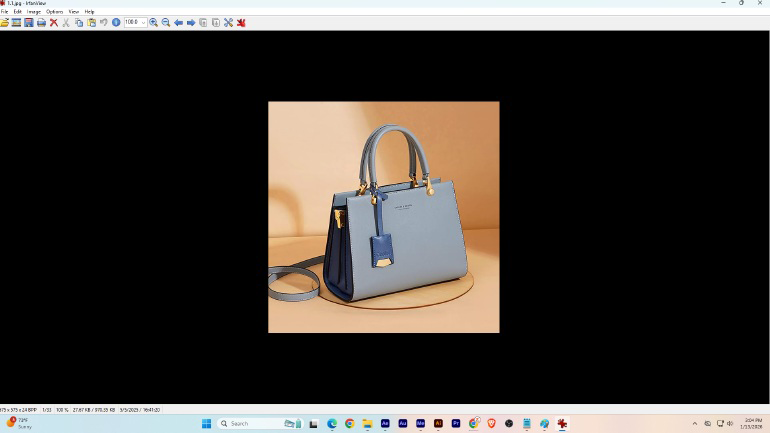
Price: Free for personal use
Best For: Users needing fast image viewing and optimisation, and handling multiple image file formats
Features
- Supports numerous formats (PNG, JPG, TIFF, and more)
- Image resizing, cropping, and optimisation tools
- Batch image processing
- Lightweight and fast performance
- Plugin support for extended functionality
Why Choose
- Excellent for quick image optimisation tasks
- Very low system resource consumption
- Reliable tool for everyday image handling
RawTherapee
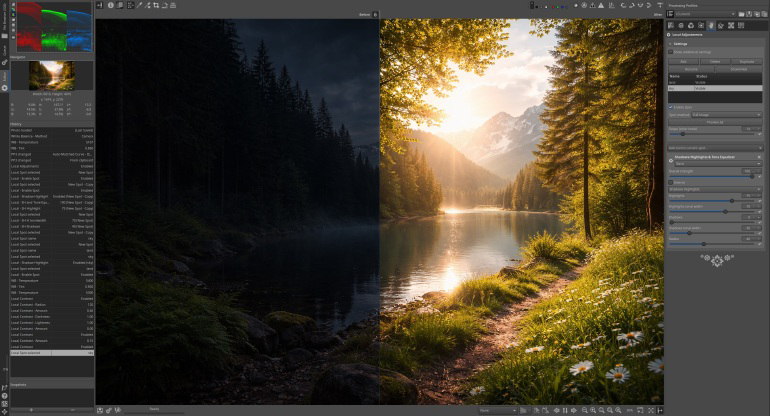
Price: Completely free and open-source
Best For: Photographers working with RAW image files, and users looking for a Photoshop 7.0 alternative for RAW editing
Features
- Advanced RAW photo editing tools
- High-quality colour correction and tone mapping
- Non-destructive editing workflow
- Supports a wide range of camera RAW formats
- Cross-platform compatibility
Why Choose
- One of the best free RAW image editors available
- Professional-level tools without cost
- Ideal for detailed image processing and fine control
Krita (Free, Open-Source)
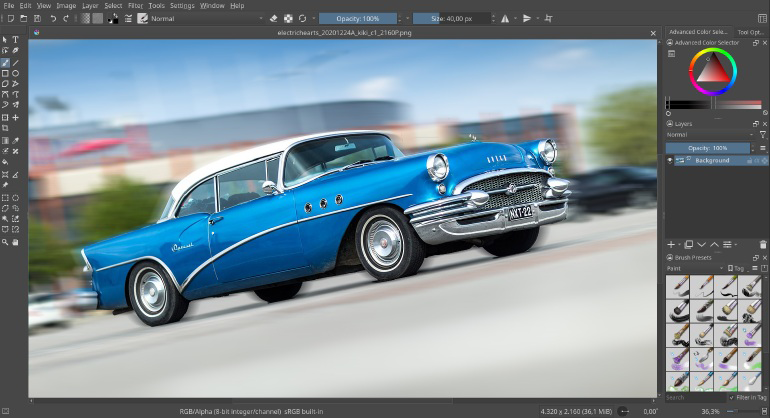
Price: Completely free
Best For: Digital artists and illustrators
Features
- Professional painting and drawing tools
- Advanced brush engine
- Layer management with blending modes
- Animation support
- Symmetry and mirror tools
- Color management
- Cross-platform availability
Why Choose
- Completely free
- Excellent for illustration and digital art
- Active open-source community
- No subscription or limitations
Pixlr (Free Online)
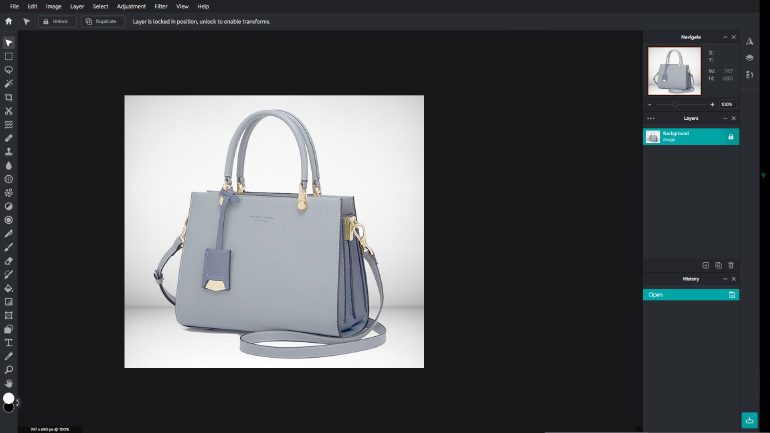
Price: Free (browser-based)
Best For: Quick edits, mobile editing, beginners
Features
- No installation required
- Cloud-based (works anywhere)
- Layer support
- Basic retouching tools
- Mobile app available
- AI-powered editing features
- Supports PSD files
Why Choose
- Completely free
- Accessible from any device
- Simple, intuitive interface
- Good for quick edits
Canva Pro
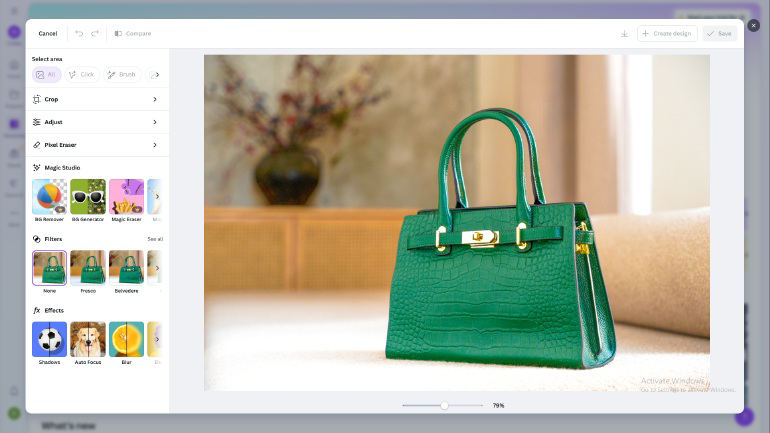
Price: $14.99/month (or $180/year)
Best For: Social media creators and content creators
Features
- Drag-and-drop interface
- Professional templates
- Photo editing and design tools
- Stock image library included
- AI-powered background remover
- Mobile app available
Why Choose
- Extremely user-friendly
- Great for non-designers
- Includes design templates
- Fastest learning curve
9. After the 13 subsections and before the FAQ section, add the following new section
Comparison Table: Photo Editing Software in 2025
| Software | Price | Best For | Learning Curve | AI Features | Cloud Sync |
|---|---|---|---|---|---|
| Photoshop CC 2025 | $23.49/month | Professionals | Moderate | Excellent | Yes |
| GIMP | Free | Budget users | Steep | Limited | No |
| Photoshop Elements | $99 one-time | Hobbyists | Easy | Good | Yes |
| Affinity Photo | $79.99 one-time | Professionals | Moderate | Limited | No |
| GNU Image Manipulation | Free | Budget-conscious photographers and designers | Moderate | None | No |
| Pixlr | Free | Quick edits | Very easy | Good | Yes |
| Canva Pro | $14.99/month | Creators | Very easy | Good | Yes |
| Krita | Free | Artists | Steep | Limited | No |
| Paint.NET | Free | Basic users | Very easy | None | No |
| Corel PaintShop Pro | $99.99 | Advanced editors and photographers | Moderate | Good | No |
| FastStone Image Viewer | Free | Basic users | Easy | None | No |
| IrfanView | Free | Fast image viewing and optimization | Moderate | None | No |
| RawTherapee | Free | RAW photographers | Moderate | None | No |
| Photoshop 7.0 | Obsolete | None | Outdated | None | No |
However, you can use alternative software if you still don’t have enough money to buy this software.
What Photoshop 7.0 Lacks
While Photoshop 7.0 was groundbreaking in its time, it falls short of meeting modern image editing demands and evolving creative workflows. The software lacks many of today’s essential features, such as:
Security Updates
Photoshop 7.0 has not received a single security update in over 23 years. It is vulnerable to modern exploits and malware. Running outdated software on modern systems exposes your computer to significant security risks.
Adobe Creative Cloud Integration
Creative Cloud was introduced in 2013, eleven years after Photoshop 7.0’s release. This software predates cloud technology by over a decade.
Compatibility with Modern Hardware and Operating Systems
- Cannot run on Windows 11 or 10 (officially)
- Mac OS support ended with OS X 10.4 Tiger
- Cannot leverage modern multi-core processors or GPU acceleration
- No support for current monitor resolutions or color spaces
Essential Modern Features
Photoshop 7.0 lacks features now considered basic:
- Content-Aware Fill (introduced in CS5, 2010)
- Smart Objects with non-destructive scaling (CS2, 2005)
- Adjustment Layers (CS4, 2008)
- Liquify tool refinements (CS3, 2007)
- Sky Replacement (2021)
- Generative Fill powered by AI (2023)
Modern File Format Support
- Limited RAW image support (cameras from 2002 only)
- No support for modern camera RAW files
- Cannot handle current video formats or workflows
- Limited PNG, WebP, and modern format compatibility
Higher Performance
- A 32-bit architecture cannot utilize more than 4GB of RAM
- Slow rendering compared to modern 64-bit versions
- No GPU acceleration
Professional Support
Adobe provides zero technical support, bug fixes, or patches for Photoshop 7.0. Any issues you encounter have no official resolution path.
Legal and Licensing Issues
- Adobe no longer sells Photoshop 7.0
- Any “free” copies circulating online are either:
- Illegal redistributions
- Pirated versions with malware
- Unauthorized third-party-hosted files
FAQ
Which operating systems support Photoshop 7.0?
Photoshop 7.0 can be installed on Windows, Mac, or Linux. It requires at least Windows 98 to install. For Mac, you can use Photoshop 7.0 on Mac OS 9.1, 9.2, or Mac OS X v.10.1.3.
Can I still download Adobe Photoshop 7.0 for free?
You can go for Adobe Photoshop 7.0 free download full version with a key for Windows 10 from a third-party website. But you should be careful when downloading, as most of these websites have malware files attached to the installation file.
Can the Photoshop trial version be downloaded from the official website?
You can download the Adobe trial version from the official Adobe website. This trial version has a 7-day time limit. After that time, you have to purchase the software to use it.
What if my work specifically requires Photoshop 7.0 format compatibility?
If you need to open old PSD files from Photoshop 7.0:
- Modern Photoshop CC can open and convert these files
- GIMP supports older PSD formats
- Photopea (online) can open legacy PSD files
Conclusion
This simple, lightweight tool can get all basic, essential editing done quickly. It reduces pressure on your RAM and makes editing easier.
But, as I said earlier, third-party websites are critical for you to go for “Photoshop 7.0 free download“. If you want to buy it, the price isn’t that much. The features it provides are worth that price. Download it from the official website to be risk-free. Photoshop is the best option for you if you need professional product photo editing.
A wise person will never risk his reputation and business to save 10 bucks and download pirated software.