How important do you think it is to have an understanding of the parts of a camera? How complementary is this analysis to the art of photography?
You, at least, need to know what kind of camera you are going to buy before making a final purchase. Your superficial knowledge may hinder you from getting one from the store, let alone taking the photos you are longing for.
No one denies that taking a picture is more than just pressing a button. Proper technical knowledge of a camera will increase your photography skills manifold. And that’s why it is not an option to explore a camera inside and out.
Different Types of Parts of a Camera: How They Function
An overview of a digital camera is loud when you give it a look. But that’s not all. and it requires more to expose the gist of its functionality. Every part revolves around its basics in a way that requires you to know what they do and how they do. Here’s a detailed rundown for you:
-
Lens Mount
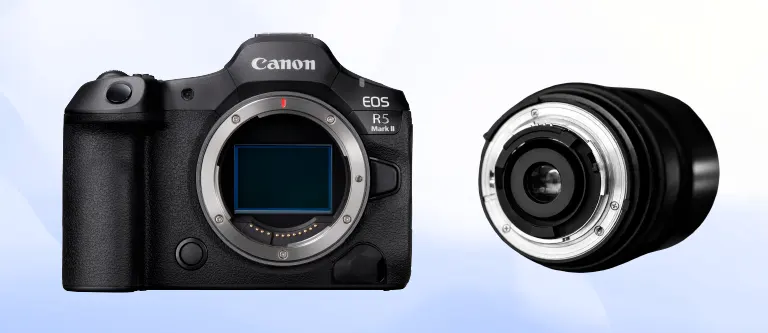
This fitting is easily visible on the camera body, a great way to attach a lens with no obstacles. And so it doesn’t take long for most photographers to fall in love with it.
It’s for good reason that some camera manufacturers offer their own lens mounting system whenever they think of a lens.
-
Lens Release Button
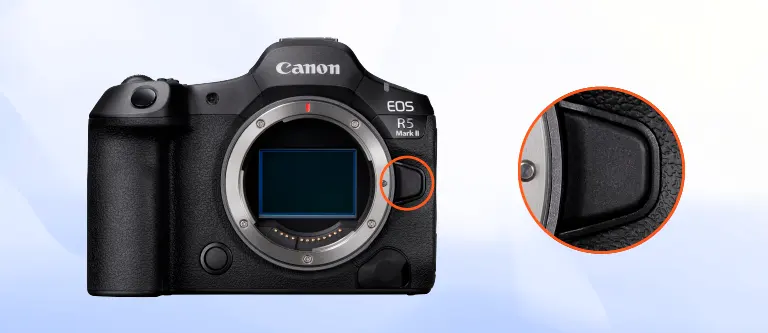
You won’t have much trouble finding this special button on the front of the camera, especially when you’re looking at the lens mount. It’s a great way to release your lens.
Although it’s a safety feature for the lens, you’ll notice it. It’s not absolutely necessary; there is another option, where you can attach the lens without pressing the button.
-
Condenser Lens
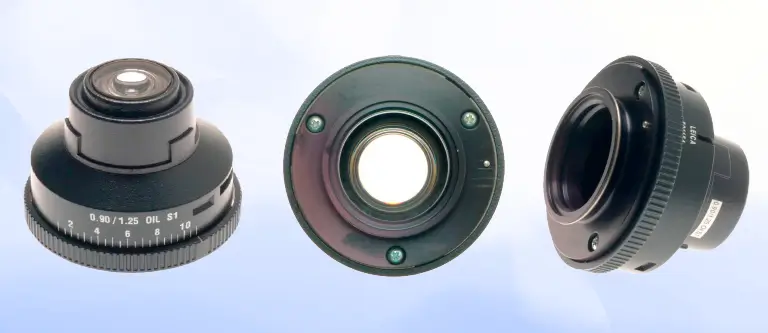
The name may give you a different perspective, but know that it is not one; it is a combination of two convex lenses. One of the most common camera problems is colour fringing, which the condenser lens is the last resort to solve.
-
Zoom Ring on Lens
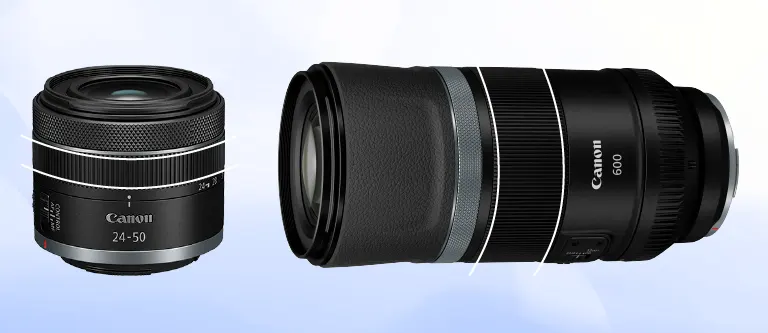
Focal length is not a jargon word for a professional photographer. Its effect on zooming in and out is immense. The focal range varies from camera to camera, but it is not changeable.
You have to increase or decrease the focal length within a certain range. The zoom ring is the piece that allows you to put this theory into practice. Turn the ring, and you will experience the subject coming towards you or moving away from you on its own.
-
Display
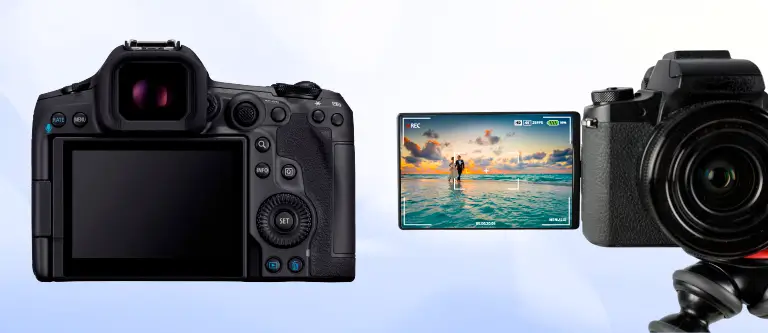
You’ll definitely spend more time deciding how much light will be in the image, ISO, and how fast to capture. There’s nothing more intuitive than having the shutter and exposure menus at your fingertips.
The display houses all of this under one roof. It has so much menu navigation that you can clearly see the entire composition of the image before you even press the shutter release button.
-
Viewfinder
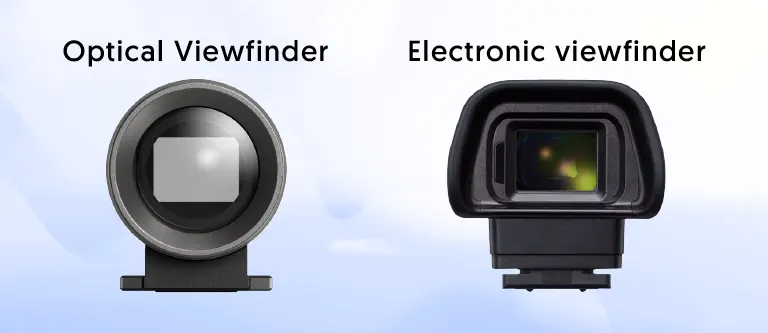
You’ll see many rectangular parts on your camera, but this rectangular element is the master of framing your image. Do you want to understand your subjects in great detail? Then keep the following types of viewfinders in mind:
- Optical viewfinder: If you get one, you only need the lens to see the scene directly.
- Electronic viewfinder: This viewfinder has no counterpart to the full-fledged digital preview of the image.
- There are also viewfinders that require you to rely on the camera’s light meter to get a visual indication of exposure. The best part about these is that you also get information on aperture, shutter speed, and ISO.
-
Focusing Screen
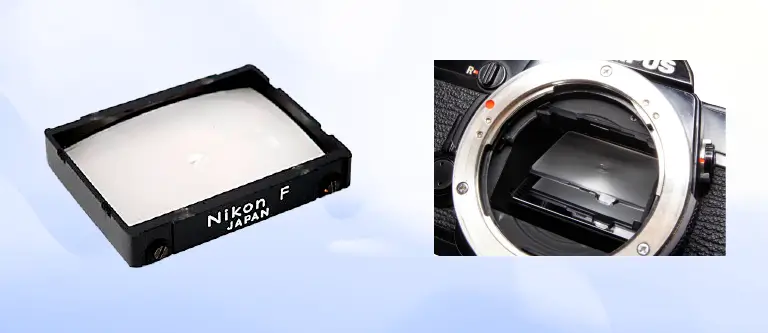
In photography, a sharp image captures the quality of the subject. Behind this high-contrast setting is the projection of a mirror image. This highly visible glass surface represents that.
Are you a fan of bokeh or blurry focus effects? Keep the focusing screen close to your fingers at all costs.
-
Grip
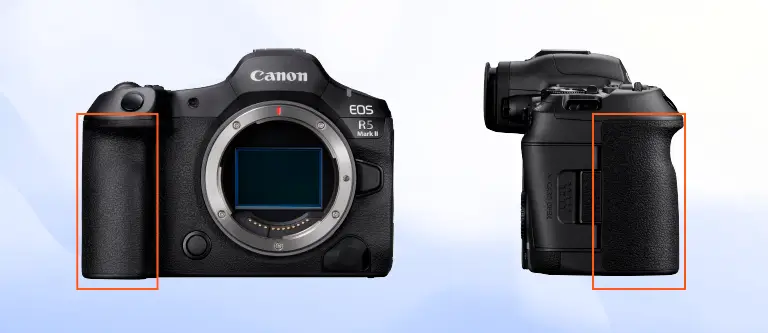
Take the camera from both sides and choose the right side. You will notice a curved item, and this is the reason why you do not have to unfold the entire camera body to hold it.
The unique texture of the grip separates it from the rest of the camera. It will impress you and make you fit your fingers inside it effortlessly.
-
Shutter
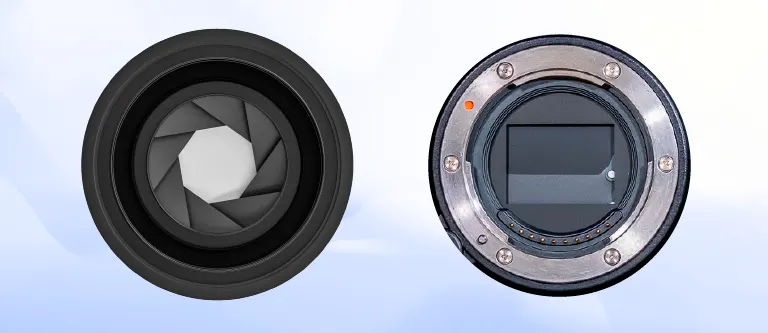
The part that immediately catches your eye in the solid body is this opaque piece. Sometimes it’s plastic, sometimes it’s metal. When you hear the word camera, the word shutter comes to mind along with it.
Without you knowing, it controls the amount of light reaching the sensor. Do you worry about exposure? It’s all about skillfully controlling the shutter opening.
-
Shutter Release Button
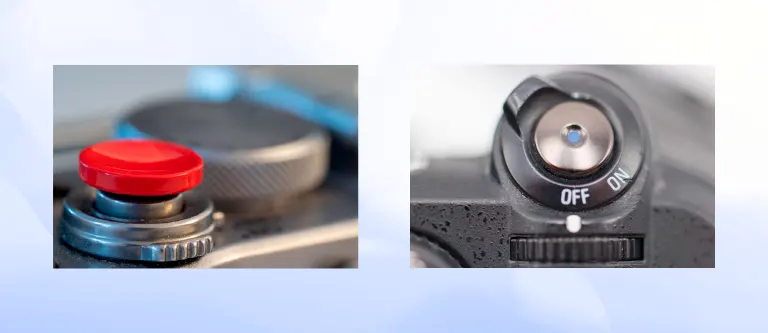
This button takes care of all the hassle of setting your shutter speed. You’ll notice that you can take your picture by releasing the shutter as soon as you configure the speed setting.
If you’re already familiar with DSLR interfaces, you’ll know that this button is an important trigger for your camera’s autofocus.
-
Built-in Flash
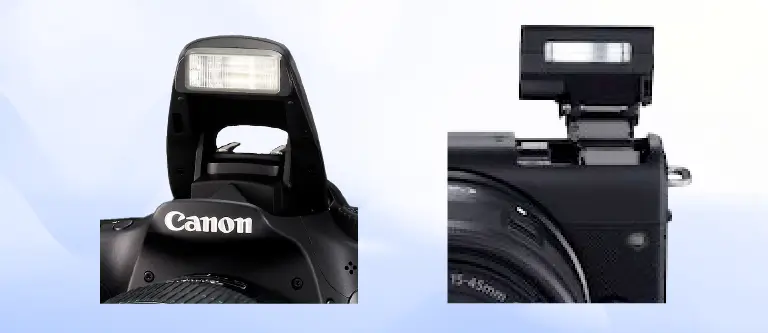
Focus your gaze just in front of and above the camera. You can’t avoid this fixed flash. Do you like taking pictures at night or in shadowy places? Built-in Flash is always ready to provide a flash of light; no need to power it up separately.
-
Flash Button
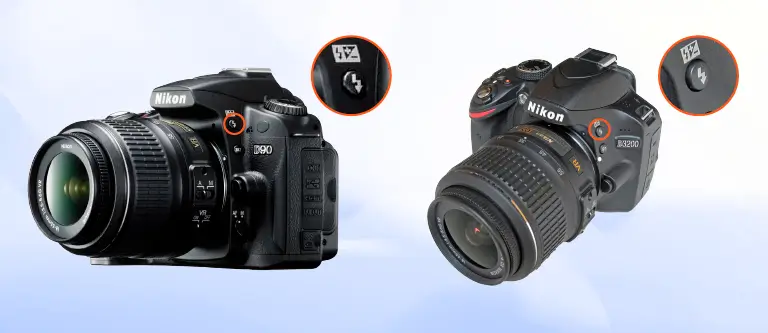
Ever used cameras with built-in pop-up flashes? But you know that their specialty is this button. You don’t have to wait for the flash to pop up; credit this button because it does the job before the flash even fires.
Some cameras come with the convenience of working with the flash intensity at the same time. The entire exposure compensation can be set here; just holding down the flash button is enough.
-
Digital Sensor
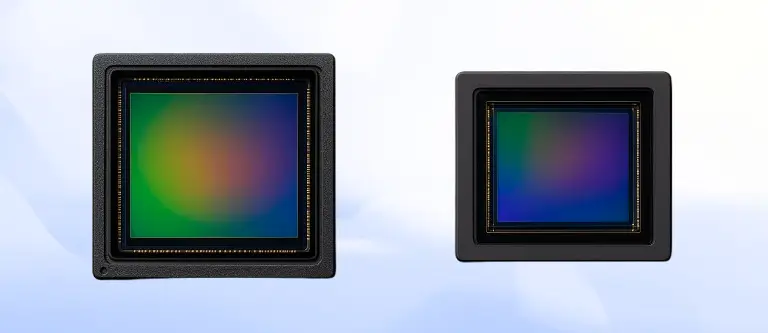
The lens is undeniably the key to creating an image, and it is the sensor that is the main function here. In modern cameras, you will find two methods for capturing images:
- Charged-Coupled Device or CCD
- Complementary Metal-Oxide Semiconductor or CMOS Imager
-
Metering Sensor
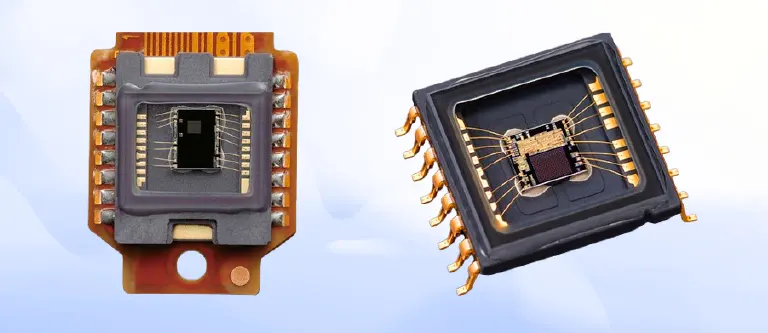
How much does brightness have to do with exposure settings? Deal with this sensor, and you’ll understand it literally.
You might think it’s all about measuring light in different parts of the frame. But no, it has a few more functions in its bracket. The most outstanding is calculating the maximum overall exposure.
It’s no surprise, though, that the metering sensor currently has a specific algorithm for balancing highlights and shadows.
-
Remote Control Sensor
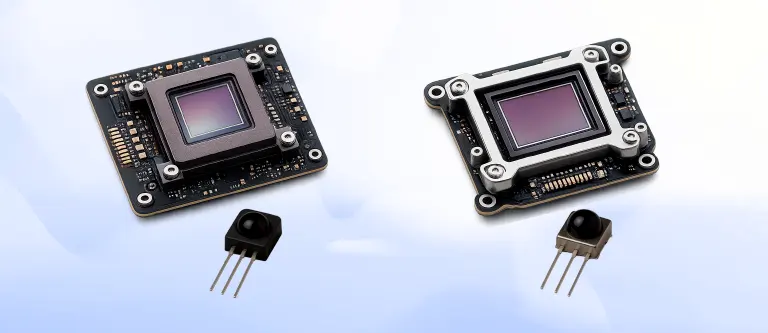
Just reading the name, you can understand how it controls the shutter! Its basic technology is infrared signals.
Thankfully, the days of triggering the shutter at the exact moment of taking a picture or by getting very close are over. Now is the time to control the camera remotely.
-
Autofocus Sensor
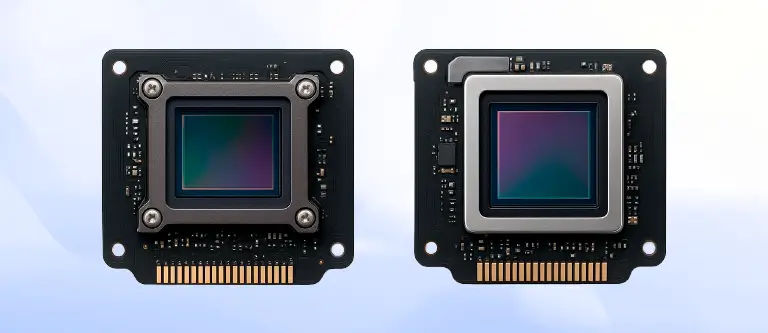
Digital cameras are everywhere these days. Fast and automatic focusing on a specific subject is no longer an innovation these days.
But the amazing thing is – the autofocus sensor sends information to the processor inside the camera. At the same time, the lens is busy adjusting its focusing elements. That means no more worrying about creating a sharp image.
-
Pentaprism
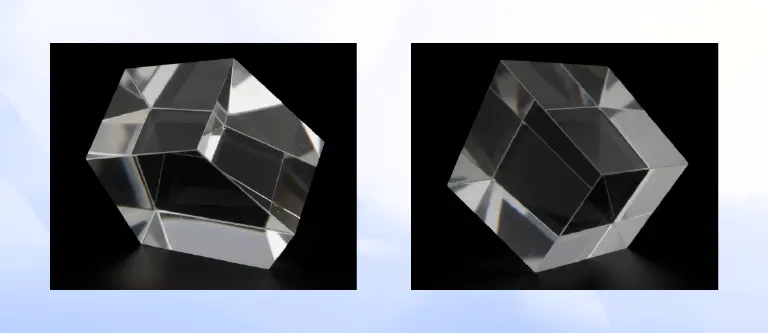
Five prisms? No, it’s not that. Pentaprism basically takes all the credit for keeping the image from being flipped horizontally by the reflecting mirror.
As a photographer, you no longer have to look down to frame your subject. The pentaprism’s provided viewfinder is right there at your side, at eye level.
-
Main Dial
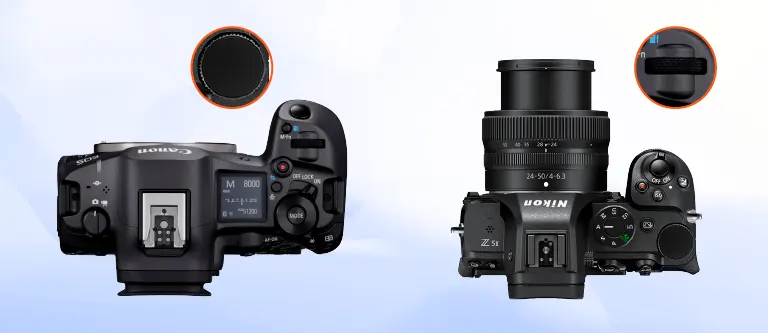
You can see this cogwheel on the front of the camera, but not all of them are on the back of the camera. With this dial, you don’t have to worry about exposure compensation.
You can leave aperture and ISO out of your mind. Even shutter speed can be left at rest; the main dial is your super tool. Want to immerse yourself in the automatic presets like Landscape or Portrait? Want to have night vision as well? Nurture this dial.
On some cameras, if you’re lucky, you can also use this dial to manipulate images on the memory card.
-
Mode Dial
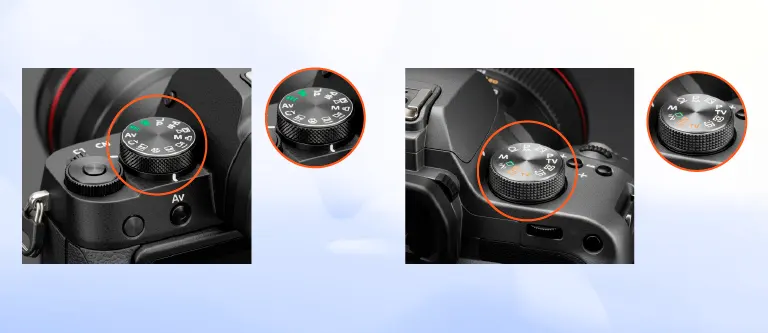
Go straight to the top right of the camera body. Although small, this cogwheel is not difficult to find. You should also get used to it, as it is one of the most used parts.
Thinking of utilising multiple operating modes of the camera, such as manual, automatic, scene-based and semi-automatic settings? The mode dial is your only way to keep track of what you want to keep in check.
-
Electronics
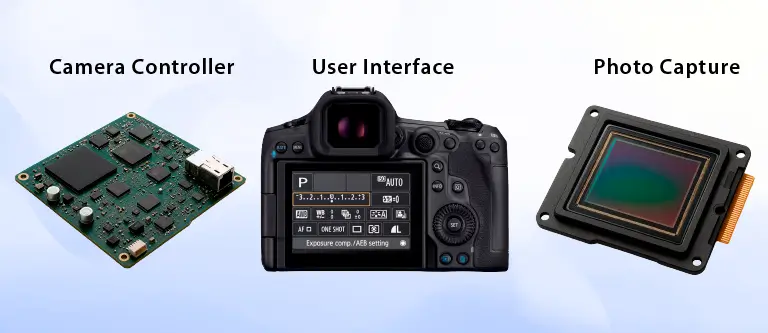
If you want to get a grasp in detail of the camera’s electronic components, then you should know the following categories:
- Camera Controller: This is where all the camera’s electronic components reside.
- Photo Capture: These components are responsible for all the operations of recording images.
- User Interface: All interactions and controls with the camera are handled here.
-
Reflex Mirror
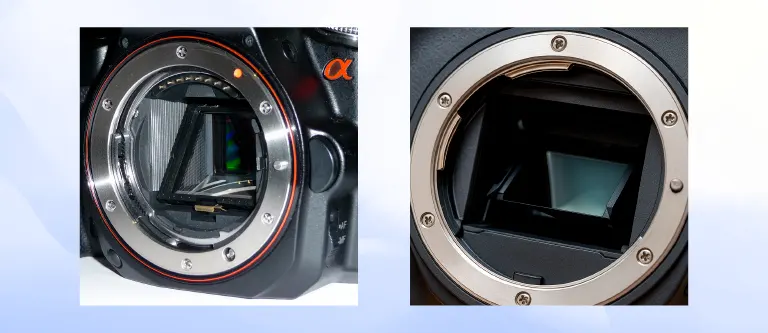
Whether you use an SLR or DSLR camera, a reflex mirror will be there. The thing is, with a DSLR, you won’t be looking at the lens on the same axis, whereas with a rangefinder camera, the opposite happens.
When it comes to this type of camera, the 45-degree angle of view comes into play because the mirror has to be at exactly this angle. This allows light from the lens to enter the viewfinder.
And this whole thing gives you the opportunity to see directly what the lens is actually seeing.
-
Aperture
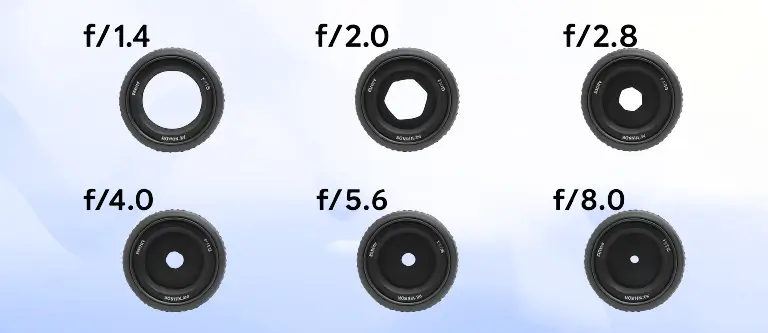
You’ve probably already realized how important the opening of a lens is. This is the path that lets light in. The small, thin blade you see here narrows or widens. This change focuses the light that enters.
Want to blur the background? Adjust the camera’s depth of field by changing this aperture.
-
Hot Shoe
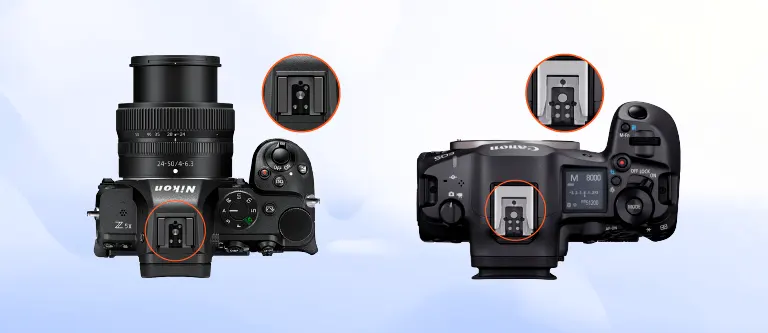
A U-shaped metal bracket is quite prominent on the camera. This bracket, called the hotshot, protects the connection of several activations to your external flash unit.
You can think of radio triggers and plan on using an external microphone. Even compatibility with light meters is ensured by this connection.
-
Contacts – Lens-Camera Connection
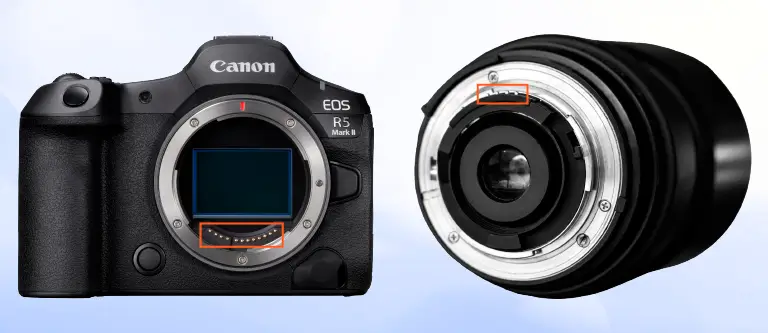
Now turn to the back of the lens. This small metal pin will be visible when the lens is attached, aligned with the camera body. This facilitates automatic focus and focal length adjustment. You can also expect aperture information in this automation.
-
Image Processor
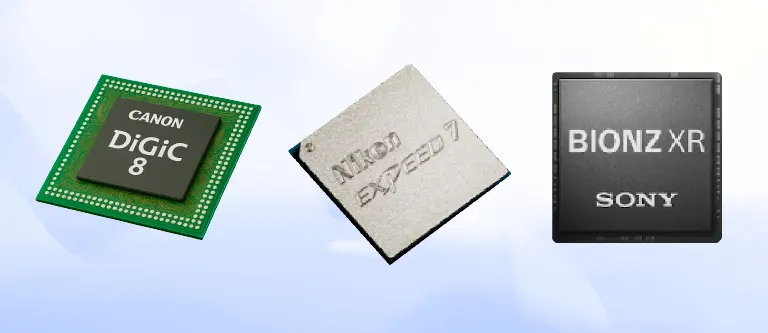
It can be quite interesting to hear images from raw data. It is common knowledge that the sensor captures the scene in raw data. But there are clear doubts about how much colour and sound maturity it has.
You can definitely leave all this weight to the processing engine, and it will take care of everything.
-
Buffer
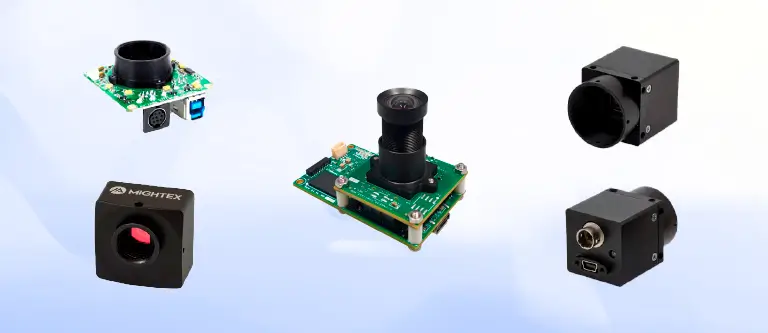
You can think of it as temporary storage since this kind of space is needed for the images.
If you plan to take multiple images in a very short period of time, you can easily take it into account. You will see that the images you have taken are going to the storage for saving before the memory card writes the image.
However, what you should be alert to is that the amount of image processing is completely dependent on the speed and size of the buffer.
-
Function Button
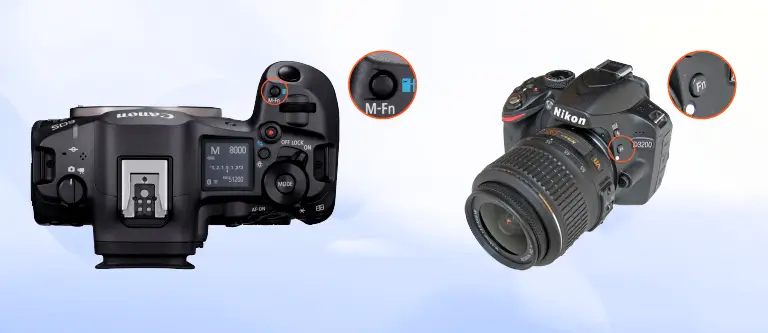
The introduction of “Fn” as a button and its multi-level function is not new at all. You will definitely find it in cameras too.
You will notice that the location and number of these buttons change depending on the camera model or company. These well-known buttons are programmed with quick access for the sake of performing specific tasks.
Just as you can perform white balance tasks, you can also tweak ISO and autofocus modes.
-
Communication Port
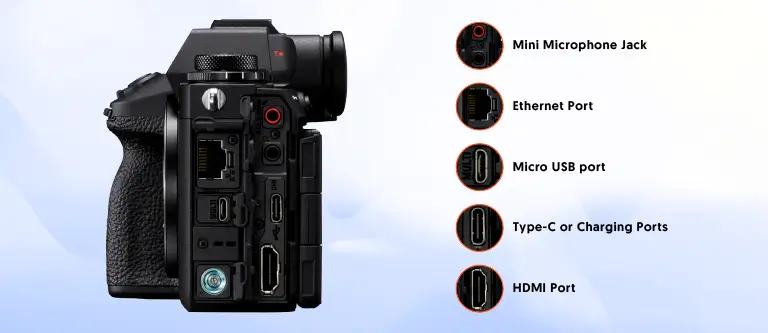
A very handy port for handling all the camera’s inputs and outputs. Ports you’ll find in action are-
- Micro USB port
- Mini microphone jack
- Micro or full-size HDMI port
-
Memory Card Slot
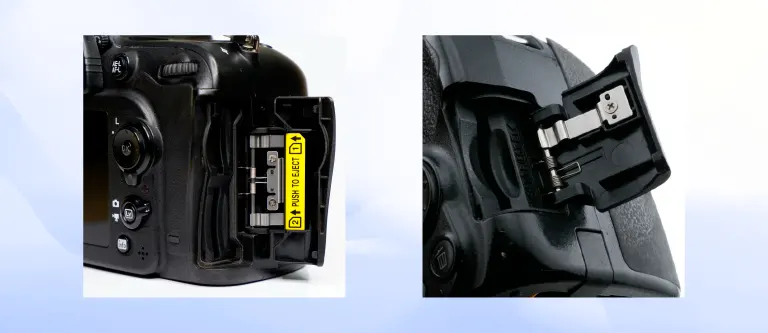
You can guess from the name what this card slot is for. The larger the slot, the more space the camera can hold its memory. And as the memory increases, the more image storage and backup capacity increase.
You will find multiple card slots on cameras like SDXC and CFexpress.
-
Tripod Mount
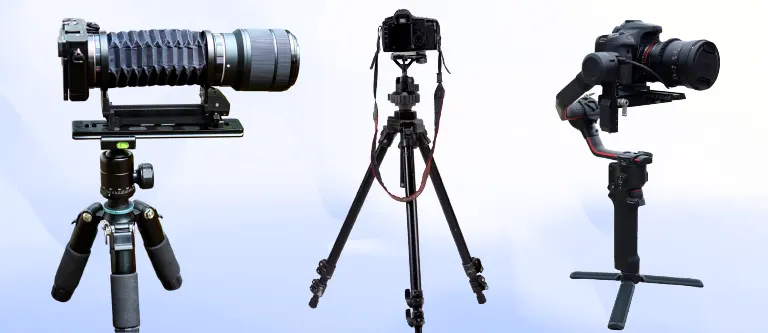
You have to go down a little bit along the camera body if you want to get to the mount. It has a 1/4-inch threaded hole that helps you identify it. Everything from monopods to tripods and tripod heads attaches to it.
On this pod, the camera can be firmly fixed on any surface without any movement. You will experience that this mount is helpful in both cases, whether you want to sharpen the image or extend the length of the exposure.
-
Battery
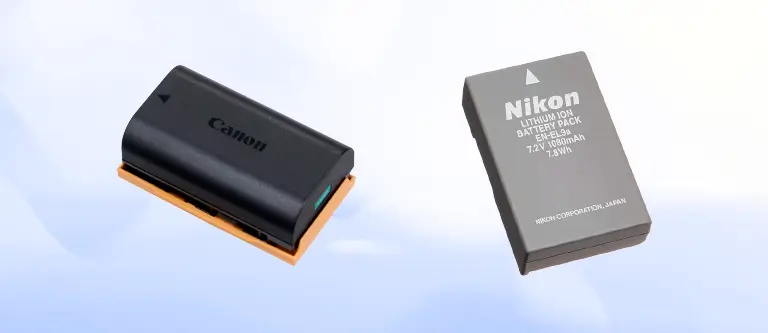
It is no secret that, like any other electronic product, a camera is useless without a battery. The longer the battery life you choose, the longer your shooting time will be. This will also increase the efficiency of taking perfect photos.
Frequently Asked Questions
-
What are the basic parts of a camera?
When you expand your searches to camera parts, you will find different types of them based on the companies and even models. The basic parts you will see in almost all of them are the lens, image sensor, shutter, viewfinder, aperture, memory card slot, communication port, display, grip, and battery.
-
How do cameras work during capturing pictures?
When you go deeper into the process, at the very first stage, you will find that light is entering the camera through the lens. Then the image sensor comes into action, which absorbs all the light hitting it.
The result, in turn, is that light becomes an electrical signal. As the signal goes through this process, it is converted into a digital image that you see as a photo. Finally, the captured image finds its place on the camera’s memory card.
-
How can I differentiate A mirrorless camera from a DSLR camera?
If you first put your concentration on a DSLR camera, the first thing that will catch your eye is its mirror-equipped camera. Know that DSLRs come with an optical viewfinder.
What is absolutely necessary for the light to be reflected from the camera lens into this viewfinder is a mirror. When you take a picture, the mirror creates an inverted reflection of the image. This makes sure that light has access to the image sensor.
Now let’s move on to a mirrorless camera. As the name suggests, it has no mirror, so there is no stage between the light and the image sensor.
Unlike DSLRs, mirrorless cameras work with an electronic viewfinder. A digital copy of the image is created directly on this screen when you take a picture.
You will mostly find mirrorless cameras with compact designs. Whereas DSLRs are comparatively larger, thanks to their optical viewfinder and comfortable handling.
-
What is the difference between DSLR and SLR?
A DSLR (Digital Single-Lens Reflex) uses a digital sensor to capture images, whereas an SLR (Single-Lens Reflex) relies solely on film for the same task.
-
How can I adjust the focus through the lens?
Since you’re talking about focus, you mean bringing the light into a straight line. This is actually another name for changing the distance between two lenses, technically.
As this distance continues to change, you will see the blurring of the image disappear. You for sure now understand why a blurred image is called “out of focus”.
-
How do I know if my camera needs a new battery?
When you notice that your camera is turning off unexpectedly or the battery level indicator is constantly fluctuating, you can tell that your battery is failing.
Leaks, swelling, or corrosion on the battery terminals are also clear signs that it’s time to replace your battery.
-
How can I tell if the shutter of my camera is working well?
Usually, you shoot by opening the back of the camera and pressing the shutter button. At the moment you shoot, you can immediately see if the shutter is opening. If it opens without any obstructions, it means that the shutter is working properly.
Closing Thoughts
Having a clear understanding of the parts of a camera is essential for both buying a camera and taking a perfect photo shoot. A desired match between how comfortable you are carrying the entire camera body with the environment around the subject always comes in handy.
Besides, your incredible control over the camera lies in the technical skills of the lens, shutter, sensor, and aperture. This makes you a proficient photographer. Plus, with this comes the long-term camera preservation as a byproduct.
All in all, a know-how function of camera parts acts as a manual for your DSLR. You will find this acquisition to be a long-term convenience for any repair whenever you need them in future.