
There’s nothing wrong with using AI to create your apparel photo assets. The question is how much authenticity and quality you are maintaining in them. No ecommerce platform wants its visitors to get distracted and turn away after seeing your images.
You’re perhaps preparing your AI photos in a way that the platform doesn’t want you to, and that’s why Amazon rejects AI apparel images.
Amazon has long been standing on a deep root in terms of quality. So when the fabric material in your image is far from the real clothing, it gets omitted right away.
And now they have AI that can very smartly understand whether uploads are in line with their rules. Keep up with this blog, you will learn in which cases exactly the rejection occurs and how you can overcome them.
The Most Common Reasons Why Amazon Rejects AI Apparel Images
When you blindly put AI in the place of a skilled human visual content creator, the consequences that may become inevitable are as follows:
Using models in the main image
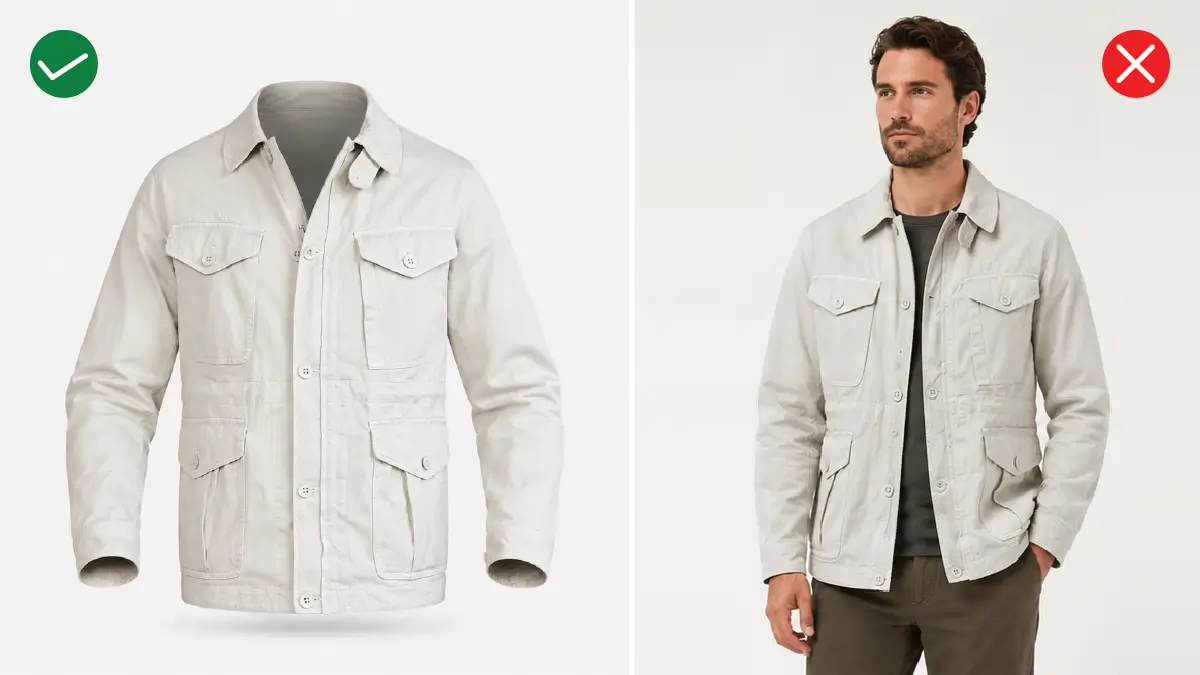
It’s true that the images of AI-generated models are so captivating that you can’t take your eyes off them. Yet Amazon strictly prohibits using them for hero images.
You can add a ghost mannequin effect to enhance the look of your clothes.
Other than the main image, you can show models for any secondary images. What’s more, you can go as far as adult apparel products to use them, but not for kids or babies.
Product photos not covering 85% of the canvas
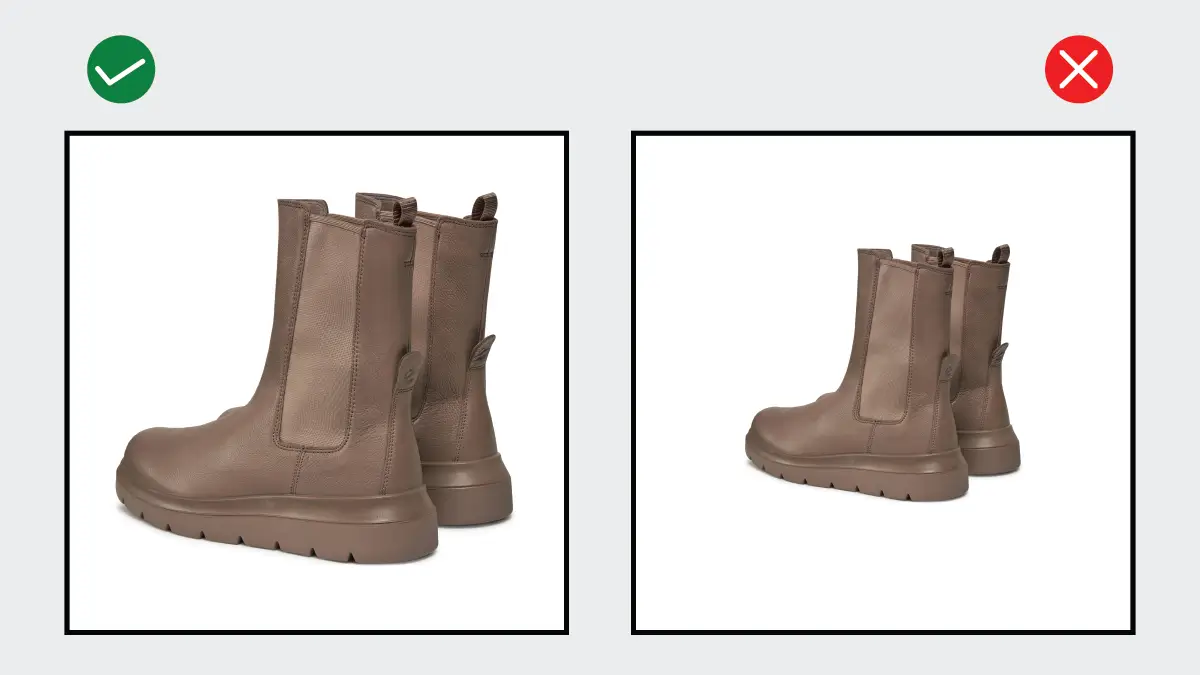
Even if you input the prompt for 85%, in many cases, you get 70% or 78% in the result, which is not possible to catch with the naked eye, you must admit.
In one or two cases, you might be able to pass the benchmark by trying again and again. But think what will happen if you have to deal with 550 images!
The artificial details you don’t want
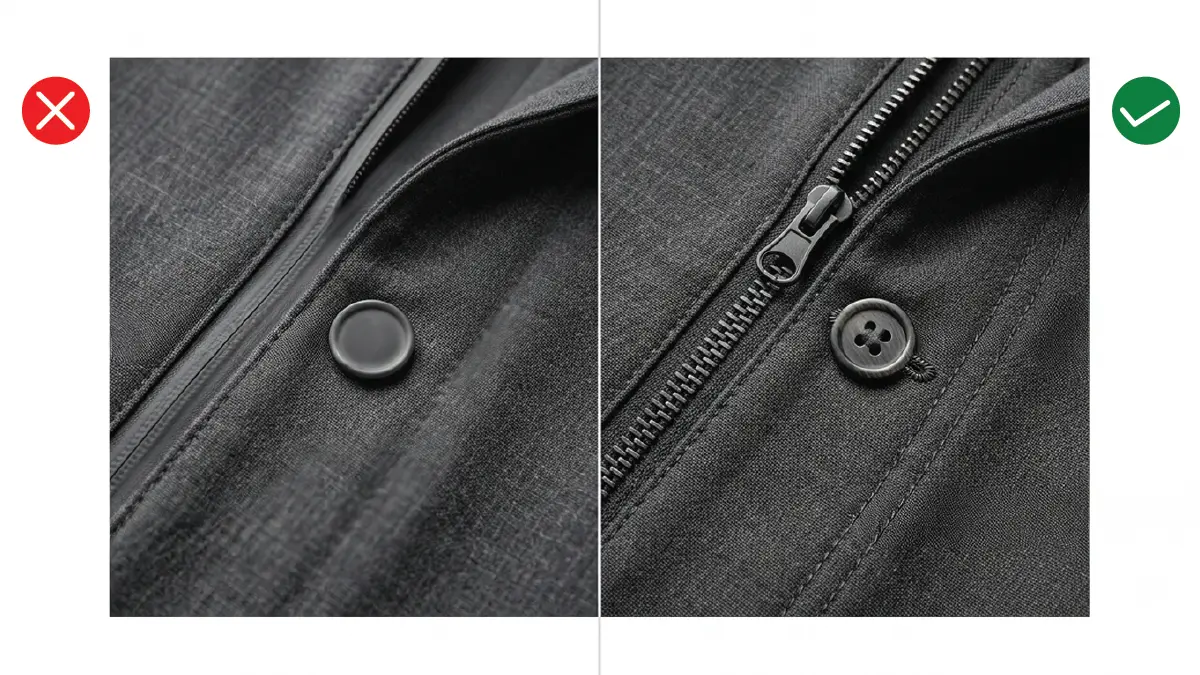
Would you like your product to have zippers that blend into the fabric and no holes in the buttons? These are just the mistakes that AI makes, even if you don’t instruct it to do so.
Even though it’s not noticeable from a distance, when customers zoom in, they find that the sewing lines that were supposed to be there have totally vanished.
For good reason, you have to go the extra mile to get through the hassle of removing AI image flaws further. Otherwise, a little indifference to these means moving towards confusing your audience with your product.
Avoiding the least 1000 pixel rule

Speaking of zooming, you should never rely on AI to give you zoomable pictures (at least 1000 pixels in its width or height). Out of all the generations you’ve done so far, how many have you found that don’t break the image even when you zoom in?
Today’s shoppers, even mobile users, never forget to take a close look at the grain of denim, the weave of a sweater. But AI often makes them look plasticky or unusually smooth, which you won’t notice unless you zoom in.
Unnatural attachments
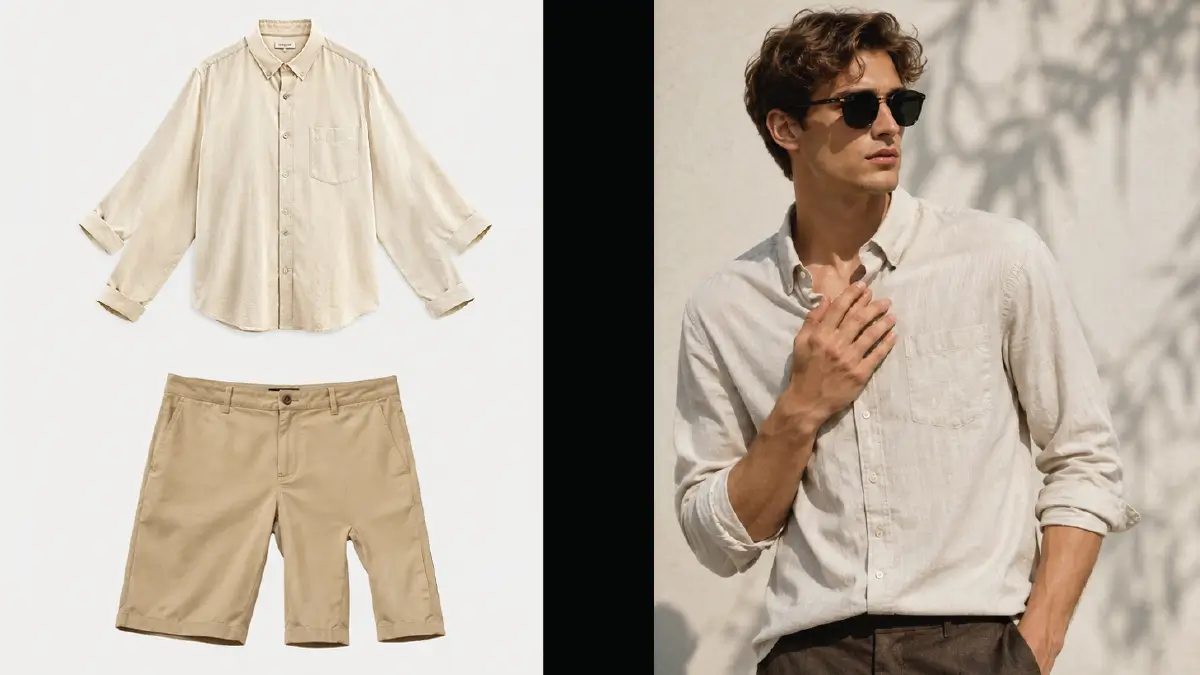
If you think of AI as something that won’t make a mistake beyond the technical aspects of apparel products, then you are on the very wrong track. It can capture the context of the product, but it can still give three sleeves of a shirt or three legs of a pair of shorts.
Even in a lifestyle shot, when you’re busy looking at the folds of the collar, you might not notice that the model has 6 fingers.
What’s most intimidating is that these flawed images are often very clear, and the color combinations are also quite striking.
What Should You Do to Prevent This Rejection
If you want to prevent this rejection before it happens, you need to use AI for apparel images in a way that aligns with Amazon’s compliance. Let’s see how to do it.
Do a photoshoot of the real product
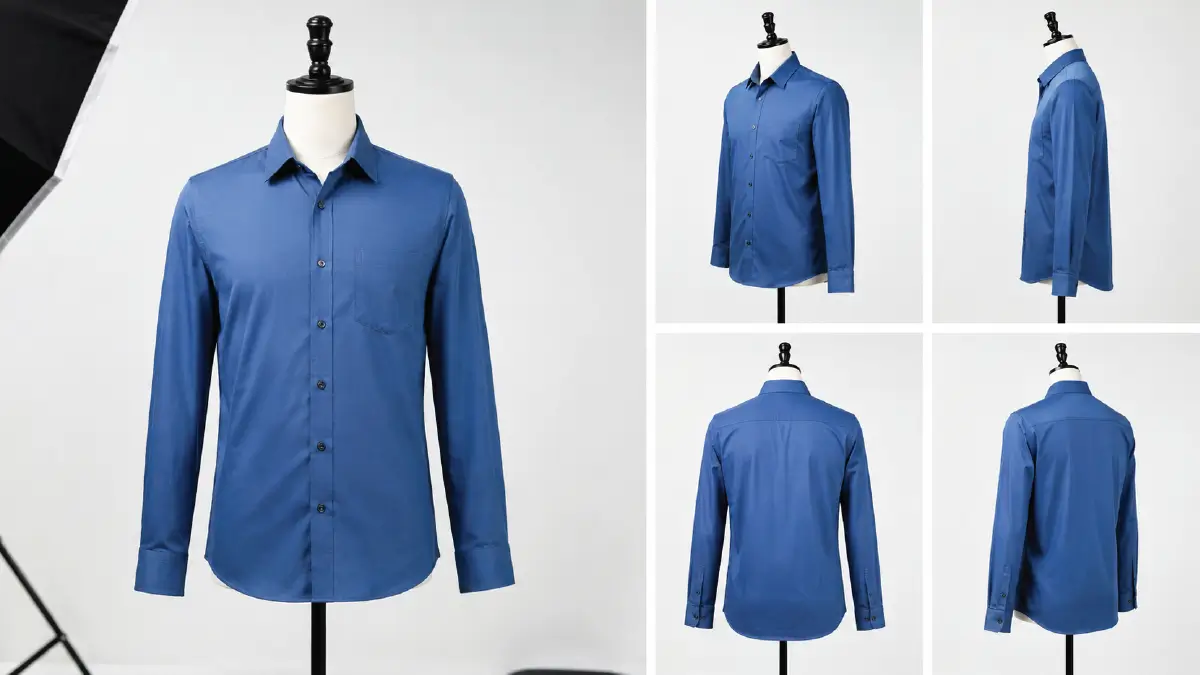
Don’t do text to image to create a clothing photo from scratch. Instead, go this route. Wear the garment on a mannequin that matches it perfectly. Then take several shots of it from different angles, including the front view.
Adjust image size and resolution with editing tools
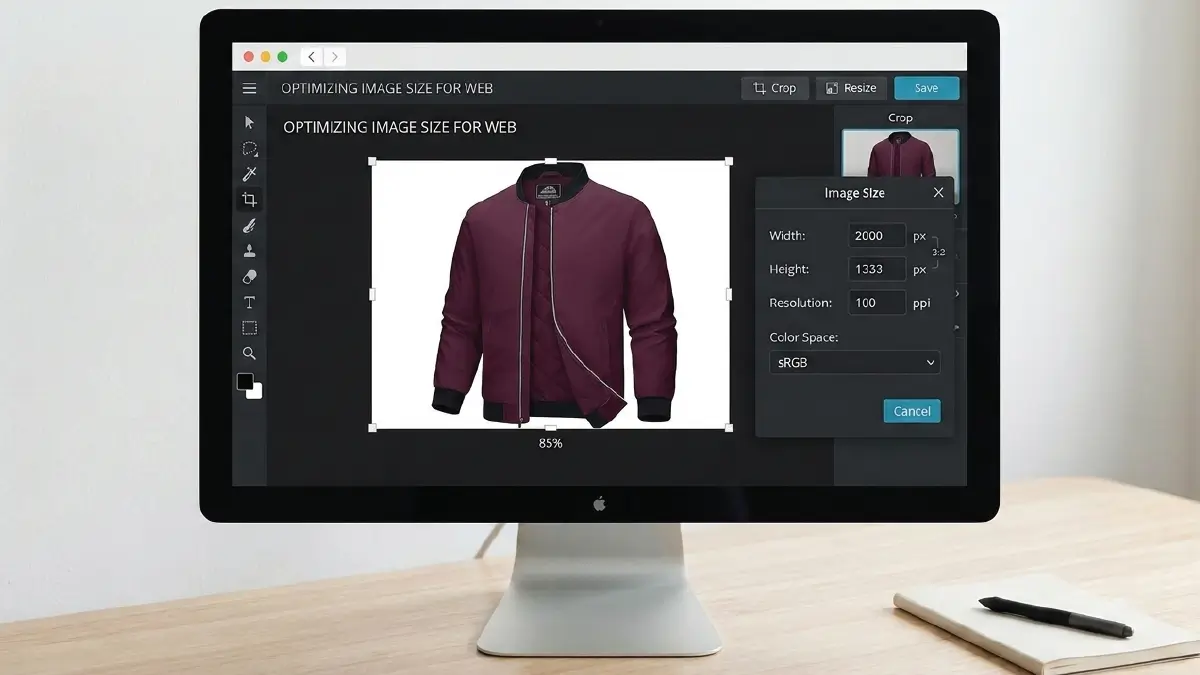
Frame each of the images in a close 3:2 ratio, where in the main image, the product covers 85% of the canvas. To bring the image size to the optimal level, you will need to reduce the resolution, but do not go below 1000 pixels.
It’s best to set the images to 2000 pixels on the lengthy side and then save them in sRGB. There’s no effective alternative to show your images in intact quality, even when zoomed in on any type of device.
There are various photo editing tools available on the internet that will help you do these tasks in a very short time. Among them, you can try this editor from Pixlr, which gives much better results than the others.
Use AI for lifestyle images
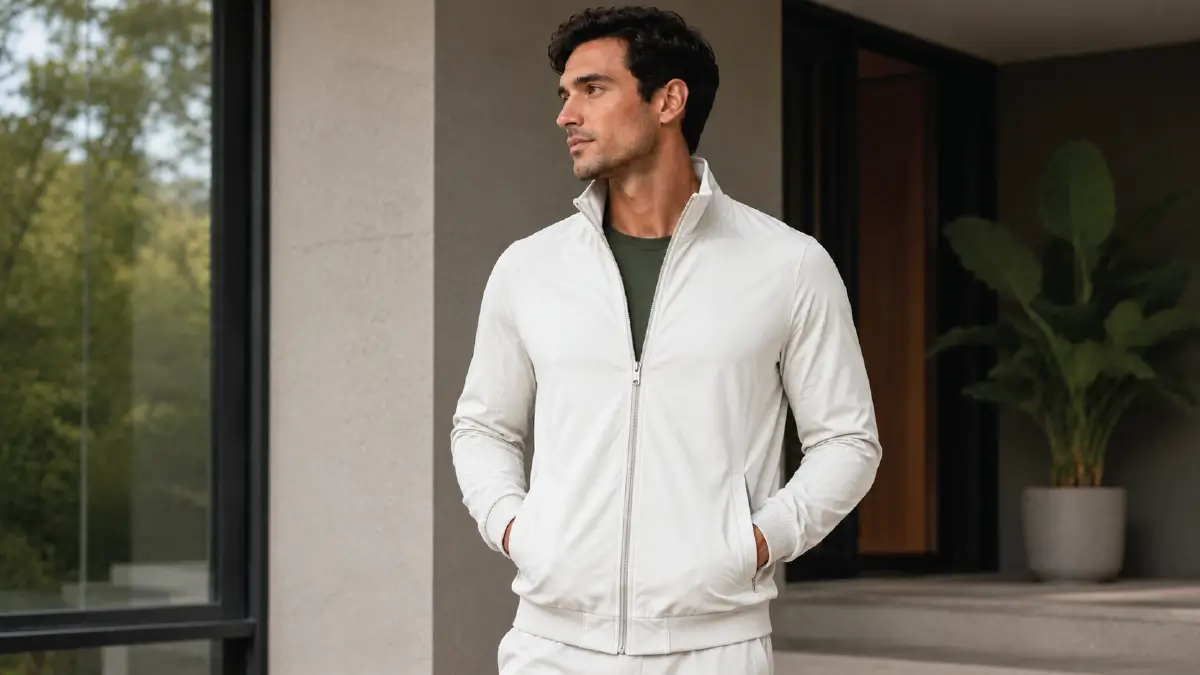
Now use AI and give the images you captured during the photoshoot a background that people can relate to. Besides, this is the right time to build an AI model for your clothing.
Here you have to be careful that the AI’s influence doesn’t fall on the product but only in the background and the model. The material and design of your apparel product should remain untouched by all means.
Do manual edit to remove AI artifacts
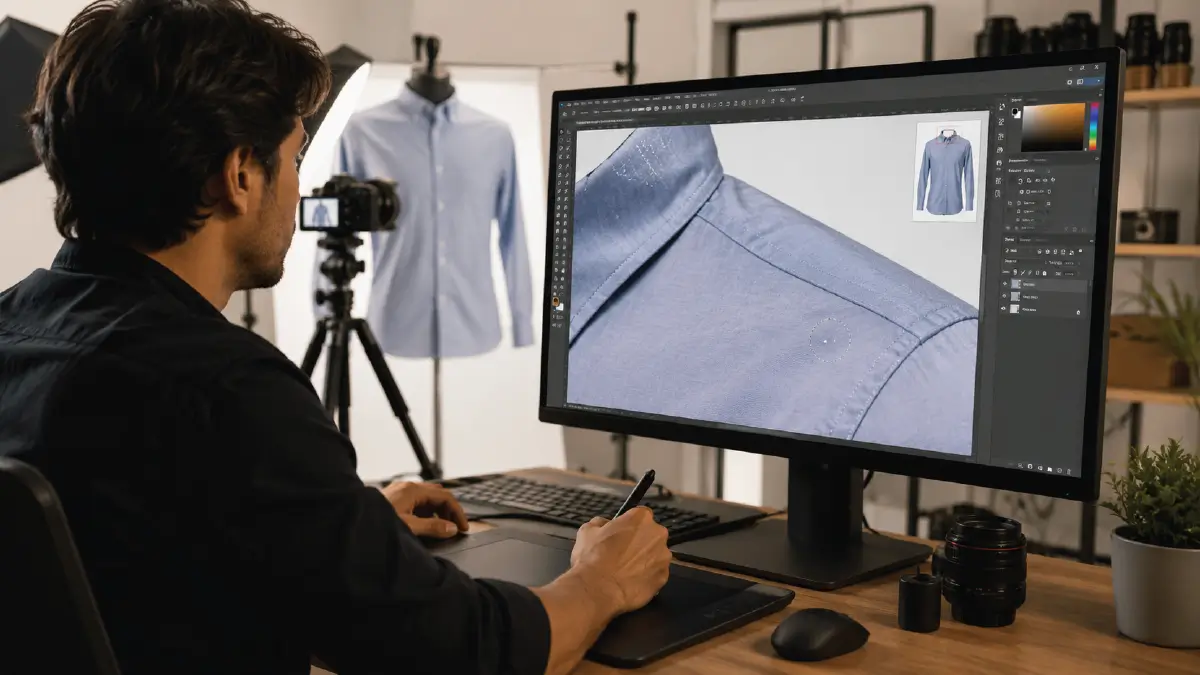
Now check if any of the AI touches you’ve been giving your photos match any of the reasons mentioned above. You’ll want to pay closer attention to the things that aren’t visible to the naked eye and become visible when you zoom in.
After identifying the issues, you might think that you can fix them with AI. But the AI isn’t that much reliable yet, so you’ll find yourself getting frustrated as the hours go by.
Instead, you should turn to professionals who can manually edit the images and make them upload-ready. This investment is so worthwhile that it will not only save you time, but will also keep you free from the risk of Amazon rejection later on.
Frequently Asked Questions About Amazon’s AI Apparel Image Rejection
1. Does Amazon let AI images pass if the model within isn’t standing?
No, it doesn’t. Any AI model inside the apparel image must be standing. Even if the images are very clear and attractive, they will still get rejected due to a violation of Amazon’s rules.
2. Why Amazon rejects AI apparel images for a light gray background that is close to white color?
According to Amazon’s clothing guidelines, the background must be completely white, with no shade of any other color, even if it’s close to white.
3. Can I use AI to put my brand logo onto a blank AI-generated shirt?
You can, but the logo has to look like as if it were already associated with the weaving of the t-shirt. Mainly because AI can rarely place a flat logo on a wrinkled part of a shirt, and that’s why Amazon’s product scanner will consider it a modified mockup.
4. Does the Amazon brand registry allow AI product packaging photos?
No. Amazon’s brand registry wants the images not to contain any artificial mockups. Having a different AI-generated logo on the box means you’re heading towards rejection of the brand application you’re applying for.
5. What does it mean to fail an upload due to a duplicate file string?
This means that the metadata that your images have on the backend is the same. This happens when you use AI to auto-generate multiple images at once. In this case, Amazon actually thinks that you are going to re-upload the same image that has already been rejected previously.
Closure
In terms of Amazon image guidelines, the question of why Amazon rejects AI apparel images also applies to images that you did not create with AI. The point is, what flaws are you actually leaving in the pictures?
As the use of AI continues to grow, new errors are coming to the forefront that Amazon sellers have never made before. In turn, what happened is that the demand for manual photo editing services has become more relevant.
You can resort to Retouching Zone, a provider of just the services, who have long been making AI photos upload-ready for brands based on eCommerce platforms like Amazon.
How can you get in touch with them? Take this free trial and see how they can secure your image assets in every way.