

When it comes to the machine needed to bring product images to life, there is hardly any room for compromise on the configuration in 2026. So, looking for the best desktop computer for photo editing on a budget ties you down with limitations a lot.
While trying to handle the processor side of things, you find yourself falling short on the graphics card. Insisting on an SSD holds you back from increasing your storage space.
To spare you this worry, we have hand-picked and tested 2026’s 5 of the best configurations that won’t burn a hole in your pocket. Stick with us, and by the end, you’ll be able to build the PC you want, all within your budget.
1. Geekom A6 Mini PC | $599.99
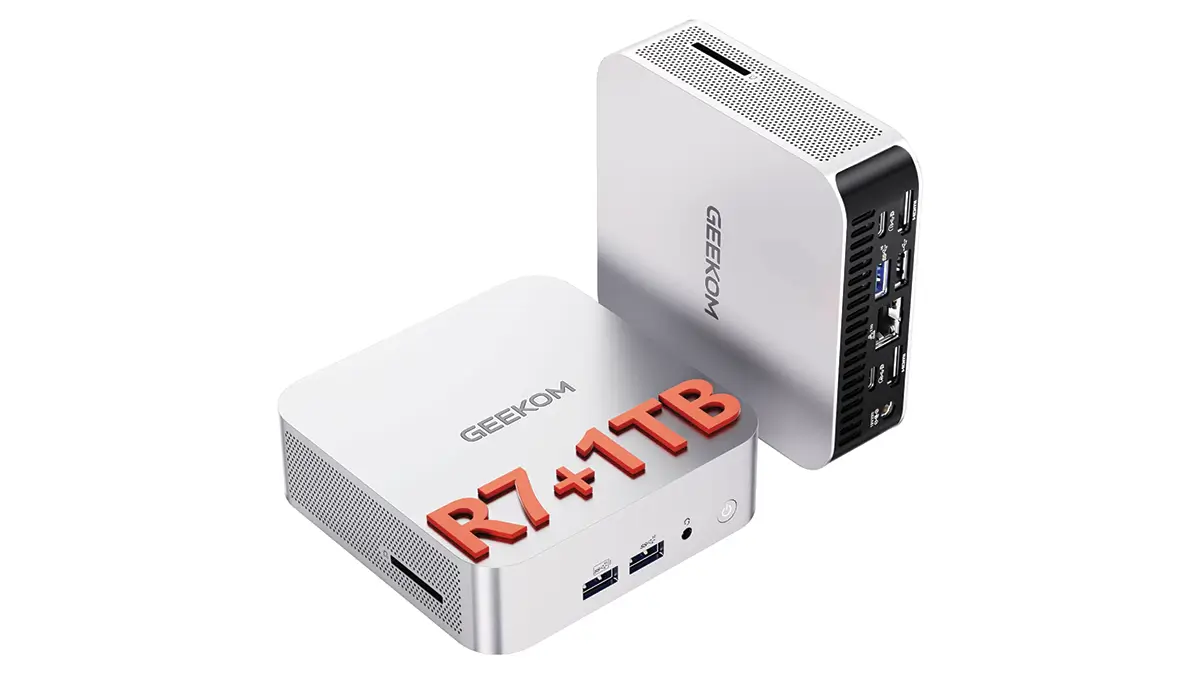
Specifications
| CPU | AMD Ryzen 7 6800H |
| Graphics | Radeon 680M (integrated) |
| RAM | 32GB |
| Storage | 1TB SSD |
We have placed this small yet powerful PC right at the top of our list. Powering this machine, compact enough to fit into the pocket of the jacket you wear, is an 8-core AMD Ryzen 6800H processor.
Along with support for a 1TB NVMe SSD, there is an additional slot for a 2.5-inch SATA drive. While testing photo editing in Photoshop, we found that 32GB of RAM can handle high-resolution RAW images quite well.
What we liked most is its USB-A, Type-C, HDMI, and Ethernet ports, along with an SD card slot, which is more than enough for the Mac Mini. But the aspect you might not like is that the speed isn’t up to the mark, but it’s the best for starting out.
2. Acer Aspire TC-1775-UR11 | $648.88
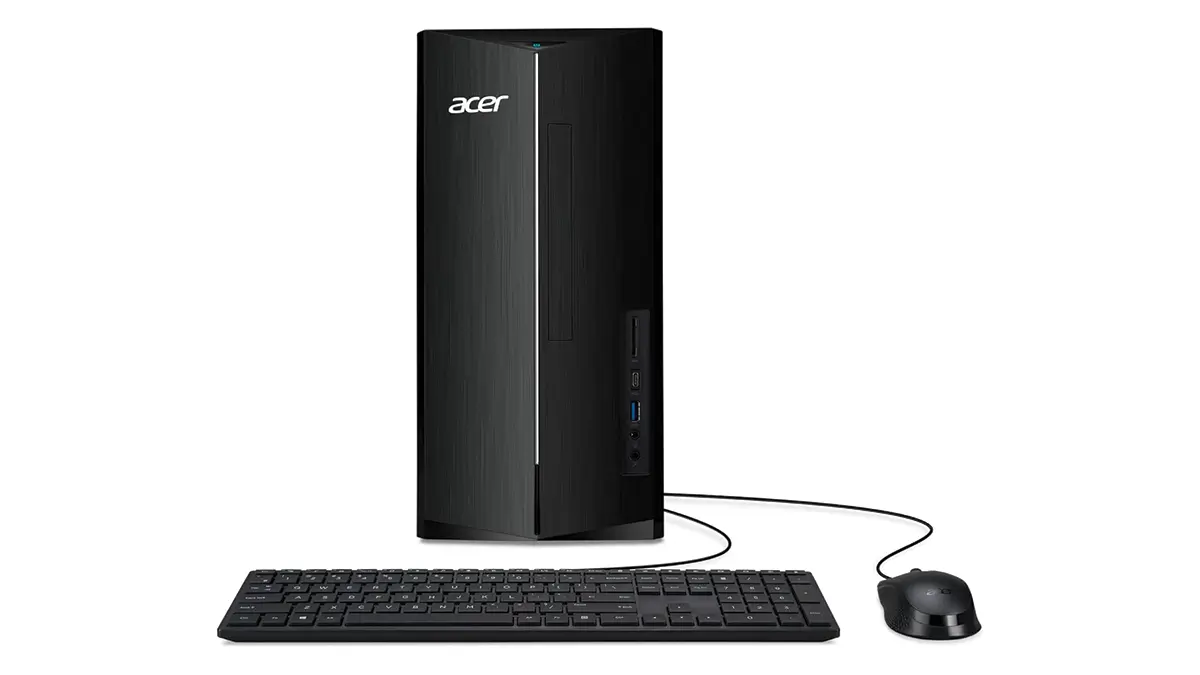
Specifications
| CPU | Intel Core i5-14400 (1.8 GHz) |
| Graphics | Intel UHD Graphics 730 (Built-in) |
| RAM | 8 GB |
| Storage | 512 GB SSD |
For Intel fans, we find it to be the best budget desktop PC for photo editing. Its integrated graphics card handles tasks ranging from basic to semi-pro image editing quite well.
Thanks to the 14th-generation Intel chip, its performance offers great reliability. When you need a dual-monitor setup for a major project, you’ll be glad you chose this system with two HDMI ports.
Front-facing USB Type-A and Type-C ports, Wi-Fi 6E, and a handy media card reader have elevated the TC-1775 beyond mere basic editing tasks.
3. Dell 24 All-in-One (EC24250) | $999.99
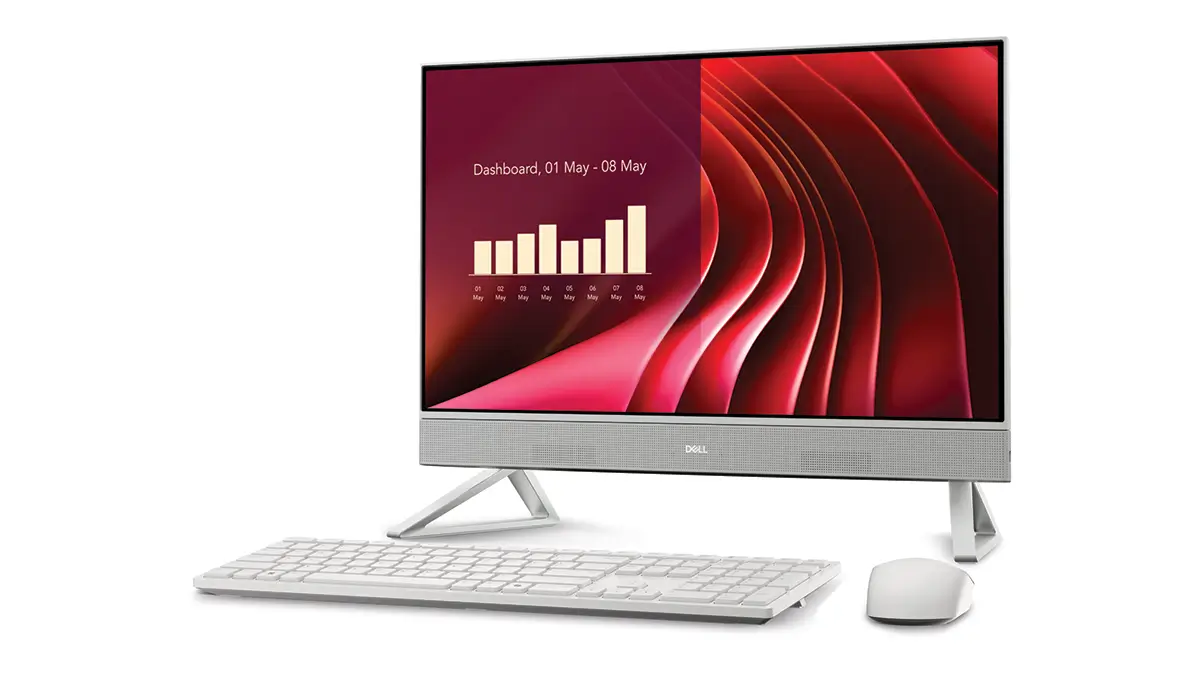
Specification
| CPU | Intel Core 5-1334U; 10 core |
| Graphics | Intel UHD Graphics (Built-in) |
| RAM | 8 GB |
| Storage | 512 GB SSD |
When you look at budget-friendly ‘All-in-One’ (AIO) PCs, you will find this simple PC to be the king. Since it comes with the pop-up webcam, wireless keyboard, and mouse, you won’t have to spend extra money on them.
More attractive is its 24-inch screen, which makes your daily editing quite comfortable, thanks to its 1080p resolution. Even then, what will bother you is the lack of sufficient sharpness when viewing images on the screen.
Plus, you would hesitate to keep speakers among wireless peripherals. But, all in all, you will rarely find such performance at this price point.
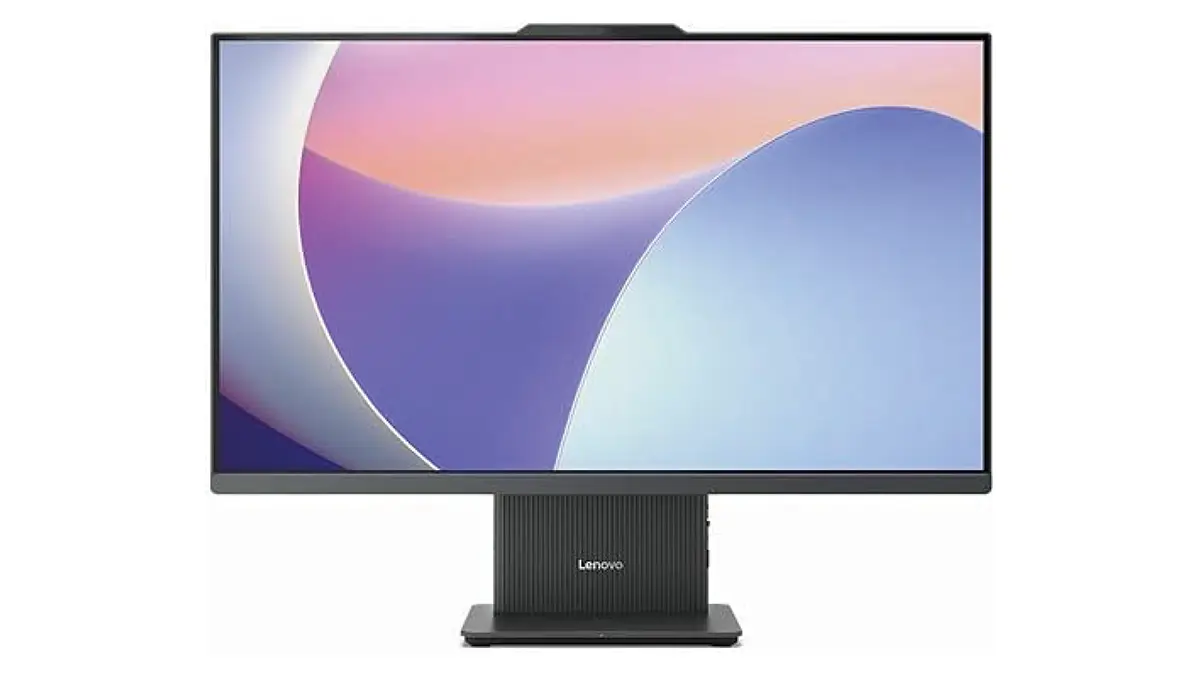
4. Lenovo IdeaCentre AIO (27″) | $1,099.99
Specification
| CPU | Intel Core i7 13th Gen i7-13620H |
| Graphics | Intel UHD Graphics (Integrated) |
| RAM | 16 GB |
| Storage | 512 GB SSD |
If you simply want a machine that handles Adobe Photoshop well, this could be your best choice. Its hardware isn’t impressive, but it is more than sufficient for photo editing.
Get a 27-inch monitor with the AiO PC; you’ll find that its 1080p resolution meets your needs perfectly. The good news is that it has an IPS display for accurate contrast and good viewing angles.
The downside is that you will struggle to work with RAW data at optimal speed. But you can unhesitatingly say that, overall, this is one of the best budget alternatives to the expensive Apple iMac.
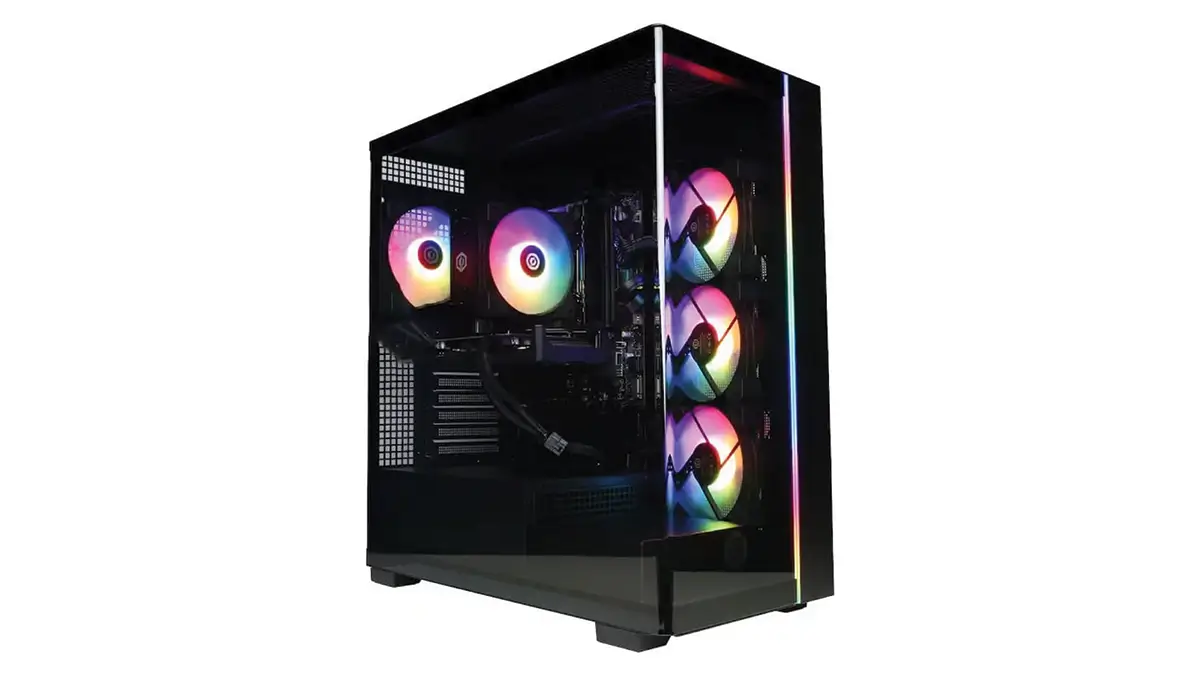
5. CyberPowerPC Gamer Xtreme | $1,369.99
Specification
| CPU | Intel Core i5-14400F (2.5 GHz) |
| Graphics | NVIDIA RTX 5060 8GB |
| RAM | 16 GB |
| Storage | 1 TB SSD |
If you are looking for a new Windows desktop with a dedicated graphics card at a low cost in 2026, this is the one you should go for. The NVIDIA RTX 5060 8GB GPU and 16GB of DDR5 RAM are excellent for heavy image editing tasks.
The price might seem a bit steeper, but once you’re able to perform color correction smoothly, you’ll realize why it’s worth it.
In fact, memory prices have risen significantly in 2026 due to a shortage of AI-powered chips, which is why this configuration comes with a higher price tag. You can also get the Mac Mini M4 Pro for the same price, which is much faster for photo retouching.
But if your intention is to use Windows, you will want to stick with CyberPowerPC Gamer Xtreme. Not to mention the freedom to add a graphics card, memory, and storage as you please.
Frequently Asked Questions About the Best Desktop Computer for Photo Editing on a Budget
1. Which PC would be the best choice with an Intel Core processor, 8GB of RAM, and a 512GB SSD configuration?
Since you are sticking with 8GB of RAM and a 512GB SSD, you could consider Acer’s Aspire TC as a budget Windows PC. With these specifications delivering decent power, it rivals contemporary desktop PCs.
2. What is the real advantage of All-in-One (AIO) PCs?
All-in-One (AIO) PCs essentially come as a single unit that includes the monitor and computer peripheral components (such as the keyboard and mouse). This saves desk space and eliminates the hassle of a tangle of multiple cables.
3. How to choose the best desktop computer for photo editing on a budget?
You need to find the best combination of CPU, RAM, storage, and graphics card within the budget you have set for this. Investing more in just one component isn’t exactly a wise move. However, with built-in graphics systems and AIO PCs, you’ll certainly feel the load is much lighter.
4. Why should I put my money on a dedicated GPU in 2026?
A GPU can complete photo editing tasks much faster than the main CPU. AI Denoise, AI masking, and Photoshop’s generative tools operate using the graphics card. These tasks take just a few seconds to complete on a dedicated GPU, whereas built-in graphics might take up to several minutes, or often fail to complete the task altogether.
5. What should I look for to get faster performance in photo processing?
For this, you should look at the processor’s (CPU) ‘base frequency’ (e.g., 1.4 GHz, 2.5 GHz) and the number of processing cores (i.e., quad-core, 10-core). A minimum of four cores is essential, and the higher this number, the faster the performance you will get.
In a Nutshell
Instead of focusing on just a single component, this list brings some of the best configurations at a low cost. From this combination, you can find the best desktop computer for photo editing on a budget.
The Geekom A6 Mini or the Dell 24 AIO can instantly meet your need for high performance within a compact space. And if AI photo editing is your main goal, CyberPowerPC won’t disappoint you at all.
The thing is, in 2026, it often happens that your raw photo assets demand subtle editing. And precisely to fill this gap, Retouching Zone, a team of more than 400 photo editing professionals, excels.
For over a decade, they have been serving hundreds of brands worldwide. Do you want to see if they are truly ready to take responsibility for your images? Take this free trial, send them a few of your photos, and that’s all; they’ll handle the rest.