Your product photos are doing sales work around the clock — long after you’ve closed your laptop for the night. Research shows that nearly 75% of online shoppers rely on product images to make a purchase decision, and over 22% of product returns happen because the item looked different in real life than it did in the photos. That gap between expectation and reality is entirely preventable — and it starts with better product photography.
Whether you’re selling on Amazon, Shopify, eBay, or Etsy, the quality of your images directly affects your click-through rate, conversion rate, and return rate. This guide covers everything you need — the right equipment, lighting techniques, shooting strategies, and post-production workflow — to build a product photography setup that actually helps you sell.
Why Better Product Photography Drives More Sales
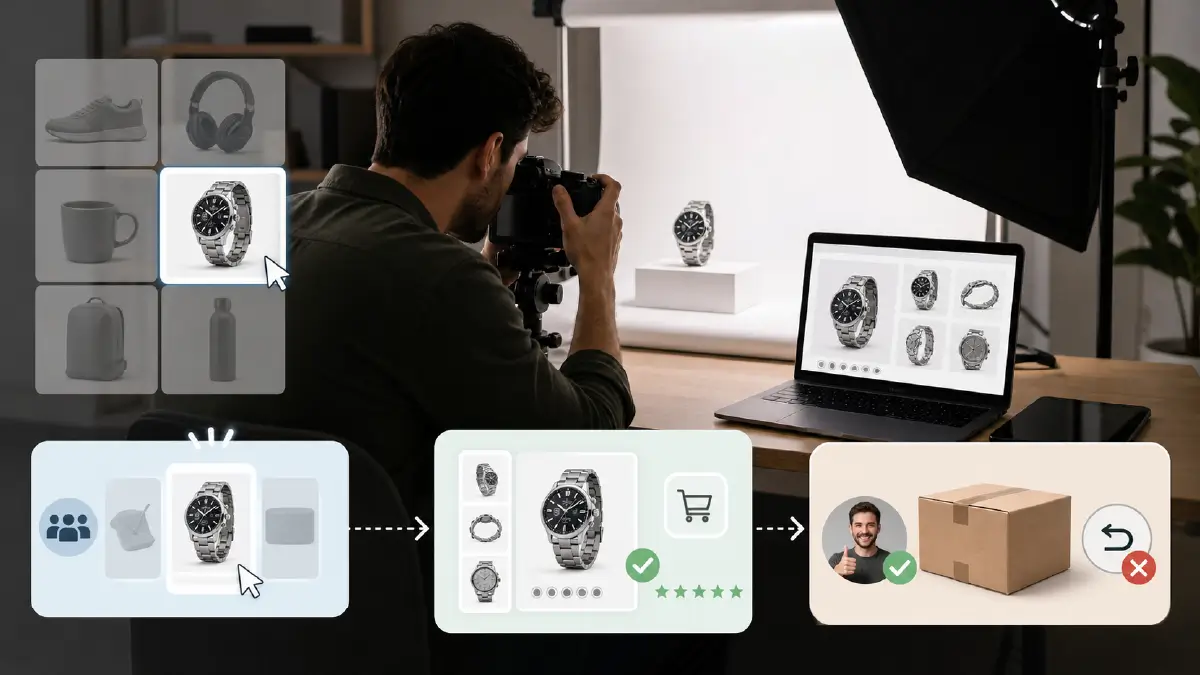
Before diving into techniques, it helps to understand exactly what’s at stake. These are the three most direct ways that image quality affects your bottom line.
Attract More Buyers Before They Even Click
Your product thumbnail is competing against dozens of similar listings on any marketplace. High-quality, visually clear images stand out in search results and stop scrollers mid-browse. A product that looks crisp, well-lit, and professionally presented signals quality before a buyer has read a single word of your description. First impressions in e-commerce happen in under a second — your image carries that entire impression.
Build Trust That Converts Browsers into Buyers
Online shoppers can’t hold your product, smell it, or feel its weight. Your photos have to compensate for all of that. Sharp, detailed images from multiple angles let buyers examine the product as closely as they would in a physical store. When a shopper feels confident they know exactly what they’re getting, the barrier to clicking “Add to Cart” drops significantly. Trust is built visually — and it’s lost visually too. Blurry, poorly lit, or inconsistent images signal carelessness, and buyers associate that with the product itself.
Reduce Returns and Negative Reviews
Returns are expensive. A return doesn’t just cost you the product — it costs you shipping, restocking time, and often a negative review. Most return-related complaints cite the product looking “different than pictured.” Accurate, true-to-color, multi-angle photography dramatically reduces this mismatch and the problems that come with it.
Necessary E-commerce Product Photography Equipment
The right equipment can make a huge difference in your e-commerce product photography. Apart from a professional-grade camera and lens, you need some additional gear to capture high-quality images. Let’s explore them one by one.
Essential E-Commerce Product Photography Equipment
You don’t need a $10,000 studio setup to shoot professional product images. What you do need is the right gear for your product type and budget. Here’s what actually matters.
Camera
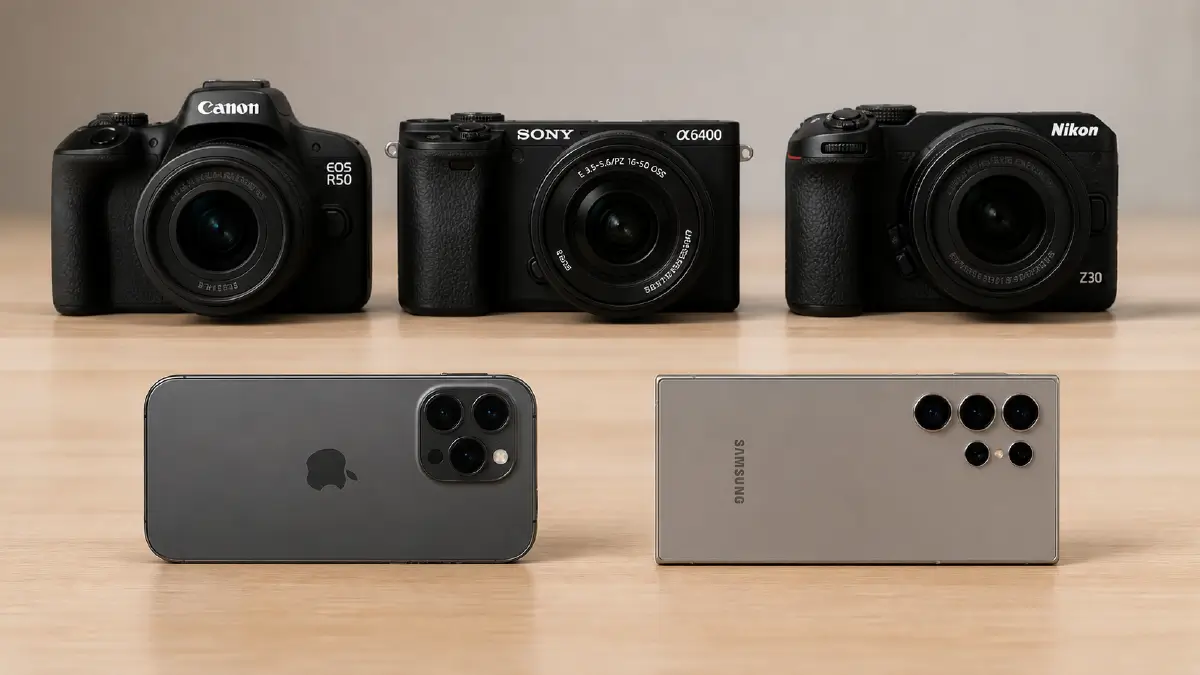
A full-frame DSLR or mirrorless camera gives you the most control over image quality, depth of field, and low-light performance. Reliable choices in the mid-range include the Canon EOS R50, Sony A6400, or Nikon Z30 — all capable of producing excellent product images at the $600–$900 range. That said, if you’re shooting small-to-medium products in good lighting conditions, a modern flagship smartphone like the iPhone 15 Pro or Samsung Galaxy S24 Ultra is more than capable of producing marketplace-ready images.
Lens
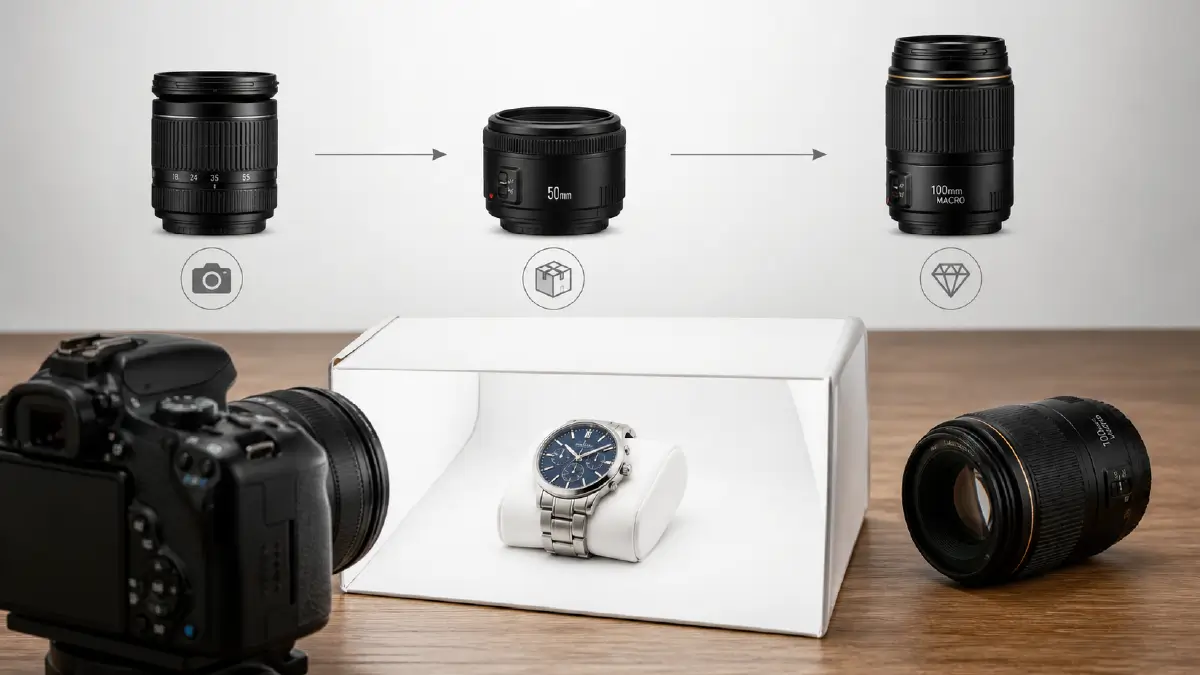
Your kit lens is fine for getting started, but investing in a dedicated macro or prime lens makes a significant difference. A 50mm prime lens (f/1.8) is the go-to choice for most product photography — it captures natural proportions without distortion. For jewelry, watches, and small detail work, a 100mm macro lens lets you fill the frame with tiny subjects while maintaining tack-sharp focus.
Shooting Table
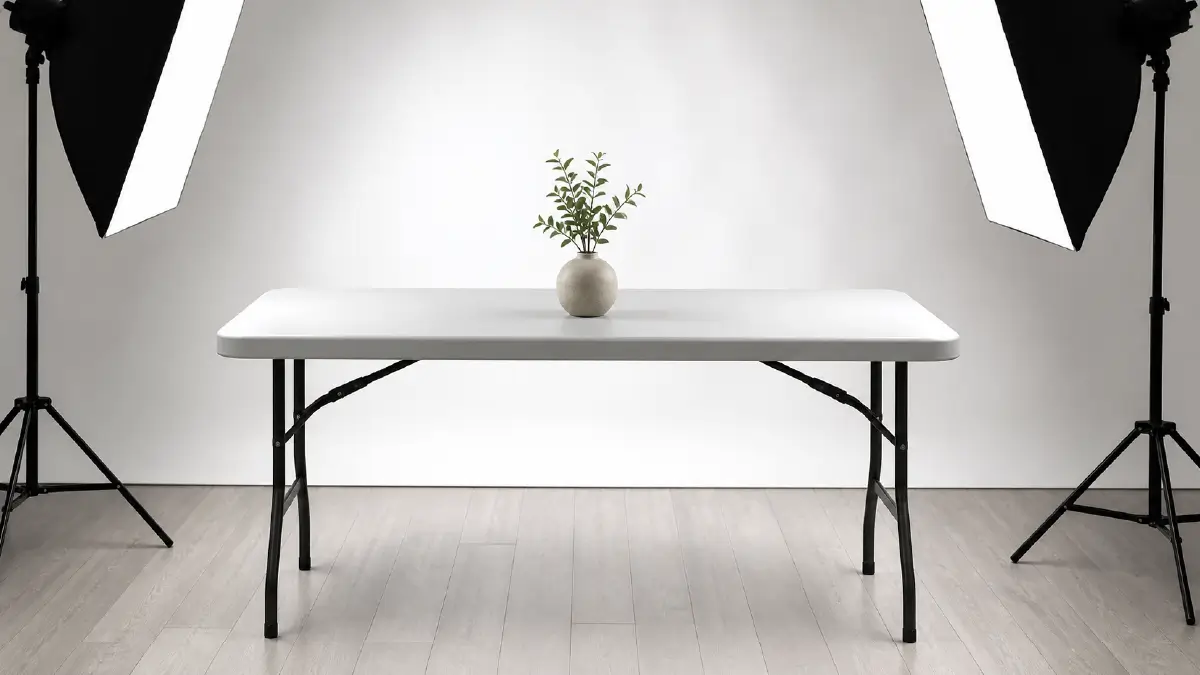
A simple folding table between 24 and 27 inches wide works well for most small-to-medium products. White or light-gray surfaces are ideal — they reflect ambient light upward, creating natural fill light underneath the product and reducing harsh shadows without any extra equipment. For large items like furniture or appliances, you’ll need a wider surface or floor-level setup.
Lighting: Natural vs. Artificial
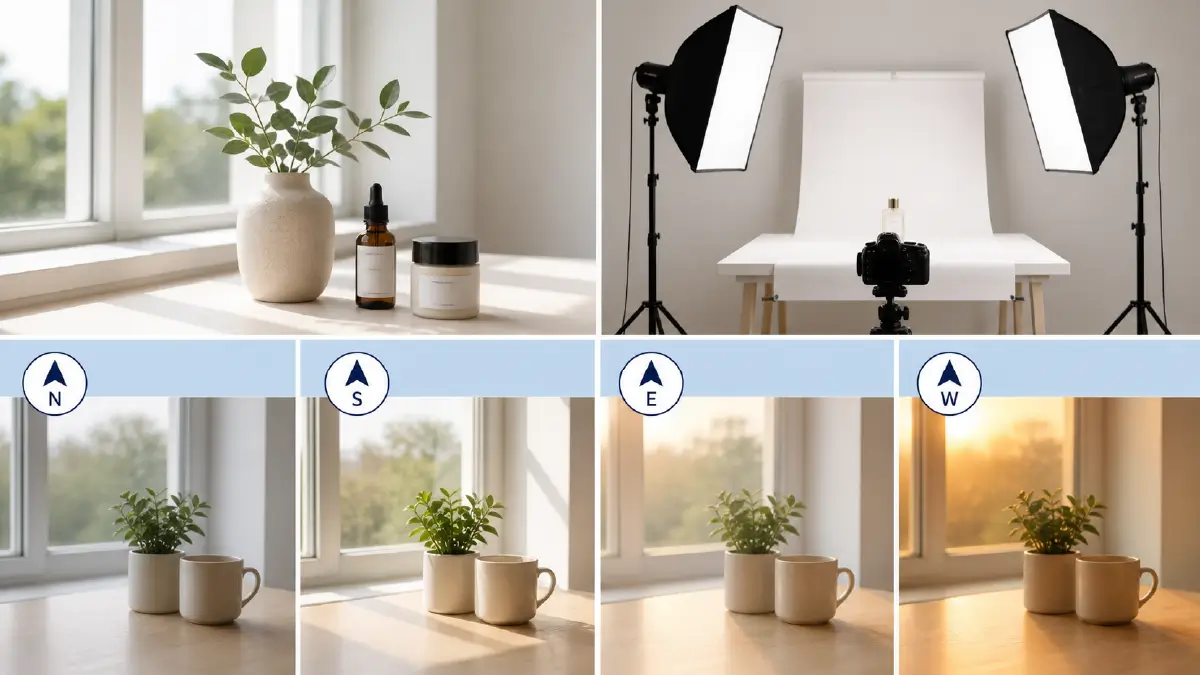
Natural light from a north-facing or south-facing window (north for cooler, consistent light; south for brighter, more directional light) works beautifully for products that benefit from a soft, lifestyle feel. It’s free, flattering, and surprisingly controllable with a few simple reflectors.
For a more consistent studio setup — especially if you’re shooting at night or need identical lighting across a large batch of products — continuous LED panel lights or a two-point softbox setup gives you full control. Neewer and Godox make excellent, affordable softbox kits in the $80–$200 range that are well-suited to product work.
Use this as a quick guide for window light direction:
Light Tent (Lightbox)
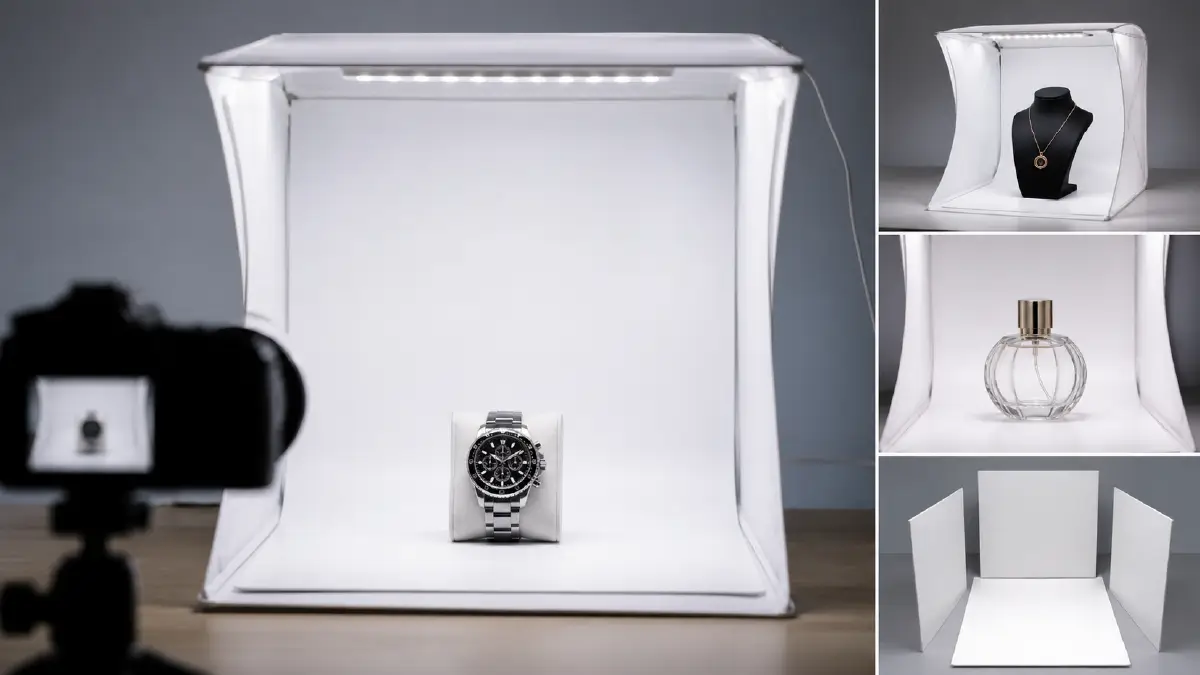
For small, reflective, or high-gloss products — jewelry, watches, tech accessories, glassware — a light tent eliminates harsh glare and creates perfectly even illumination on all sides. Portable fabric lightboxes in the $30–$60 range work well for products up to about 12 inches. For anything larger, a DIY diffuser setup using white foam boards achieves a similar effect at minimal cost.
Tripod
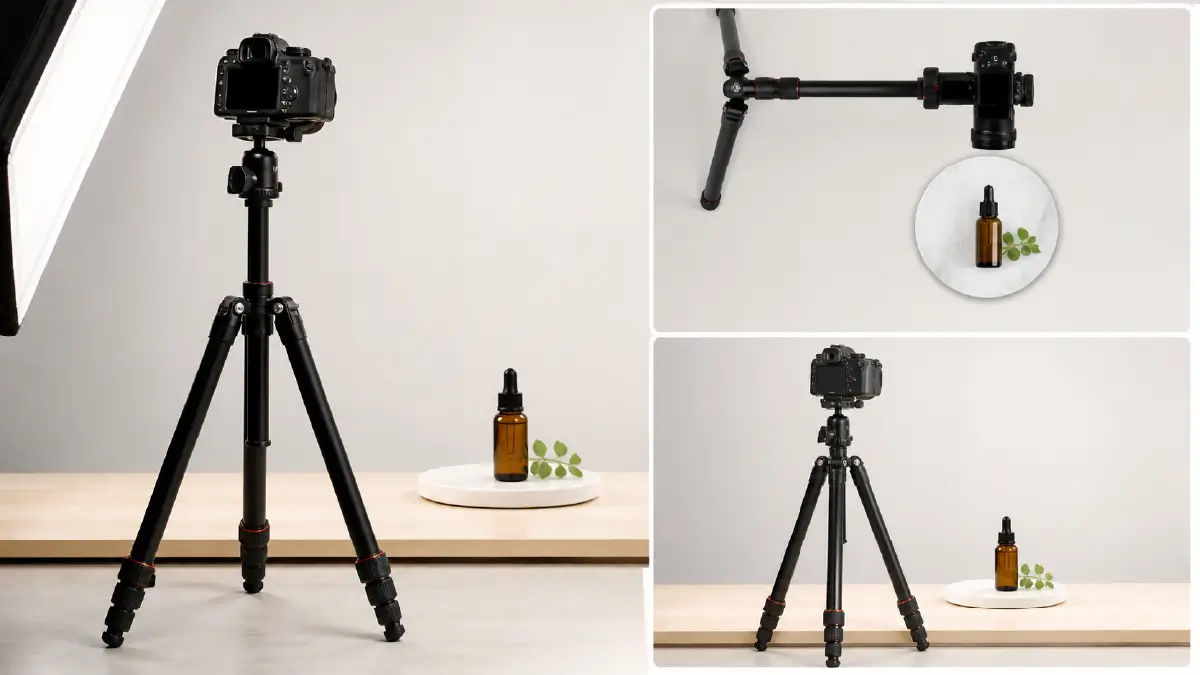
A tripod is non-negotiable for consistent product photography. It eliminates camera shake, locks in your framing across a full batch of images, and lets you shoot at slower shutter speeds for brighter, sharper results without raising ISO. Look for a tripod with a ball head and adjustable center column — this gives you the flexibility to shoot flat lays from directly above as well as standard eye-level angles.
Reflectors and Bounce Cards
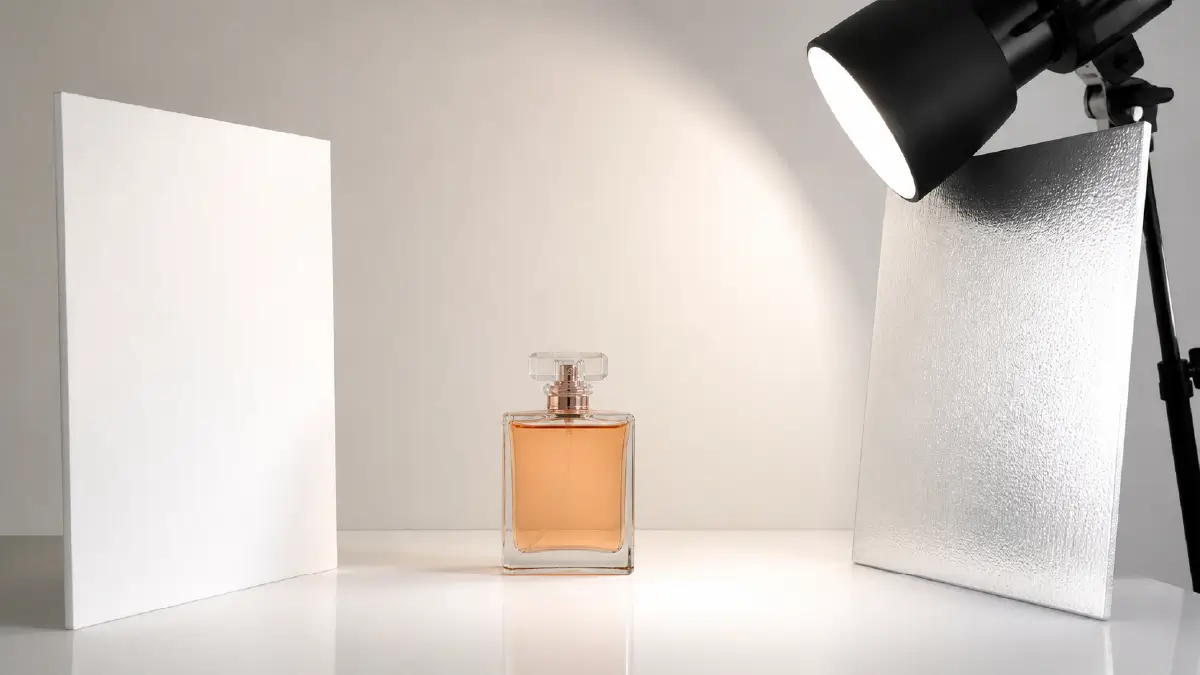
A simple white foam board positioned opposite your main light source acts as a bounce card — it reflects light back onto the shadow side of the product and softens the contrast between lit and unlit areas. For shiny products, a silver reflector creates a subtle, specular highlight that adds visual interest and depth. Foam boards from any office supply store cost less than $5 and are one of the highest-ROI tools in a product photography kit.
18 E-Commerce Product Photography Tips That Actually Work
1. Build a Shot List Before You Start Shooting
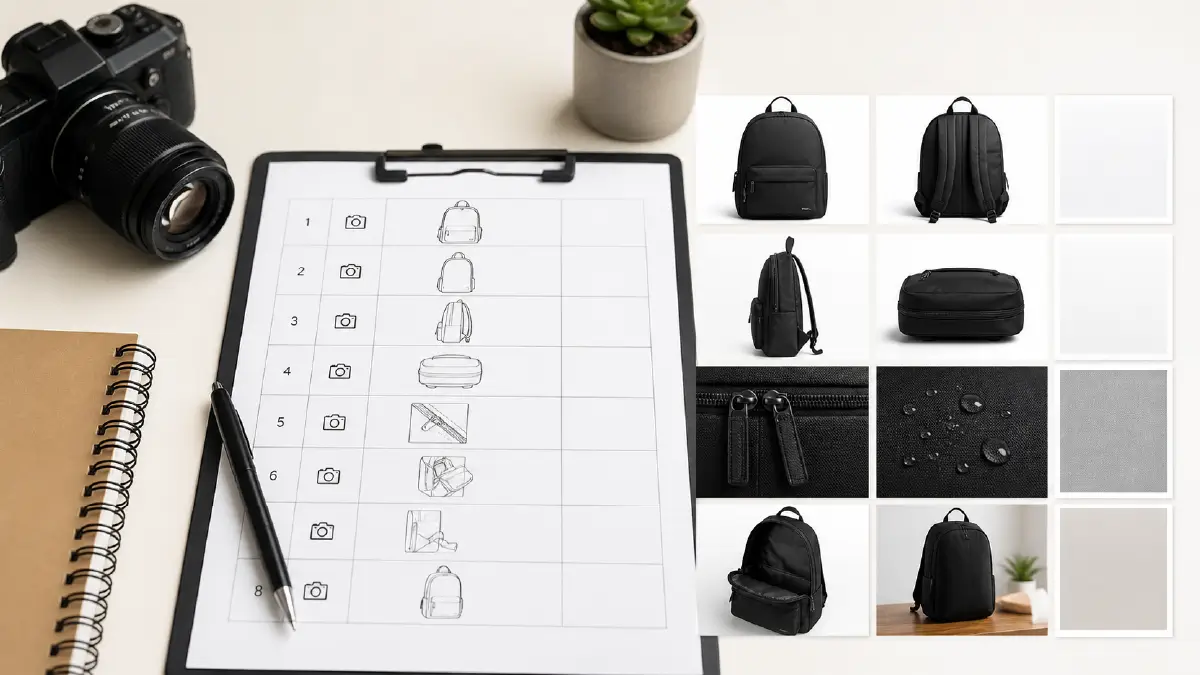
Jumping straight into a shoot without a plan wastes time and leads to missed angles. Before you pick up a camera, write out exactly how many shots you need per product, which angles you want (front, back, side, top-down, close-up detail), and what background or styling each requires. A shot list of 6–8 images per product is standard for most e-commerce platforms. Having this clarity upfront means you spend your time shooting, not deciding.
2. Know Your Target Buyer Before Choosing a Style
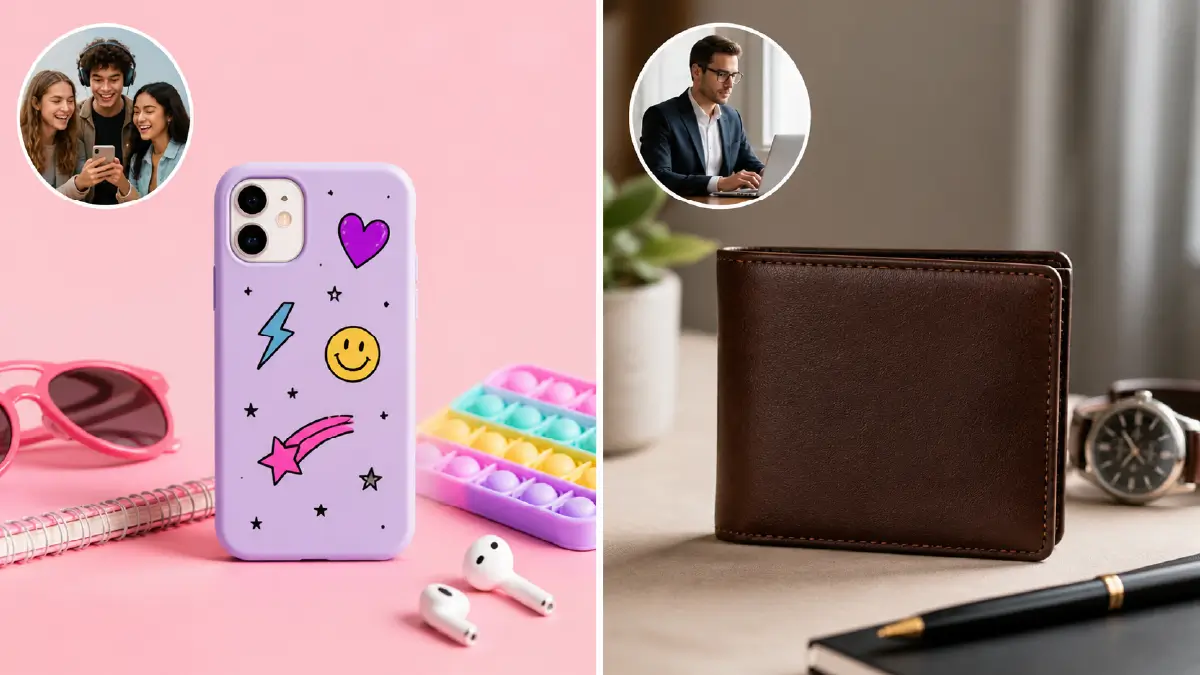
The way you photograph a product should reflect who’s buying it. A $15 phone case marketed to teenagers needs a different visual energy than a $300 leather wallet marketed to professionals. Think about your audience’s age, lifestyle, values, and what platform they’re shopping on. An image that performs well in a Facebook ad might look completely wrong as an Amazon main image. Let your buyer persona guide every creative decision — background color, prop choices, model styling, and overall mood.
3. Choose the Right Photography Style for Each Product
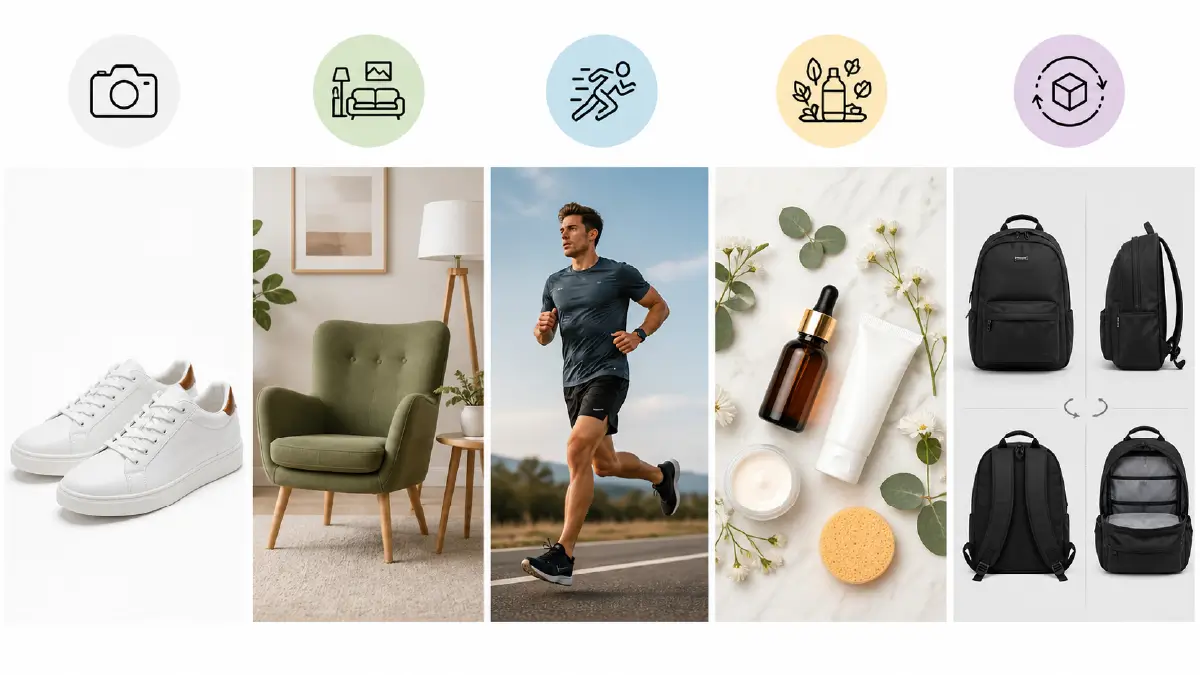
Different products call for different visual approaches. Here’s a quick breakdown of the most common styles and when to use each:
-
Pure white background: Required for Amazon main images; great for catalog consistency across all platforms
-
Lifestyle photography: Product shown in real-world use — perfect for furniture, clothing, fitness gear, home goods
-
In-action shots: Product being used by a person or in motion — works well for sports equipment, tools, and tech gadgets
-
Contextual/flat lay: Product surrounded by related items arranged artistically — popular for beauty, food, stationery, and gift products
-
360° or multi-angle: Multiple views showing the product from all sides — highly effective for footwear, bags, electronics
4. Use Natural Light — But Understand Its Limitations
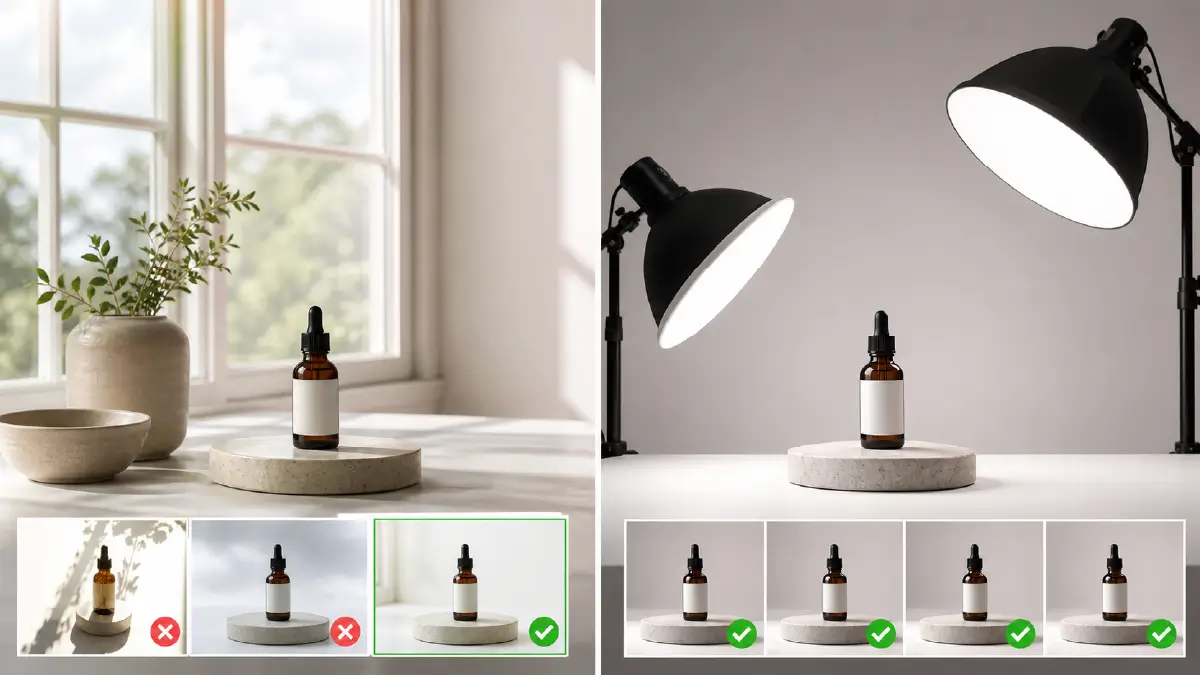
Natural light is beautiful, free, and produces a soft, organic look that resonates with buyers. But it’s inconsistent. Cloud cover changes it, time of day changes it, and seasons shift it dramatically. For occasional shoots or lifestyle-style images, working near a large north-facing window during midday hours gives you the most stable, consistent natural light. Avoid shooting in direct sunlight — it creates harsh shadows and blows out highlight detail on reflective surfaces.
If you’re shooting a large batch of products that need to look identical across the series, artificial lighting is the better choice — it gives you the same result at 11pm on a rainy Tuesday as it does on a sunny afternoon.
5. Nail Your Camera Settings Before You Start
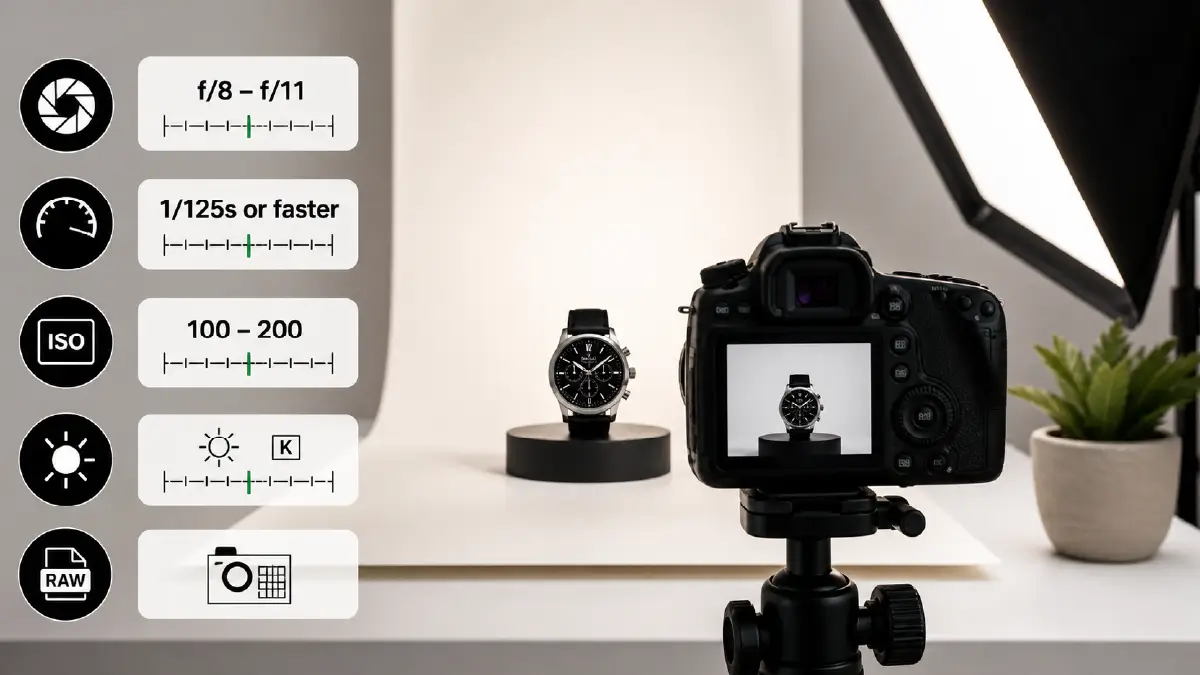
Getting your camera settings right before the first shot saves you hours of inconsistent results later. For most product photography scenarios, these are reliable starting points:
Always shoot in RAW format if your camera supports it. RAW files retain far more image data than JPEGs, giving you much greater flexibility in post-production for color correction, exposure adjustment, and shadow recovery.
6. Use a Softbox for Even, Flattering Lighting
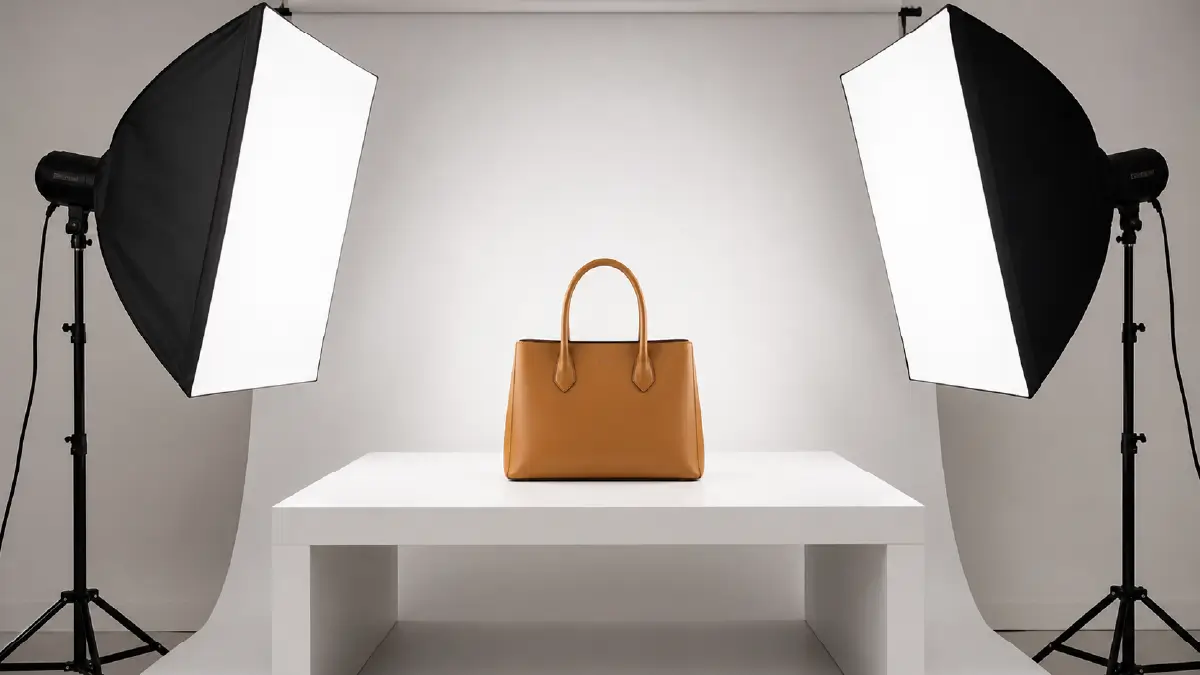
Softboxes diffuse artificial light through a translucent panel, spreading it evenly across the product without the harsh shadows that bare bulbs create. A basic two-softbox setup — one as your main light, one as your fill light positioned opposite at lower intensity — is the industry standard for clean, professional product images. This setup works for almost every product category and delivers consistent results shot after shot.
7. Control Shadows Deliberately
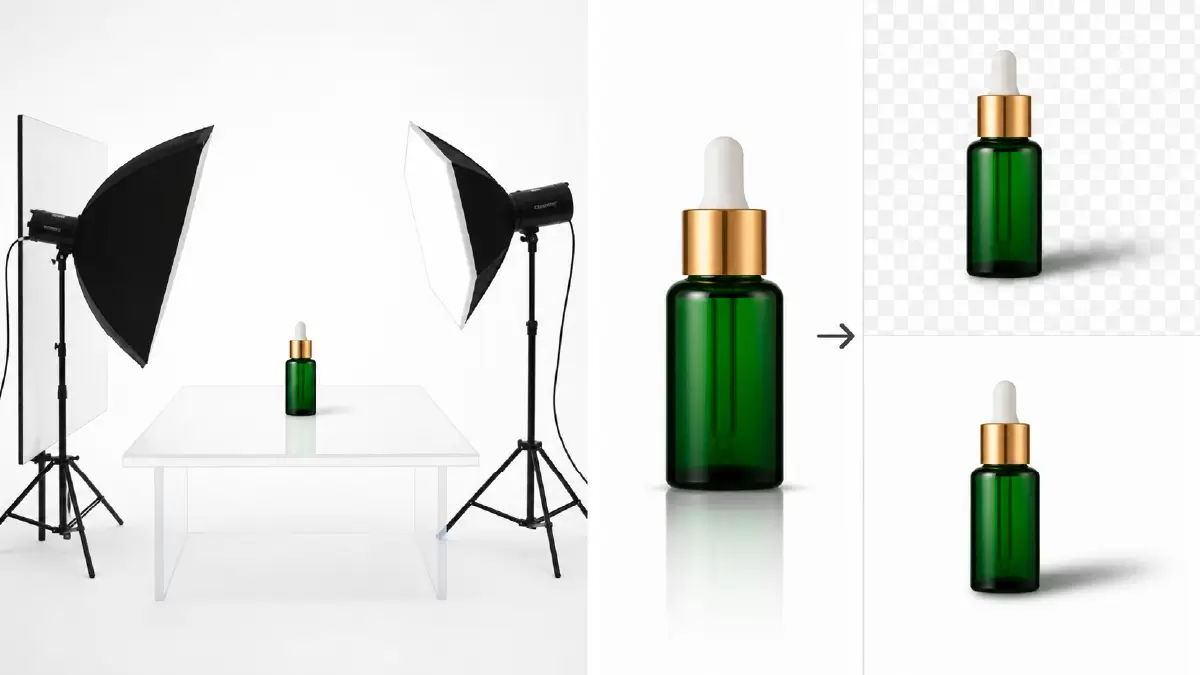
Shadows aren’t always the enemy — handled correctly, they add depth, dimension, and realism to a product image. The problem is uncontrolled shadows that appear in the wrong place or look unflattering. Use a fill light or white bounce card to soften harsh shadows from your main light. For a completely clean look on a white background, position the product on a sheet of white acrylic — it creates a natural reflection underneath the product and eliminates ground shadows entirely.
If you want to add a natural shadow back during post-production — for depth and realism on a transparent PNG — shadow creation in Photoshop gives you full control over the angle, softness, and intensity.
8. Shoot from Multiple Angles
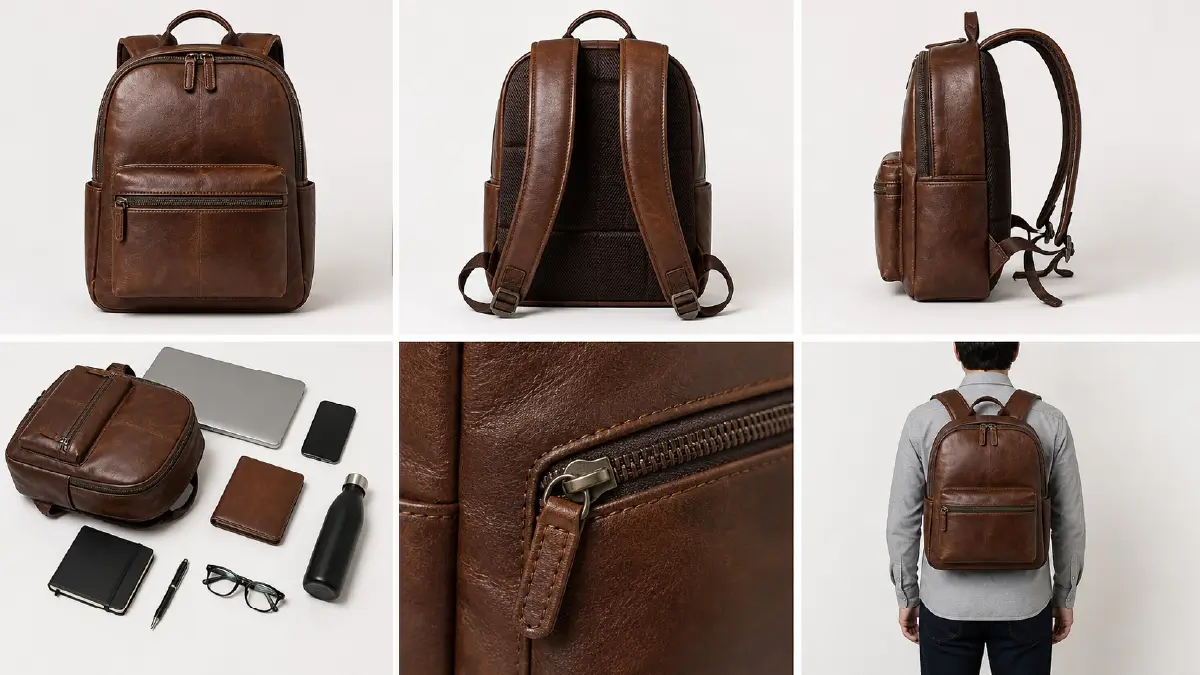
Never rely on a single hero shot for an e-commerce listing. Buyers want to see the full product — not just the front. A standard multi-angle set should include:
-
Front view — the main hero image
-
Back view — essential for clothing, bags, electronics
-
Side profile — important for footwear, furniture, bottles
-
Top-down (flat lay) — shows the full product spread and works well for accessories and bundles
-
Close-up detail — highlights texture, material quality, stitching, hardware
-
Scale reference — product shown next to a recognizable object or on a person to convey real-world size
9. Keep Your Shooting Space Clean and Controlled
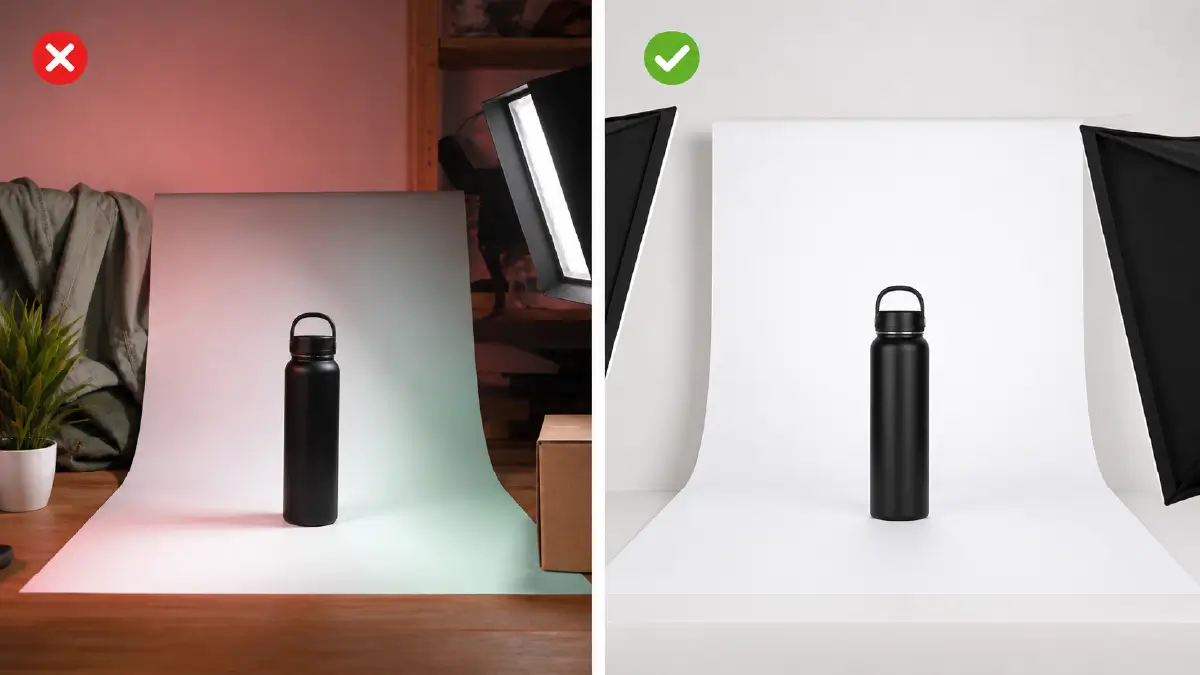
The shooting area around your product matters more than most beginners realize. Clutter in the background creates distractions that draw the viewer’s eye away from the product. Even if you’re shooting against a white background, objects outside the immediate setup can cast unwanted colored reflections onto the product surface. Before every shoot, clear the area completely and check the environment for anything that could create an unintended color cast — walls, furniture, clothing, even your own shirt.
10. Use Color Psychology in Your Styling Choices
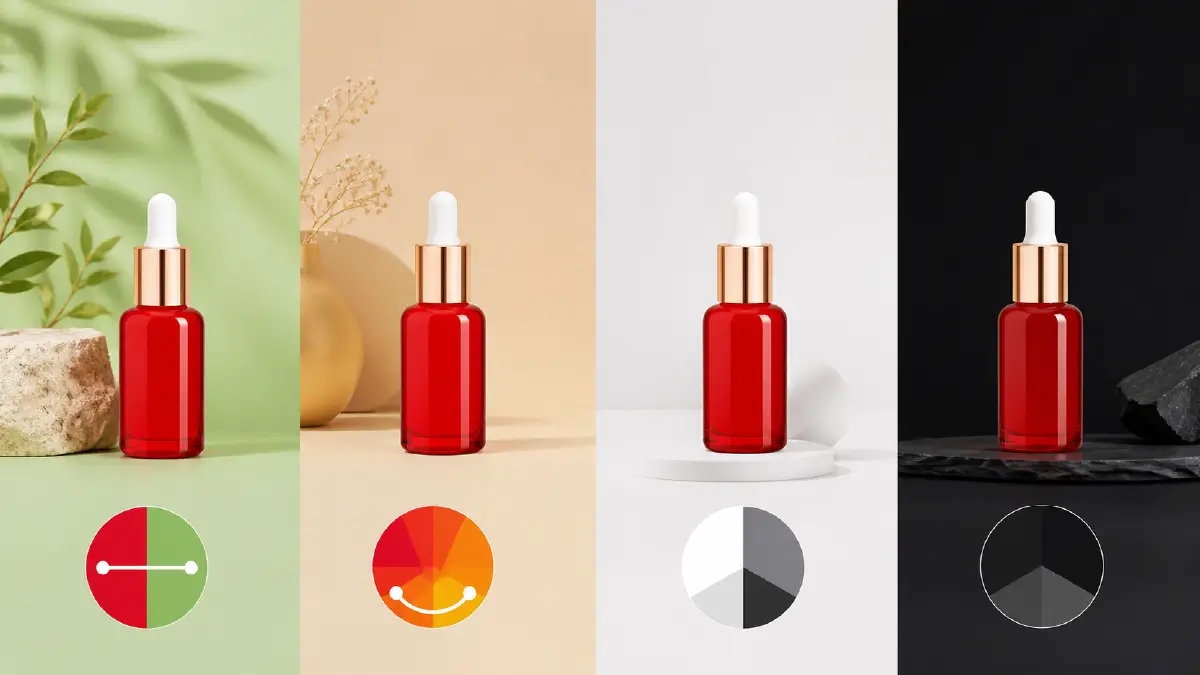
Colors in your product photography communicate before words do. Complementary colors (colors opposite each other on the color wheel) create visual contrast that makes the main product pop — a red product on a soft green background immediately draws the eye. Analogous color palettes (colors sitting next to each other) create harmony and calm. Neutral backgrounds (white, gray, beige, black) let the product itself be the visual statement.
The key rule: your background and styling colors should serve the product, not compete with it.
11. Use Negative Space Intentionally

Empty space in a composition isn’t wasted space — it’s breathing room. Negative space draws the viewer’s eye directly to the subject by removing visual competition around it. A single perfume bottle positioned in the lower left third of a clean white frame, with open space filling the right side, feels considered, editorial, and premium. That same composition works brilliantly for text overlays in ads and social media posts. Don’t feel pressure to fill every corner of the frame.
12. Show the Product in Real Use

Lifestyle images — showing your product being used by a real person in a real setting — consistently outperform plain white-background shots for social media ads and brand-building content. A pair of running shoes worn on an actual trail, a skincare product on a real bathroom counter, a coffee mug held by real hands — these images create an emotional connection that catalog-style shots simply can’t replicate. Use lifestyle images in your secondary slots to complement a clean hero shot.
13. Use Fill Light to Eliminate Harsh Shadows
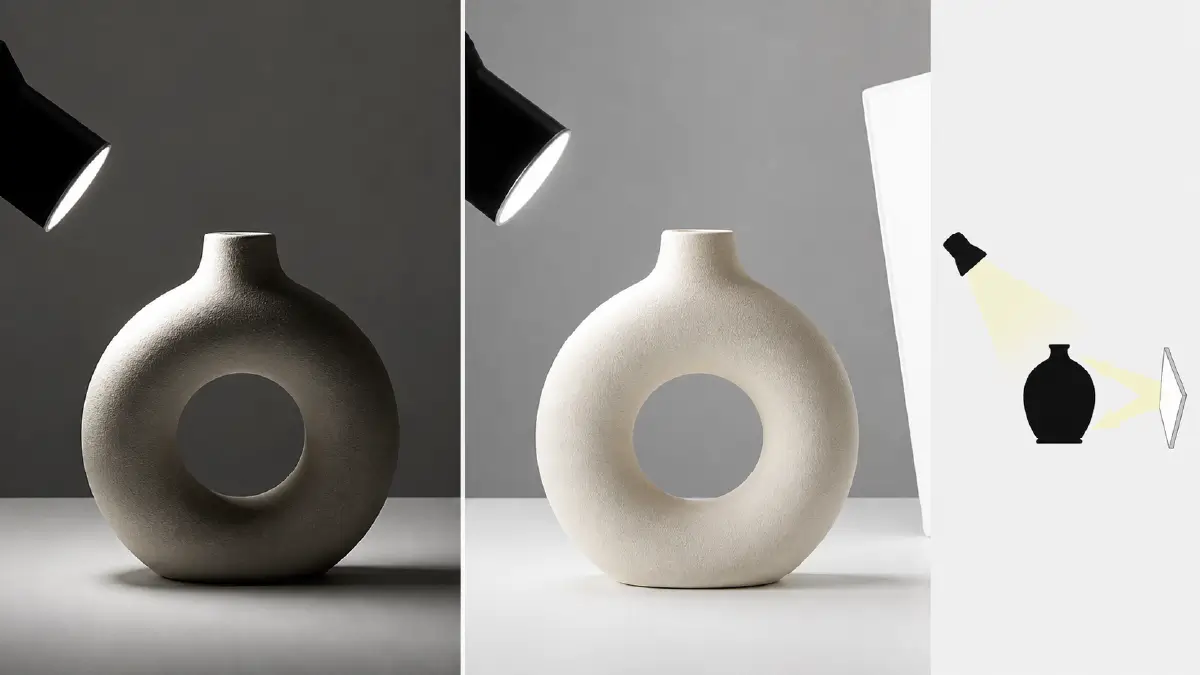
When a single main light creates deep, unflattering shadows on one side of the product, a secondary fill light placed at lower intensity on the opposite side softens the contrast and lifts the shadow area. The fill light should be noticeably less powerful than the main light — typically 50% or less — so it doesn’t flatten the image entirely or create conflicting double shadows. A simple white foam board works as a budget fill light by bouncing your main light source back onto the shadow side.
14. Highlight Packaging as Part of the Product Story
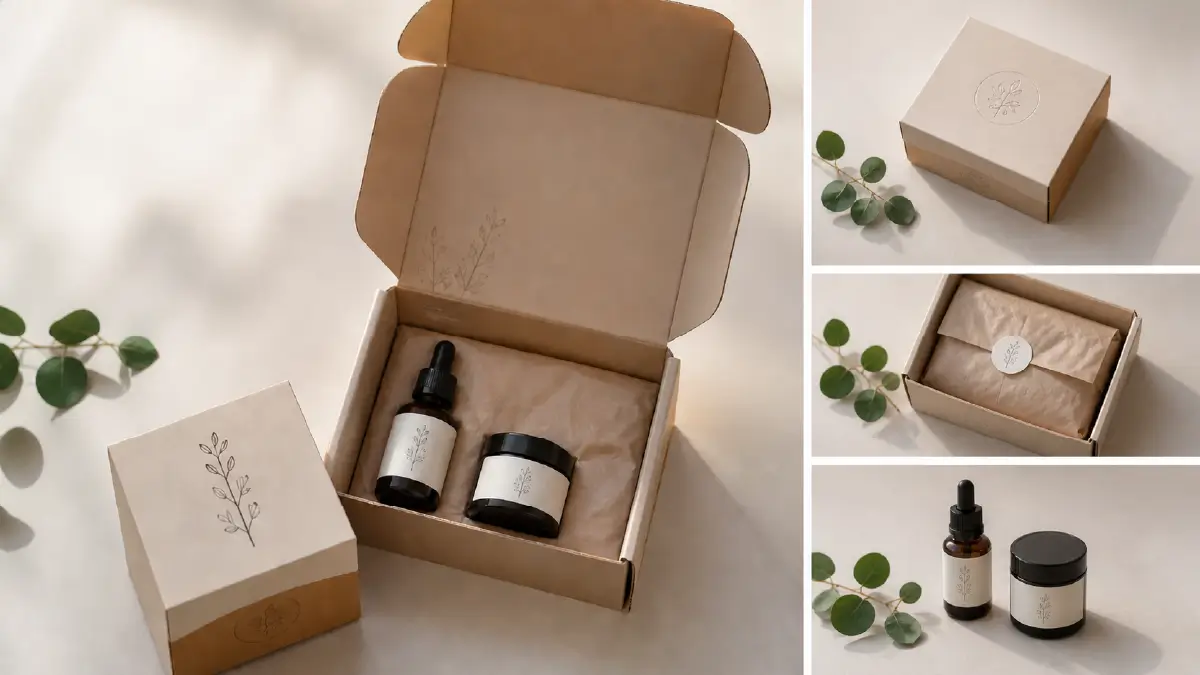
Packaging is part of what a customer receives — and premium packaging communicates product value even before the box is opened. If your product comes in well-designed, attractive packaging, photograph it. Unboxing images, “product + packaging” flat lays, and packaging detail shots all tell a richer story than product-only images. They work particularly well for gift products, subscription boxes, cosmetics, and any brand positioning itself as premium. Conversely, if your packaging is cheap or generic, it’s worth upgrading before making it part of your visual storytelling.
15. Frame and Compose with Intention
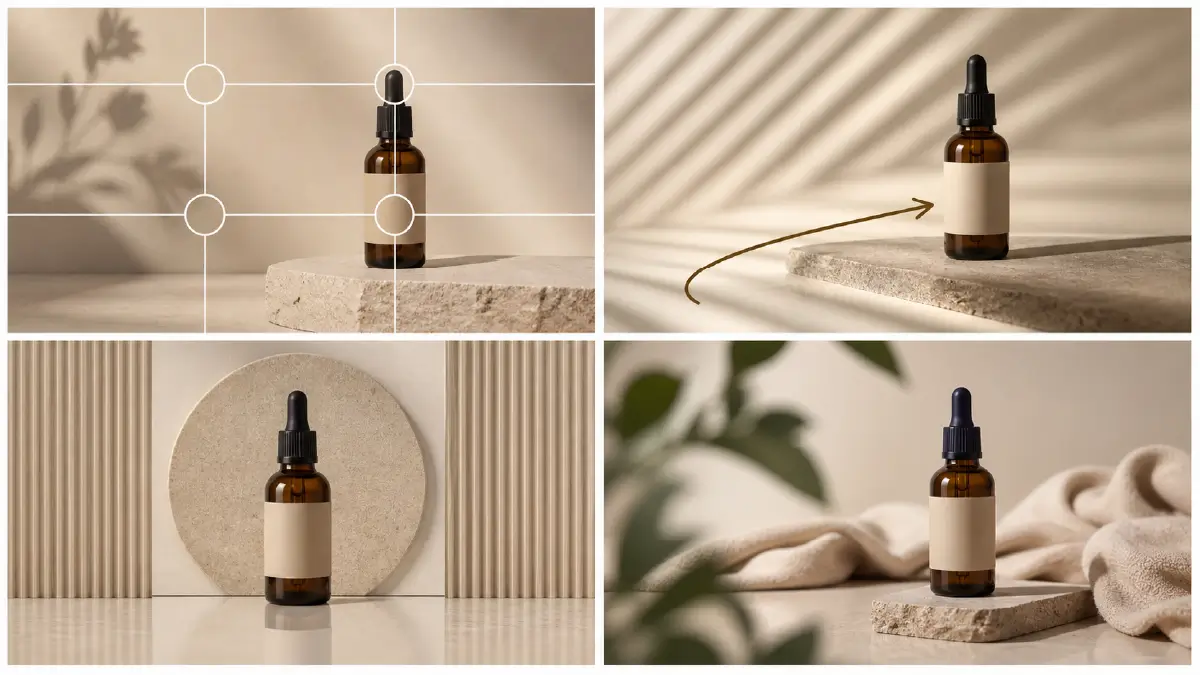
Strong composition guides the viewer’s eye through the image in a deliberate way. A few reliable principles for product photography:
-
Rule of thirds: Position the product at one of the four intersection points of a 3×3 grid rather than dead center — this creates more visual tension and interest
-
Leading lines: Use props, shadows, or surfaces that direct the eye toward the product
-
Symmetry: Works particularly well for products with strong geometric shapes — bottles, boxes, containers
-
Layering: Foreground props (out-of-focus leaves, fabric texture) create depth and context without competing with the product
16. Shoot Flat Lays for Social-First Content
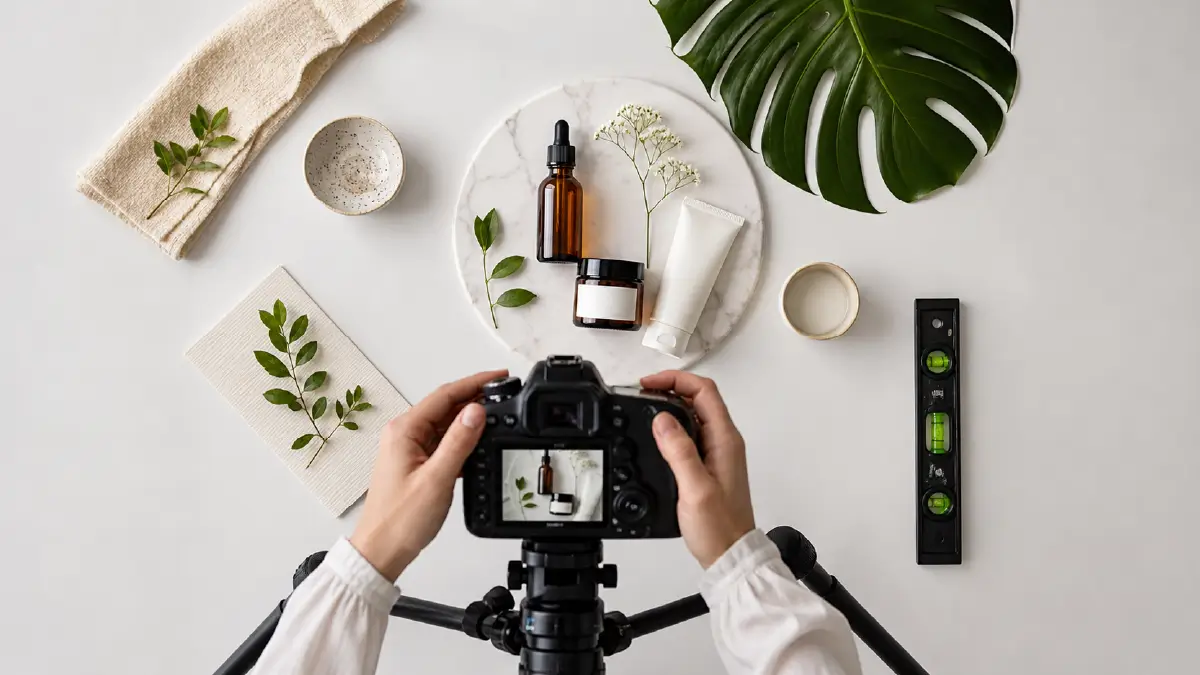
Flat lay photography — shooting directly downward at products arranged on a flat surface — is one of the most versatile formats in e-commerce photography. It works for almost any product category, scales beautifully for Instagram and Pinterest, and gives you a natural canvas for arranging lifestyle context (props, textures, brand elements) around the product. Use a ladder or elevated tripod to shoot directly overhead. Use a spirit level to ensure the camera is perfectly parallel to the surface — even a slight tilt is obvious in a flat lay.
17. Consider Scale and Context in Every Shot
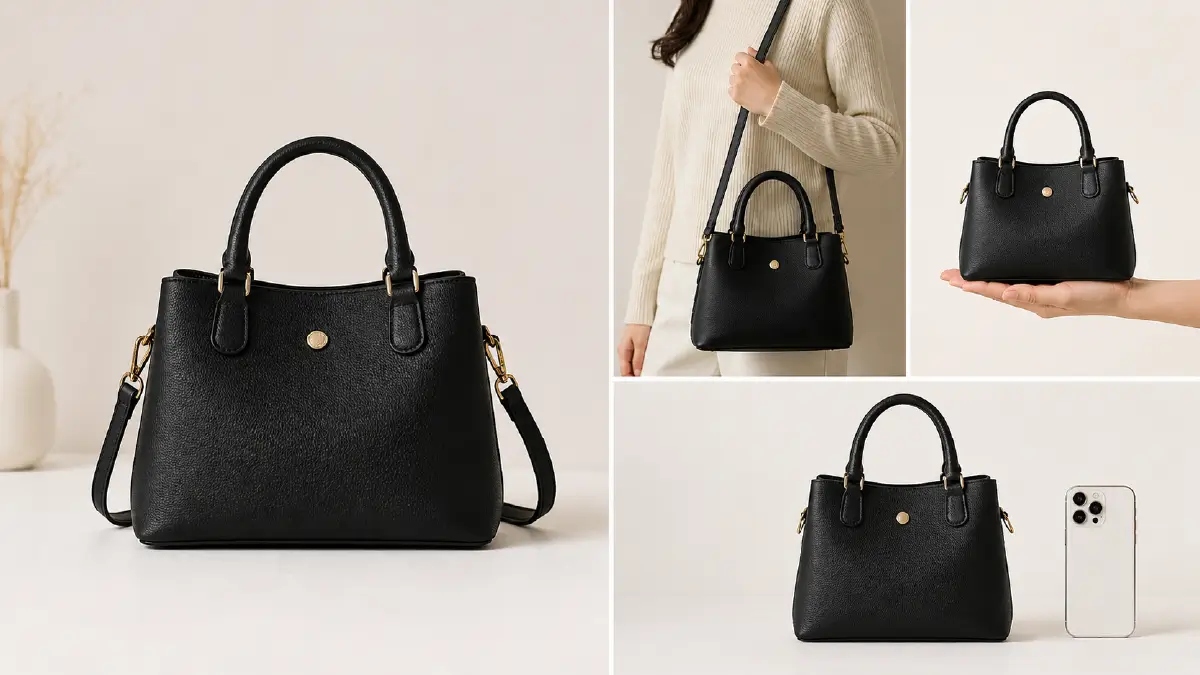
One of the most common photography mistakes in e-commerce is failing to communicate how big a product actually is. A bag that looks enormous on a white background might be the size of a wallet in real life — and that disconnect leads directly to returns. Include at least one shot that shows the product in relation to a familiar object, a human hand, or a person’s body. Scale reference shots reduce buyer uncertainty and set accurate expectations before purchase.
18. Post-Production Is Not Optional — It’s the Final 20%
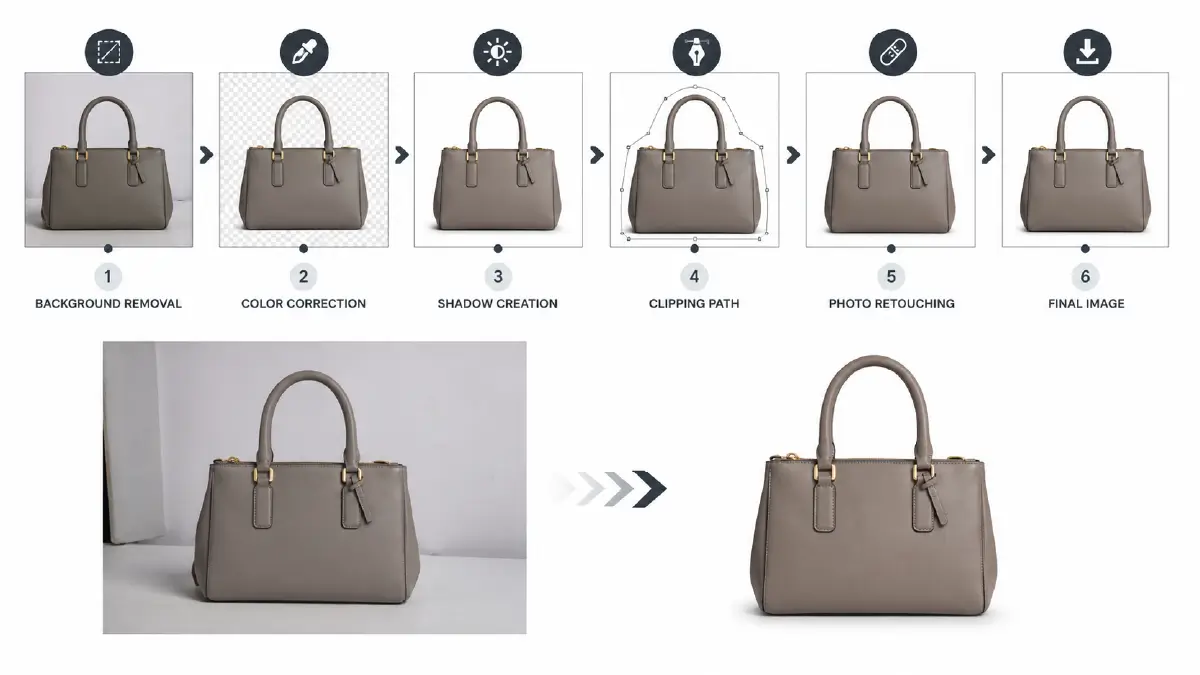
Even a well-lit, well-composed product photo needs post-production work before it’s ready to go live. RAW images straight from the camera aren’t optimized — they contain color imbalances, exposure inconsistencies, minor blemishes, and backgrounds that need cleaning or removal.
The most common editing steps for e-commerce product images include:
-
Background removal — replacing the original background with a clean white or transparent canvas
-
Color correction — adjusting white balance, hue, and saturation to accurately represent the product’s real-world color
-
Shadow creation — adding natural or drop shadows to give isolated products realistic depth and grounding
-
Clipping path — precise vector path tracing for complex shapes requiring clean, pixel-accurate cutouts
-
Photo retouching — removing dust, scratches, creases, blemishes, and distracting surface imperfections
If you’re handling a small batch of products, tools like Adobe Lightroom, Photoshop, or even Canva can handle basic editing well. But when you’re dealing with hundreds or thousands of images — as most scaling e-commerce brands eventually are — outsourcing to a professional photo editing service is far more cost-effective than the hours it would take to do it in-house.
Equipment Checklist at a Glance
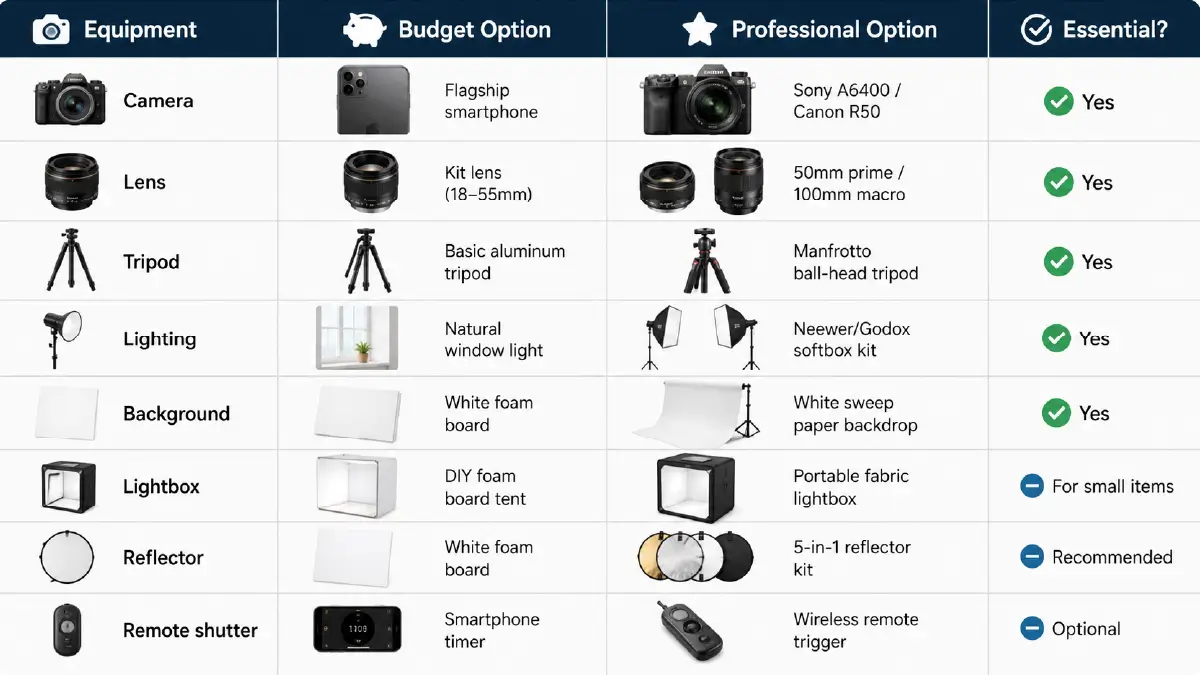
| Equipment | Budget Option | Professional Option | Essential? |
|---|---|---|---|
| Camera | Flagship smartphone | Sony A6400 / Canon R50 | ✅ Yes |
| Lens | Kit lens (18–55mm) | 50mm prime / 100mm macro | ✅ Yes |
| Tripod | Basic aluminum tripod | Manfrotto ball-head tripod | ✅ Yes |
| Lighting | Natural window light | Neewer/Godox softbox kit | ✅ Yes |
| Background | White foam board | White sweep paper backdrop | ✅ Yes |
| Lightbox | DIY foam board tent | Portable fabric lightbox | For small items |
| Reflector | White foam board | 5-in-1 reflector kit | Recommended |
| Remote shutter | Smartphone timer | Wireless remote trigger | Optional |
Frequently Asked Questions
How much does e-commerce product photography cost?
It varies widely based on product type, quantity, and photographer experience. A professional studio photographer typically charges $50–$500 per product for a full set of images. DIY product photography — using your own setup — can produce excellent results for the cost of the equipment (roughly $300–$800 for a complete beginner’s kit). For editing costs, professional services like Retouching Zone charge on a per-image basis starting from as little as $0.39 per image for basic background removal.
Do I need an expensive camera to take professional-looking product photos?
Not necessarily. Modern flagship smartphones produce genuinely excellent product images in good lighting. The camera matters less than the lighting setup and post-production quality. That said, a mirrorless or DSLR camera gives you significantly more control over depth of field, low-light performance, and RAW capture flexibility — which matters when you’re scaling up.
Should I always use a white background?
For your main hero image on marketplaces like Amazon and eBay, yes — a pure white background is required. For secondary images and lifestyle shots, experiment with neutral colors, textured surfaces, and contextual settings that fit your brand aesthetic. Variety in your secondary image slots gives buyers a more complete picture of the product.
How many images should I include per listing?
Most platforms allow 6–12 images per listing, and you should use as many slots as the platform allows. A strong image set typically includes: 1 hero shot on white, 2–3 multi-angle shots, 1–2 lifestyle or in-use images, 1 close-up detail shot, and 1 scale reference or infographic showing key dimensions or features.
What is the best lighting setup for small product photography?
For small products, a portable lightbox (fabric tent lightbox) combined with two small LED panels gives you the most consistent results. This setup eliminates harsh shadows and reflections while keeping the light source contained and adjustable. Natural light near a north-facing window with a white bounce card opposite the window is an excellent free alternative.
How do I ensure accurate product colors in photos?
Set a custom white balance on your camera by photographing a neutral gray card under your shooting lights and using it as the white balance reference. Avoid mixing different light sources (e.g., mixing daylight with tungsten) as this creates color casts that are difficult to fully correct in post-production. When in doubt, shoot in RAW and adjust white balance precisely in Lightroom or Photoshop before exporting.
When should I outsource product photo editing instead of doing it myself?
The tipping point for most sellers is around 50–100 images per month. Below that, doing your own basic editing in Lightroom is manageable. Above that, the time cost of editing typically exceeds the cost of outsourcing — especially for tasks like background removal, color correction, and shadow creation that require high consistency across large batches.
Closing
Great product photography doesn’t require a professional studio or a five-figure equipment budget. What it does require is intentionality — understanding your buyer, choosing the right setup for your product type, controlling your light, and finishing the job properly in post-production. Every seller who invests the time to get this right sees the results in their conversion rate.
If the photography side feels manageable but post-production is where your workflow breaks down, Retouching Zone’s team of professional image editors handles everything from background removal and color correction to shadow creation and high-end retouching — at scale, with consistent quality, and with a free trial available to test before you commit.