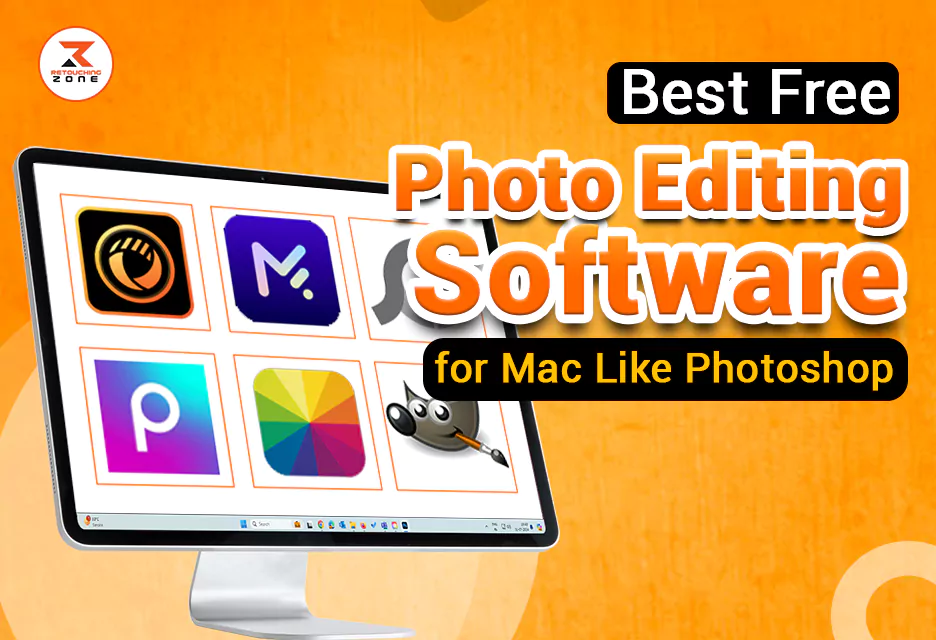
Best 6 Free Photoshop Alternatives for mac user
As a professional photographer and Mac user, I always like to use tools that help me bring my photos to life. And in this case, it is really difficult to find a standard and valuable tool like Photoshop.
However, it is also true that the cost of it is quite difficult for a new photographer with a small budget to bear. In such a situation, many prefer some tools that are free and can do a lot of work like Photoshop.
Over the years, I have searched for several free photo editing software for Mac like Photoshop. Unbelievably, I have found some tools whose features are really impressive. Even though the tools are free, their professional-grade features will give you a Photoshop-like experience.
If you’re searching for reliable and free alternatives to Photoshop for your Mac, you’re in the perfect place. Here, I will try to show you some tools that not just surprise me but also improve my workflow. So, let’s dig into this article.
Top 6 Best Free Photo Editing Software for Mac Like Photoshop
There is no denying that it is quite difficult to find a highly standard tool like Photoshop especially when it comes to free tools. However, I have used some free photo editing software for mac like Photoshop for some of my projects.
I am quite surprised to see the advanced and professional features they have. Now, I am going to discuss all those tools for you. So, let’s get started without further delay.
No-06: PhotoDirector Essential

PhotoDirector Essential is a tool that comes with some special features that are useful not only for professionals but also for amateurs. This tool is far ahead of any other free tools for its Photoshop image editing and Lightroom image management features.
This photo editing software comes with various photo animation tools along with video-to-photo features. Its layer editing options are really impressive. Also, its advanced color replacement, panorama photo merge, and dispersion effects will give you a professional feel in photo editing.
You will find various types of adjustment tools in it such as tone, white balance, level, curve, split toning, and HDR effects. It has some backgrounds and design elements that will help you create an eye-pleasing social media post. The thing that impressed me the most is its generative AI tools. It allows you to create high quality content through text prompts.
At first glance, it may seem like it is only suitable for professionals. But its easy interface is actually quite simple for new users too. It can be an ideal free photo editing software for Mac like photoshop.
What We Like
- Intuitive, beginner‑friendly interface
- Layer-based editing with rich toolset
- Generative AI tools built-in
- Free and regularly updated
What We Dislike
- Performance can lag on older hardware
No-05: MyEdit

I have used MyEdit software for many of my projects just for its powerful AI tools. Its security and quality features will amaze you. This software is quite effective for any skill level.
This free software comes with a variety of AI-powered text-to-image tools, including AI Avatar Generator, AI Image Generator, AI Product Background, and AI Scenes. I also found its background removal tool to be quite effective as it can remove any object with great accuracy.
You will also find image restoration tools in it such as image enhancer, image upscaler, deblur, and denoise tools. I would recommend this software to any new photographer as it is easy to use, fast, and free.
What We Like
- User friendly interface and easy to use
- Collaboration & real‑time editing
- Comprehensive all in-one features
- Quality output
What We Dislike
- Performance issues of large files
No:04 Photoscape X

Are you short on time and want to edit some photos quickly? Photoscape X might be the best software for you. It can edit multiple photos at once with precision. This tool comes with some batch edits such as Batch Resize, Batch Rename, and Batch Format Change.
The feature I really like about this free software is its impressive color tools. It comes with three types of color tools: Point Color, Selective Color, and Replace Color. These color options work well to bring your photos to life.
With this software, users can do batch editing, add text and stickers, edit RAW files, and even create animated GIFs. The collage maker, screen capture tool, and frame options add extra value. This makes it a perfect editor for everyday creative tasks.
The thing that disappointed me a bit is its unusual interface. A new user might find it a bit confusing at first use. However, this tool can be quite good for an amateur user.
What We Like
- Rich set of free features
- Batch processing & viewer mode
- Fast performance & light footprint
- Wide appeal across skill levels
What We Dislike
- Outdated or cluttered UI
- Unusual interface
No-03: Picsart

Picsart is one of the best free photo editing software for mac like photoshop. This software helps you edit any image in a professional way. It can be an ideal tool for posting on social media because it has a lot of emphasis on frames, templates, and graphical elements.
I really like using the collage maker feature of this software because it allows you to design posts and motivational boards. Also, the most notable thing is that you can see the works of other users and follow their artworks.
This free software comes with some AI-powered editing tools such as AI Restore, AI Enhance, and AI Unblur. You can also create any kind of logos, arts, or GIFs with text-to-image AI tools.
It also has a paid version with which you can enjoy the background remover, animation maker, or premium stock images features. However, the free version is also quite useful for an amateur user.
What We Like
- Beginner-friendly interface with powerful tools
- AI‑powered tools
- Template and asset library
- Rich editing features
What We Dislike
- Ads and intrusive prompts
- Performance issues on low‑end devices
No-02: Fotor

If you are a new user, Fotor can be one of the best free tools for you. This tool is quite easy and fast to use. Even if you do not have professional skills, you can still use this tool with ease.
This free software supports the import and export of various high-resolution images. Not only that, it also works as a RAW image converter and can be used to view EXIF data images.
Its outstanding features include AI-powered tools, background remover, one-tap enhancement, and object remover. These tools save time and simplify the editing process, especially for those who want quick results.
Fotor supports web, desktop, and mobile platforms, which makes it accessible across devices. It also offers cloud syncing so that users can start a project on one device and finish it on another.
What We Like
- Beginner‑friendly, cross‑platform usability
- AI tools for auto editing and background removal
- Batch processing and collage/design features
What We Dislike
- No deep editing
- Performance issues, especially on web/mobile
No-01: GIMP

Another great software in my opinion is GIMP. Although it is free, it is a powerful tool that comes with a variety of modern features. This software can be an ideal option for designers, photographers, and digital artists.
The feature that surprised me is that it uses a variety of high-quality tools. This can make you a strong alternative to paid software like Adobe Photoshop. One of the strongest features of this software is its advanced editing capabilities.
Like professional tools, this software also allows users to work with layers, masks, color corrections, and filters. This great feature makes it suitable for complex design projects and high-quality photo manipulation. GIMP is compatible with Windows, macOS, and Linux, which gives users flexibility regardless of their operating system.
GIMP does not have many limitations, but its user interface can feel a bit outdated and less intuitive, especially for beginners. But all things considered, it can be said that it is one of the best free photo editing software for mac like Photoshop.
What We Like
- Free and open source
- Advanced photo editing features
- Extensive plugin support
- Cross-platform compatibility
What We Dislike
- Lacks native CMYK support
- Fewer non-destructive editing options
Frequently Asked Questions
Can free photo editors for Mac handle professional-level editing?
Many free photo editors now offer professional-level features such as layer editing, masks, retouching tools, RAW file support and more. This is why you can get professional-level editing from these free tools.
Are these free Mac photo editors safe to use?
Yes, these free Mac photo editors are safe to use if you download them from their official websites or trusted sources.
Do I need an internet connection to use these free photo editors on Mac?
Some free editors require an internet connection to use, but most can be used without the internet.
Is there any learning curve with free photo editing software for Mac like Photoshop?
Yes, just like Photoshop, many free alternatives come with powerful features that may take some time to learn.
Final Thought
Photoshop is a very valuable software for a professional photographer. But for those who have a budget issue or have just started photo editing, it is quite difficult to bear the cost of Photoshop.
However, I have tried to ease this pain for them. In this article, I have tried to highlight some free photo editing software for mac like Photoshop. Although these tools are not as feature-rich as Photoshop, they will help you improve your workflow. Thank you all for reading this article.