You will find best practices for Amazon product photography so intertwined with its product editing that you won’t be able to think of one without the other. Especially in 2026, everyone’s goal is to get the attention of the customers at any cost.
Presenting multi-angle and clear zoom views of the product is the main objective; then you will decide whether to focus on the photoshoot or just edit the image.
Let us look at effective methods in photography and editing photos to achieve a successful product visual appearance on worldwide e-commerce platforms.
TL;DR:
- For the Amazon product pictures, proper practices involve capturing products that are being used with daily activities, using several viewpoint angles, and keeping clarity with zoomed-in detail views.
- A good editing for Amazon product photos is that you give the product a completely white backdrop, locate it at the photo’s center area, correct colors, and check for quality by cleaning the image.
Amazon Product Photography and Editing Checklist at Once
| Amazon Product Photoshoot To Dos | Multi-angle views |
| Flawless in ultra zoom-in view | |
| Product attachment to daily life activities | |
| Amazon Image Editing To Dos | Make the background white |
| Keep the product covering 85%+ of the image | |
| Apply the right color and quality cleanup |
Best Practices for Amazon Product Photography
Maintaining professionalism during a photo shoot is half the work of a photo production. So let’s see how to take those shots with expertise.
Show your product from every angle
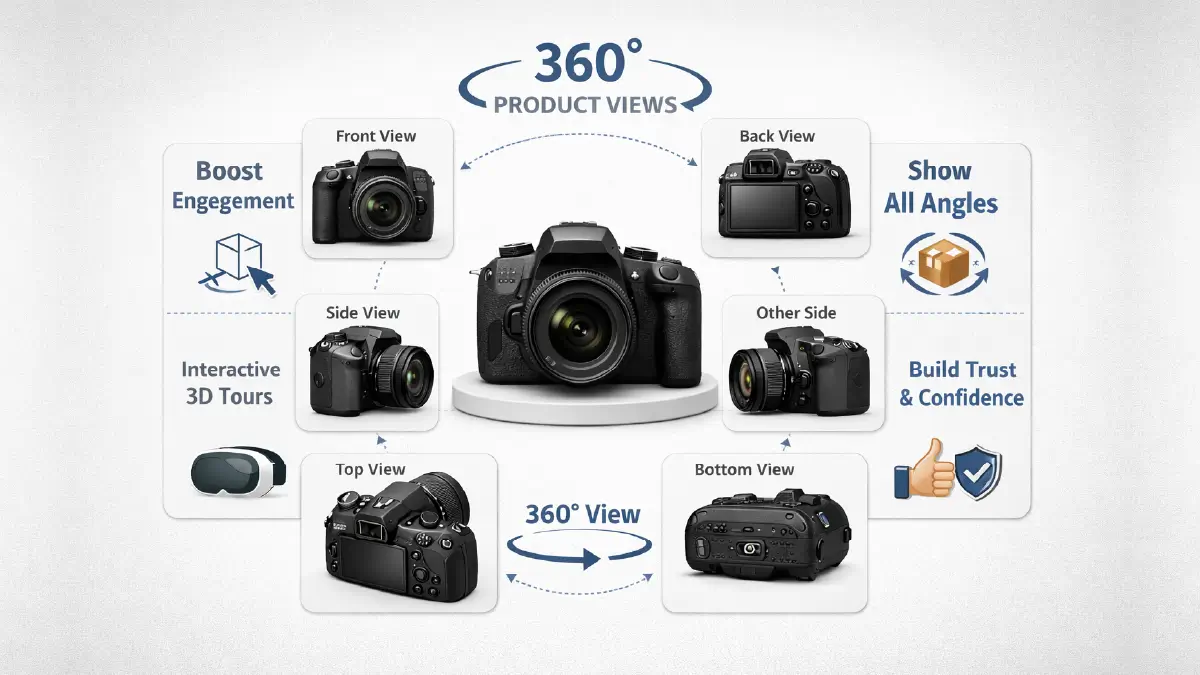
You have to admit that today’s viewers are more than smart enough. When they see a view from just one angle, they assume that there must be a flaw in the other side. So, displaying a product without multiple views nowadays means losing visitors!
With good reason, 360-degree views of products have now become a must-have feature on Amazon. Accordingly, product photographers also pay attention to other aspects, rather than focusing on the front and back shots of the product.
You know, this is one of the examples of adding interactivity to the webstore, helping to create 3D tours!
Show your product up close, flawlessly

Where the purchasing decision is limited to just looking at the image, buyers expect to see it up close. In this case, if your image is blurry when zoomed in, imagine what the consequences could be!
If you want to overcome this problem, you can’t do without high-quality images, because the image at optimum resolution remains sharp even at high zoom. If this is possible, your customers will no longer have to struggle to see small details, but will flock to your store again and again.
Realistic shots that your audience can relate to
People will be more interested when your photos relate to their daily lives. For this, just random shots are not enough; you need to tell a compelling story that will gradually lead your customer to the purchase destination.
Include moments when people are indoors, outdoors, or even working in the office. For example:
- A person doing some household chores while holding the product.
- Someone lifting the product from a piece of furniture.
- One person handing the product to another.
Best Practices for Amazon Product Editing
Best practices for photo editing can take a product to the brand level in the entire ecommerce industry, including Amazon. So, in this perspective, let’s find out what your To-dos can be.
Effective use of white background
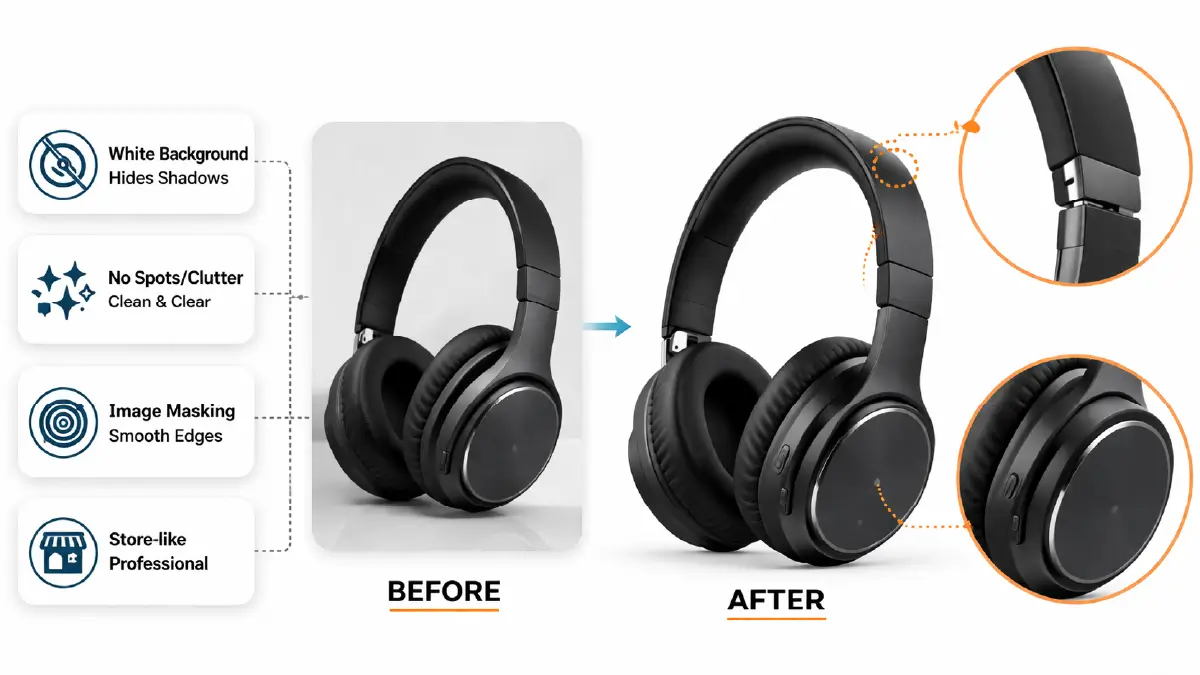
First, it is an image requirement of Amazon; there is no alternative, and secondly, you get to use this guideline effectively.
White is actually a color that hides all the distractions (shadows, spots, clutter) around the product. This is the reason that background removal photo editing is significant for Amazon. It has no equal for the floating look of the product.
However, apply image masking to smooth out the remaining edges of the product, and you will see that the product looks sharp, which reflects the store-like professionalism.
Make the product the center of the image

When you start editing your images, you must make sure that you never reduce the product to less than 85% of the entire image. If you do, you will not only be violating Amazon’s instructions, but also your product will lose its appeal to the audience.
However, the best practices are:
- Don’t fill the entire image with the product; keep 85% as the ideal.
- Leave some breathing space around the product.
- Don’t use any overlay text or even logos around or on the product.
Apply the right colors and quality cleanup
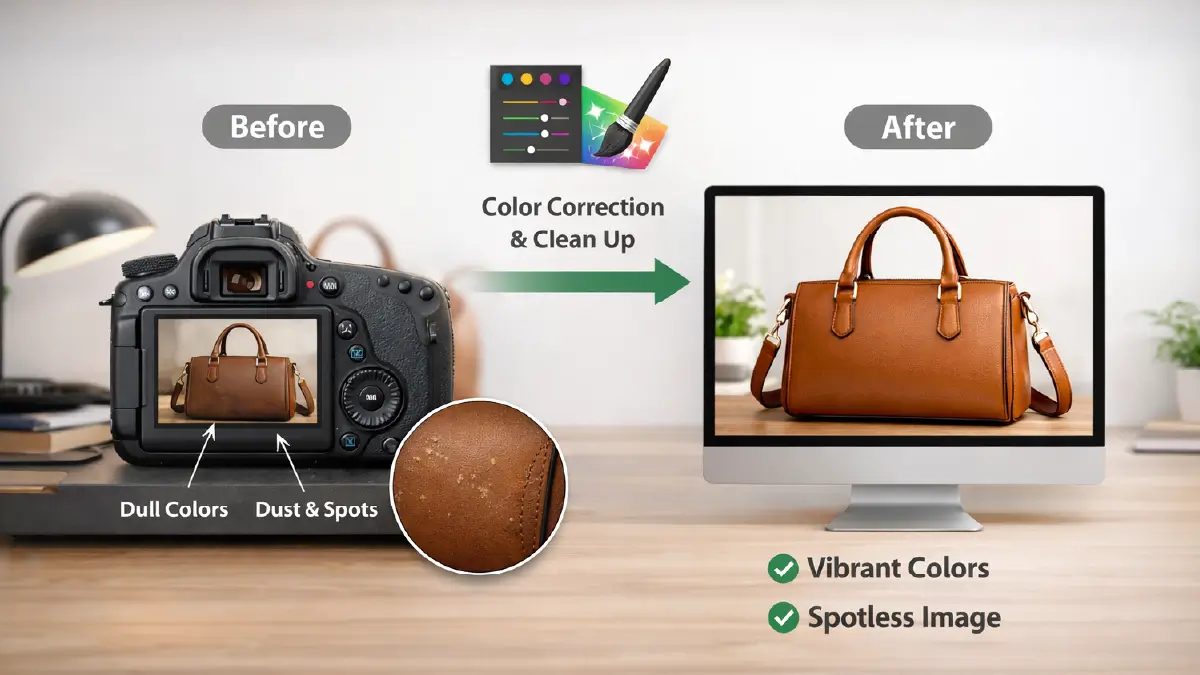
Even after taking a shot with enough professionalism, it is often seen that the product does not get its true color when it comes to image editing later. And this is exactly why color correction will come into action in your editing.
One of the main reasons for visitor engagement breaks with a product is a dirty image. Your best tool to remove this dirt is a digital brush, with the help of which you can erase small spots in an instant.
Frequently Asked Questions about Amazon Product Photography and Editing
1. How does Amazon product photography contribute to the addition of 3D views to webstores?
For this, photographers take high-quality shots of Amazon products from almost every angle. During this photo shoot, they keep in mind that visitors should feel like they are physically looking around the product while viewing these images.
2. How can I take a photo of a product so that it looks perfect to the people when they zoom in?
This requires you to take several high-resolution photos of your product, trying to keep them as error-free as possible. But still, whatever flaws are left should be deleted as much as possible in the image editing phase.
3. At which moment does the audience become engaged with the product as they see images on the ecommerce webpage?
If you photograph someone who is using or holding the product as they do their daily works. For instance, a person uses a vase while they clean the furniture or holds an file organizer when speaking to an office worker.
4. What is the best practice for Amazon product photo editing to make a floating look of the product?
The best way to do this is to use a pure white background, which is also an Amazon image requirement. This will make all the imperfections around and behind the product disappear, and it seems that the product is blooming from within the screen.
5. How much of the image should be covered by the product to attract customers?
A product becomes the center of attention when you place it over at least 85% of the image. This coverage helps your product get quickly caught by the visitor’s eye without any distractions while browsing the online store.
In a Nutchell
Best practices for Amazon product photography and image editing make a holistic approach to take your product to the sales stage. During product photoshoots that relate to everyday life, multi-angle views are as essential as a distraction-free view when zooming in.
In subsequent photo editing, white backgrounds and 85%+ image coverage are Amazon platform standards; so no room for any manipulation here. Beyond that, you’ll want to take care of color correction and removing flaws.
Only after carefully implementing each of these practices can you expect to see sales-oriented engagement for your products.