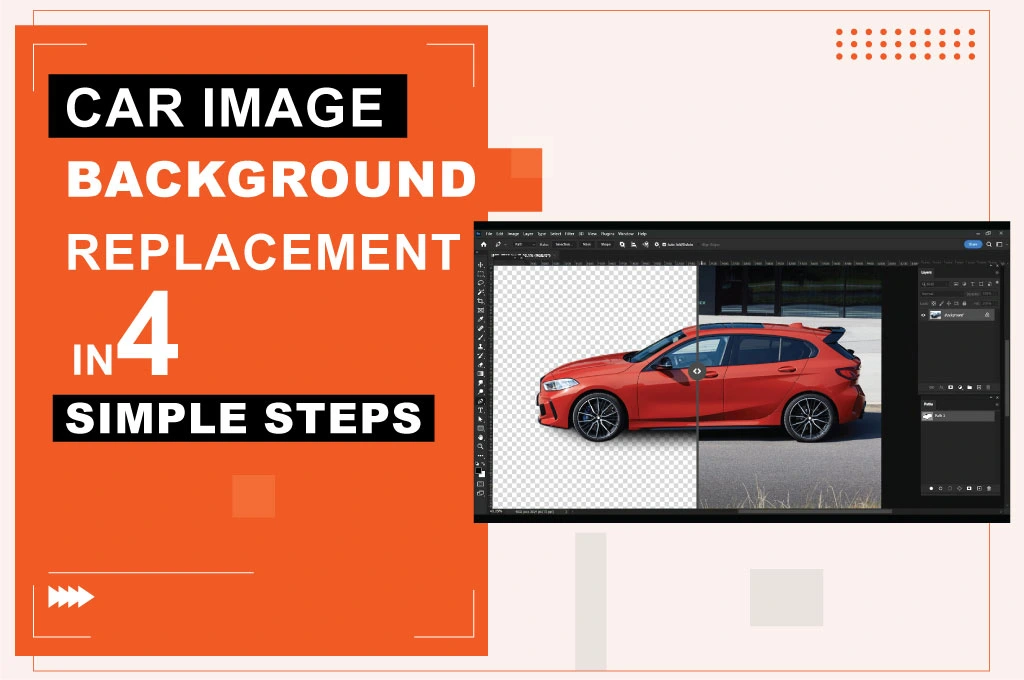
Breaking down the car image background replacement is pretty simple, and that is, cutting out a car image from an original background. Photographers shoot car photos in different places, such as showrooms, outdoor areas, or garages.
However, this is not perfect for an online advertisement or website. So, you need to edit the photos by applying many Photoshop tools and techniques. Let’s see how exactly to isolate your vehicle and prep it for any backdrop.
Car Photo Editing and Retouching
- Photo background removal
- Car transparent background or PNG
- Shadow making
- Clipping path
- Car color correction
- Template changing
- High-end photo retouching
- Automotive dealer image editing and retouching
How to create a transparent photo background for cars:
Photographers shoot car photos and want to make them more eye-catching and impressive. So, you need to apply car photo editing services with Photoshop tools. Here are 4 straightforward, easy steps through which you can apply the car background replacement to your vehicle pictures.
Step 1: Import & Layer Setup
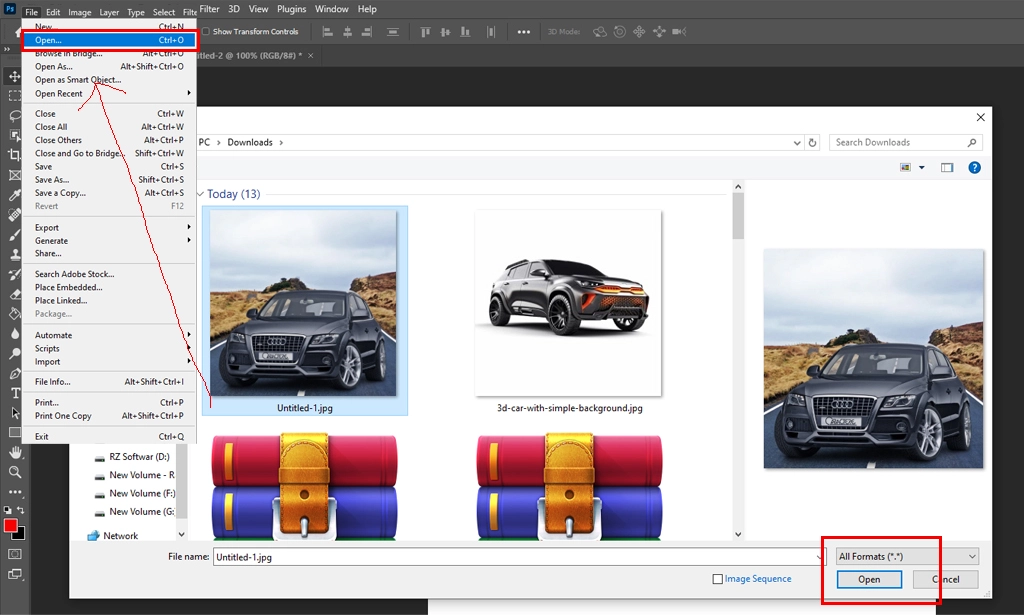
Open your car’s raw photo in Photoshop. This image will appear as the “Background” layer. After that, you will edit the car’s raw image in Photoshop.
Step 2: Precise Clipping with the Pen Tool
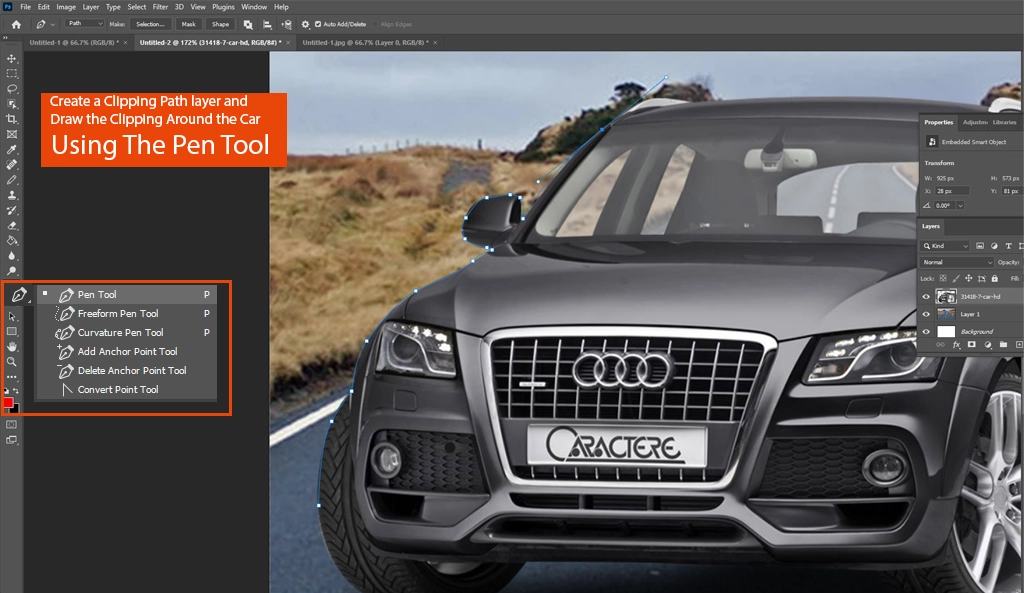
Create a Clipping Path layer and draw the clipping around the car using the pen tool. Photoshop’s Clipping Path is the best process for cutting out a car image. While there are many other ways to cut out a car image, the clipping path is the best and highest-quality way to keep the background transparent. By selecting a clipping path, we can make the car image transparent or use a PNG background.
Step 3: Refine the Selection
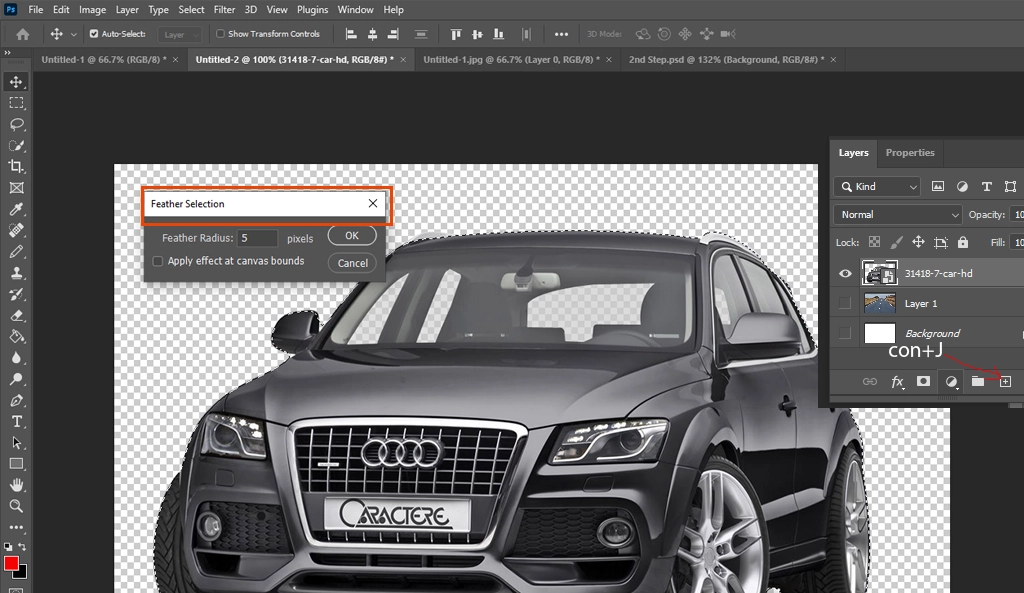
Once the clipping path is complete, activate the selection. Then, add a feather to make the edge a soft cut. Finally, copy a transparent layer by clicking Ctrl + J.
Step 4: Export for Multi-Channel Use
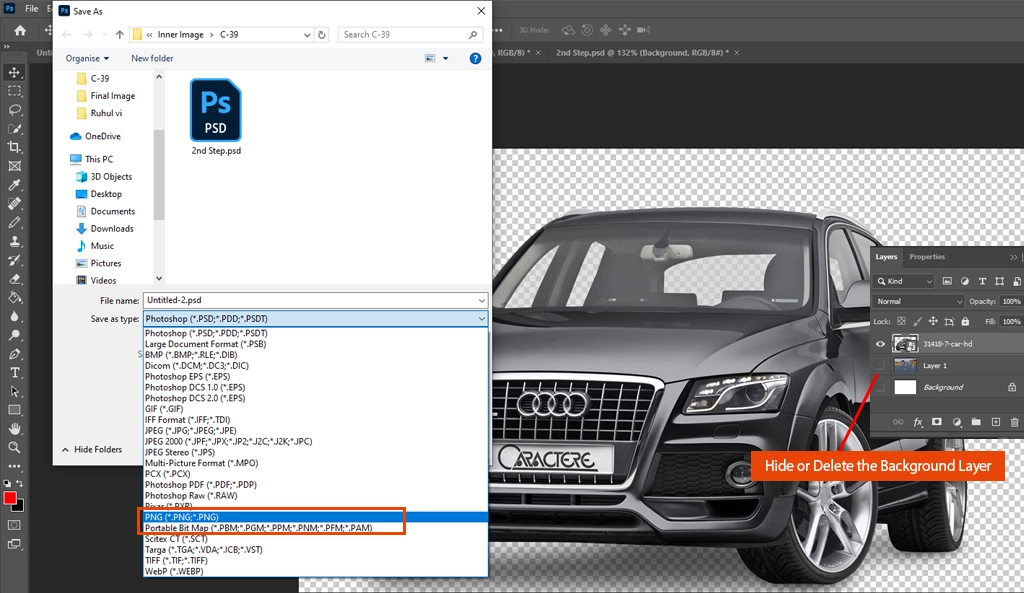
If you hide or delete the background layer, you’ll see the transparent car. Save it now in high-quality PNG format. This process allows you to easily create transparent background images for cars. If you are confused, check out our clipping path video tutorial.
Why need car image background replacement?
Any template needs a transparent image. Car background change gives you more than just transparency; you can replace the backdrop with any other image you think suits best for your purpose. Transparent car background image allows you to do the following photo editing actions:
- Car photo editing services
- Replace car background images
- Place a Car image on a different background
- Rotate the car vertically/horizontally
- Can move car at any angle
- Shadow-making car image
Frequently Asked Questions for Car Image Background Removal
-
What is the best file format for car images with no background?
PNG and WebP are the best formats because they support alpha-channel transparency, allowing you to place the car on any website background without a white box.
-
Why should I replace the background of my car photos?
It removes distractions, creates brand consistency across your inventory, and has been proven to increase click-through rates on vehicle marketplaces.
-
Do I need to add shadows after replacing the background?
Yes. Adding a “drop shadow” or “ground shadow” makes the car look realistic on its new background, preventing it from looking like it’s “floating”.
-
How long does professional car background replacement take?
With an expert team like Retouching Zone, bulk orders of vehicle images can typically be processed within 12–24 hours.
-
What is the best “Feather” setting for a car cutout?
A feather of 0.5 to 1.0 pixels is ideal. It softens the edge just enough to look natural against a new background without making the car look blurry or glowy.
Outsource car photo editing services
Transforming your inventory shouldn’t be a bottleneck for your business. While the DIY approach works for a few photos, scaling your dealership requires speed and precision. At Retouching Zone, we specialize in professional car image background replacement and automotive retouching that drives sales.
Ready to see the difference? Send us a free trial image today and let our professional photo editor handle the heavy lifting while you focus on closing deals.