A picture always tells better than thousands of words. But the thing is, it claims even more to be that much vocal. A high quality photo shines with some parameters among which size matters the most.With the platform where the image will be published, comes a necessity of the space it covers. Based on its use purpose, photos come with different sizes, and the most common categories include square shape.
The photo area comprises the length similar to its width. This is where you need to have a clear understanding about how big is a 5×5 photo size. Basically, this type of photo is widely known for its measurement in inches, i.e., people mean 5 inch by 5 inch when they say it.Like other square shaped photos, it also has some identical specifications that help to customize during the edits. In this blog, we will walk you through the size, uses, and even printing the 5×5 photos. So, let’s dive into the graphical depth.
Measuring How Big Is A 5×5 Photo Size: Dimension in Different Units
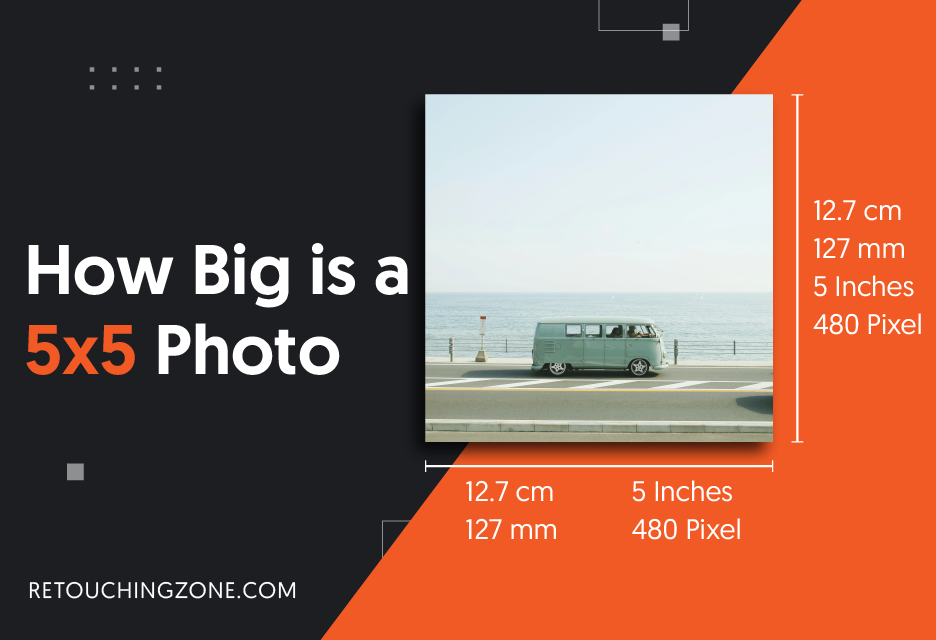
When you break down the 5 inch × 5 inch photo dimension into multiple units, you get a scenario of how much area the photo covers in different platforms. Here, have a quick look at the photo in (cm) centimeter, (mm) millimeter, and (ft) feet.
- 5×5 photo size in cm: 12.7 cm
- 5×5 photo size in mm: 127 mm
- 5×5 photo size in ft: 0.417 ft
Thus, the image occupies the square unit in a particular space, giving a transparent idea of how big is a 5×5 area.
Now, let’s step into another big unit super relevant to the graphical landscape – pixels.
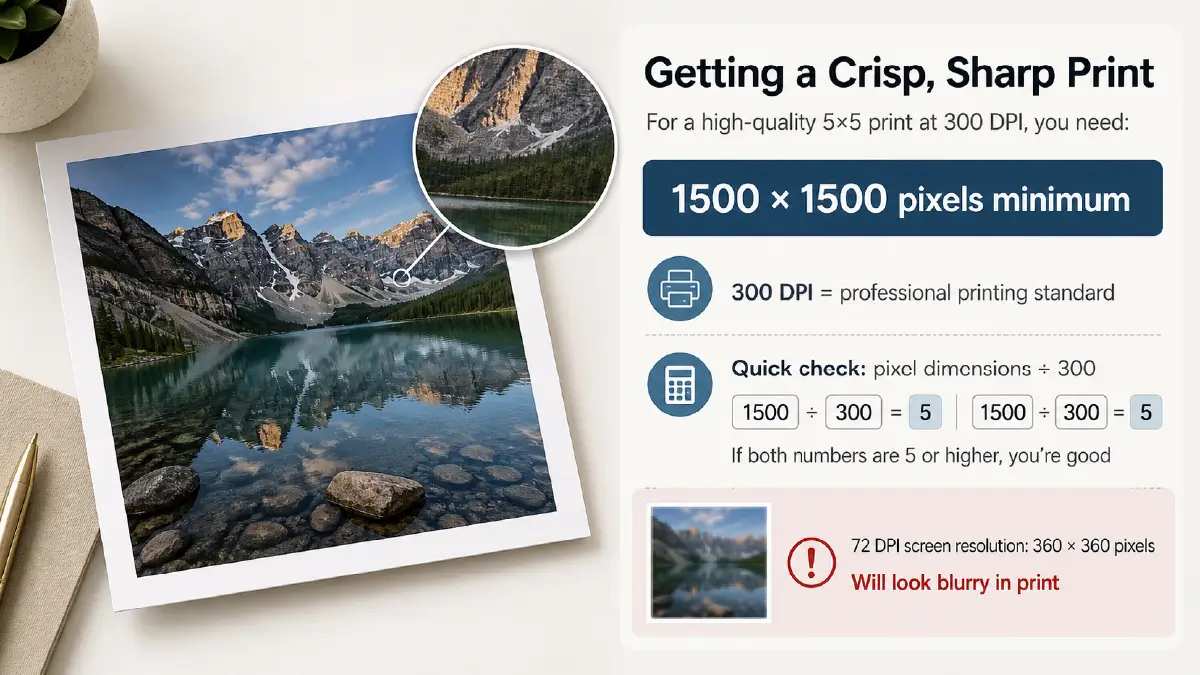
To shift the focus to pixels, you need to get the idea of another term – Dots Per Inch or simply DPI. This is the parameter which defines the quality of a digital image while printing it.
The process mainly is quantified with ink dots placed by printer and the more the dots, the higher the quality. Now, to evaluate the pixel for good, the formula is:
Resolution (Pixels) = Length or Width of the photo (Inch) x DPI at which you want to print it.
If the desired printing measure is 300 DPI, then
Length/Width in pixel = 5 x 300 = 1500 pixel
So, the resolution = 1500 x 1500 pixels
5×5 Photo Size in Pixels for Different DPIs
| DPI (Dots Per Inch) | Best For | Pixel Dimensions |
| 72 DPI | Standard Web Image | 360 x 360 pixels |
| 96 DPI | General Screen Standard | 480 x 480 pixels |
| 150 DPI | Large Prints | 750 x 750 pixels |
| 300 DPI | High-quality Prints | 1500 x 1500 pixels |
| 600 DPI | Ultra high-quality | 3000 x 3000 pixels |
Comparison of 5×5 to Other Common Photo Sizes
Photo sizes are a set of shapes that keep repeating familiar patterns. They stretch or shrink in slightly uneven ways, but with a purpose. Let’s step into the chart next, where you will get a clear idea about these shapes and their uses.
Different Types of Photo Size Comparison Chart
| Size (Inch) | Aspect Ratio | Resolution at 300 DPI (pixels) | Use Case |
| 5×5 | 1:1 (Square) | 1500 x 1500 | Instagram scrapbooks, decorative displays |
| 4×6 | 2:3 | 1200 x 1800 | Usual printing, postcards, photo albums |
| 5×7 | 2.5:3.5 | 1500 x 2100 | Desktop visuals, standard portraits, greeting cards |
| 8×10 | 4:5 | 1800 x 2400 | High-end portraits, wall displays, photos with big frame |
At a glance, it appears a bit tangled, isn’t it? Each shape seems to lean into each other like circling back to the next one.
The 5×5 remains still with 1:1 square ratio, as well as the resolution sits at 1500 × 1500 pixels evenly. Then the 4×6 comes next and this is where the thoughts of standard photo sizes in cm comes in.
It stretches into its 2:3 ratio, making the 1200 × 1800 pixels extend themselves into everyday prints and albums, repeating that routine feeling in a way that’s expected.
The 5×7, with its 2.5:3.5 ratio, its 1500 × 2100 pixels creates a shape leaned toward greeting cards and small portraits.
Finally, the 8×10 is heavier in presence with its 4:5 ratio and 1800 × 2400 pixels. With the rectangular idea shared by the others, it settles into larger frames and wall displays.
Uses of 5×5 Size Photos: Where They Often Stand Out most
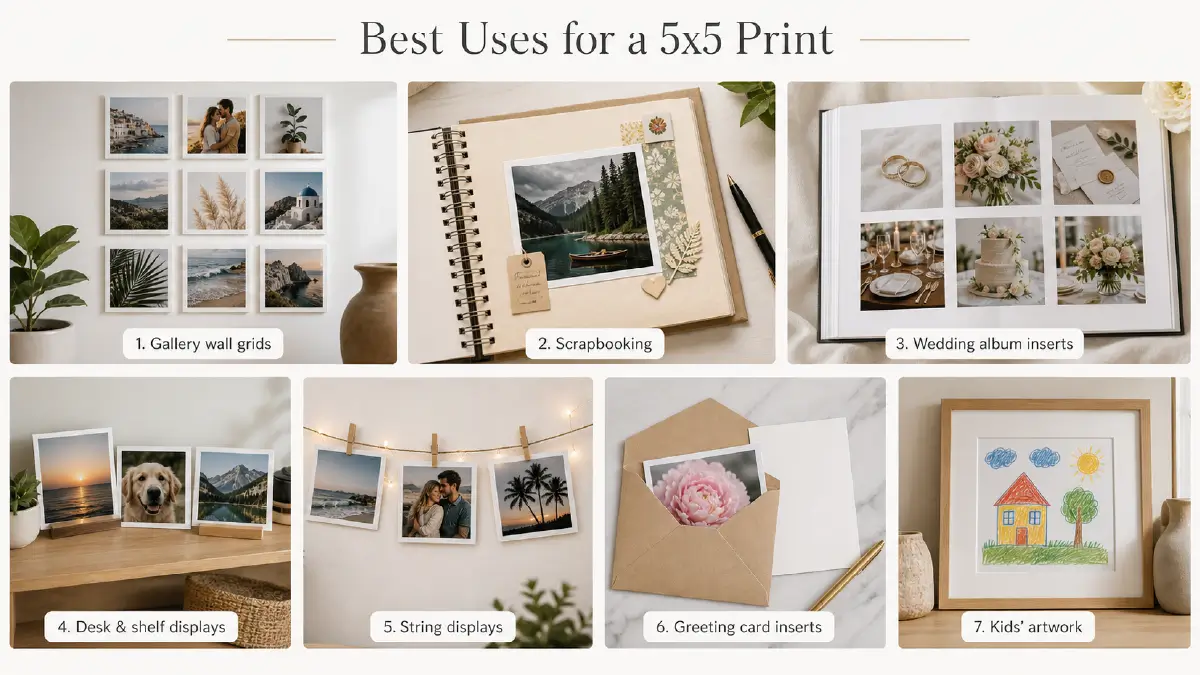
The essence of photos with equal length and width lives on the very applications they are used. This 5 unit image also thrives under a wide range of uses, and here are the cases it often works.
Travel documents: Around the world, several countries’ immigration sectors require square images for different types of identification including visas and passports. In fact, some countries give instructions specifying 5×5 photo size in cm for the application.
Photo albums and scrapbooking: The 5×5 size always works well for traditional photo albums, scrapbooking, and creating collages.
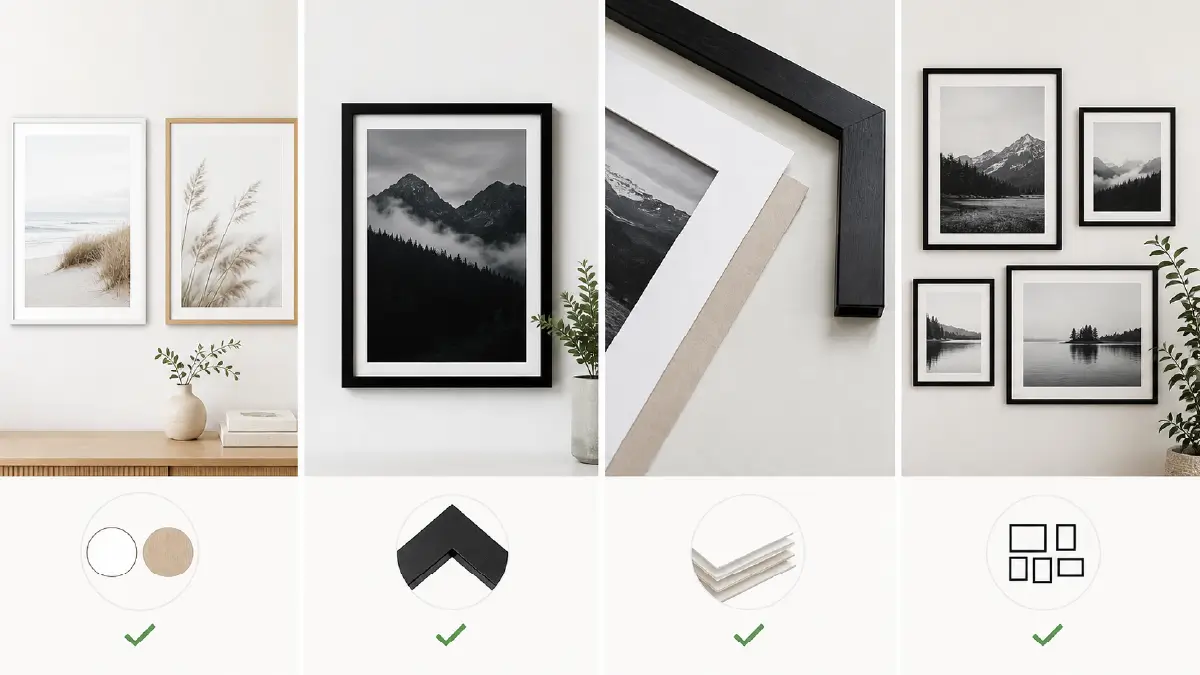
Framing and display: When you deal with small frames, visual balance on a wall, and gallery wall, square prints are ideal.
Gift tags: Now-a-days, unique and personalized gift tags often look stunning in this particular frame. You can even personalise them with filters, frames, or text to create a one-of-a-kind gift.
Social media and online: The square format is quite popular for social media platforms and gives a consistent ‘Instagram feel’ to your prints.
Craft projects: They are well-suited for various craft projects and can be customized with filters, text, and frames.
Magnets: Square prints with a magnetic backing are a great way to share and display photos on a fridge or in an office.
Also read related articles
- How Big is a 4×6 Photo Size
- How Big is a 5×7 Photo Size
- How Big is a 4×4 Photo Size
- How Big is a 8×10 Photo Size
- What Is deferent : 4×6 vs 5×7 vs 8×10 Photo Size
Key Aspects to Consider When Choosing 5×5 Photos
Now, it’s time to decide whether you go an extra mile to plan upfront or just jump into using the frame. Here’s your go-through list to give it a fast tidy up.
Purpose and Specific Requirements
Passport/Visa Photos: Check the official requirements like white background, specific head height (the benchmark is around 68% of the image), no filters, and how they want the face exposed.
Decorative/Personal Prints: For framing, scrapbooks, gallery walls, the constraints are often personal preference. Square prints offer a modern, ‘Instagram feel’ look, which is ideal for close-up shots or building a uniform gallery wall.
Technical and Image Quality
Resolution: For current days, the resolution must stay at least 300 pixels per inch (ppi). For a 5×5 inch print, your digital image must be a minimum of 1500 x 1500 pixels.
Original File: Always use the original, high-resolution image file. Social media apps like Instagram often compress photos shared via text message, so they appear blurry when printed. Exchange files via email or cloud storage as these send data at full resolution.
Clarity and Focus: Your photo must be clear, sharp, and not blurry, pixelated, or grainy.
Composition and Cropping
Aspect Ratio: Standard camera photos generally have a rectangular aspect ratio (e.g., 3:2, 4:6). Printing them in a 1:1 aspect ratio or 5 by 5 picture size means you have to crop them out.
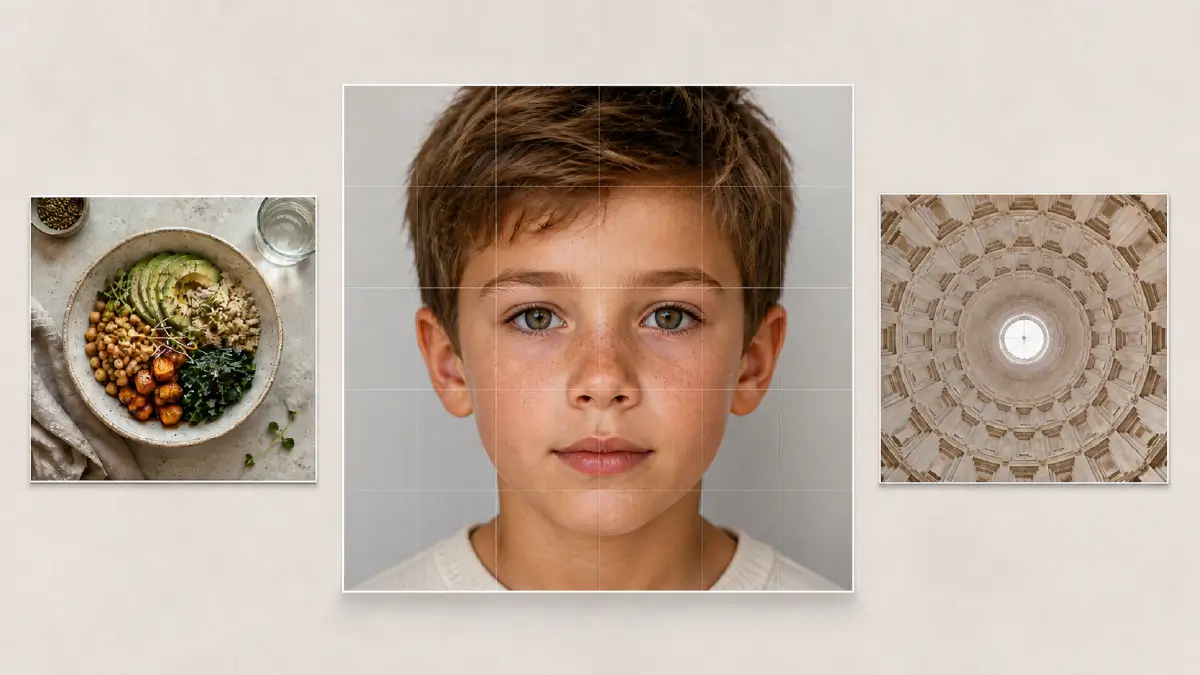
Subject Placement: During the cropping process, be mindful of where important details lay. Avoid having crucial elements, such as a person’s ears. They are too close to the edges, as they may be cut off.
Framing: Put the main subject in center or well-placed within the final 5×5 dimensions.
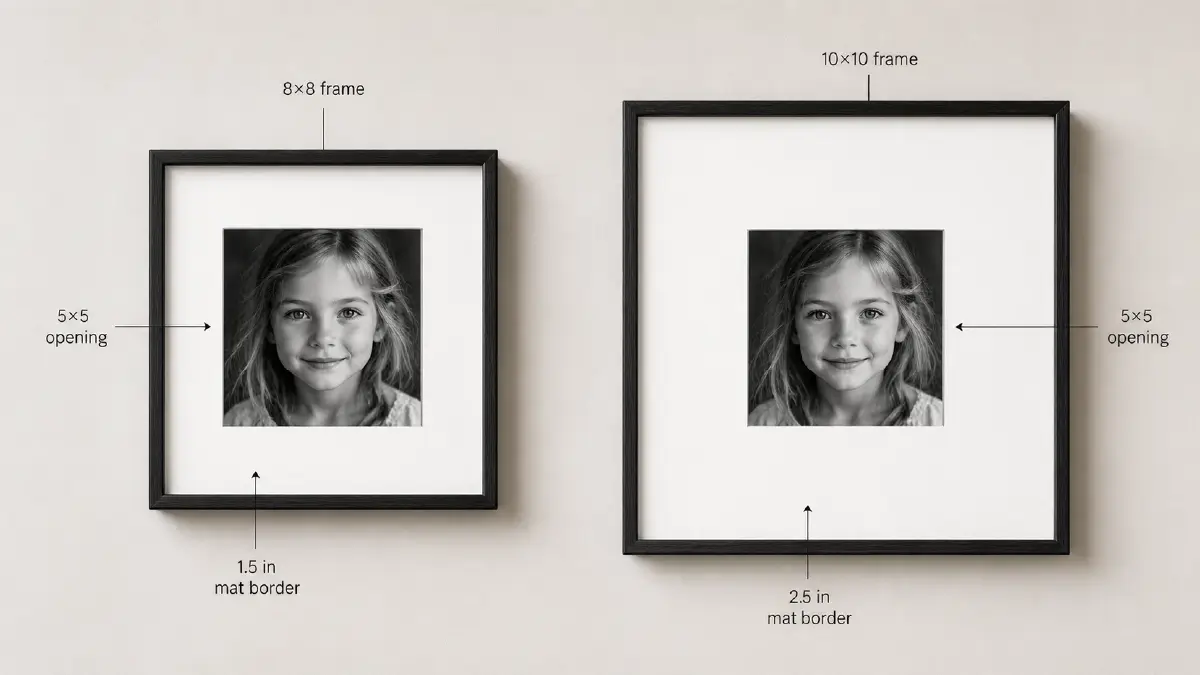
Matting: If you plan to use a mat in a larger frame (e.g., a mat for a 5×5 photo in an 8×10 frame). The mat will cover a small portion of the image edges.
Paper Finish
Matte vs. Glossy: During the printing, choosing a suitable paper is a must. Though the choice varies based on personal preference, you need to keep in mind how big a 5×5 photo size is.
Square prints adores matte finishes with detailing and color enhancement, and glossy prints offer a glare and vibrant look.
How to Convert Photo to 5×5 Size: An Easy and Smooth Way
To convert a photo to 5×5, you can use online resizing tools like Canva, Pi7 Image Tool, Picsart, Kapwing, or Fotor.
All you need to do is just upload your image, and then look for the “resize” or “dimensions” option. The interface varies with apps and it’s a matter of just a couple of minutes to get used with that.
Almost all apps come with different units where you can choose your preferred ones. As the most used unit you can enter the 5×5 frame size in cm and press ‘Resize’. Then the process ends and you can download and save the newly sized image to the platform or your device as you wish.
How to Print 5×5 Photos: Step by Step Guideline
Are you figuring out how to print 5×5 photos at home without the settings slipping out of place? Here’s your quick stay-in-mind manual to make you confident so that you don’t have to carry it everywhere.
- Cropping the Image: This is the very first step where you need to open your photo in an image editor. Then you have to crop or resize it to aspect ratio- 5×5 (or 1:1). Don’t forget to save it, and for keeping the quality intact, make sure the resolution is at least 500×500 pixels at 300 DPI.
- Print Dialogue: The printing procedure starts with right-clicking the image file and going for the “Print” option. You can also open the image in a program and proceed to File, then Print.
- Printing Configuration: Your move here in the print dialogue is choosing the 5×5 size and fixing it by selecting “Actual Size”. Keep in mind that to avoid distortion, turn off scaling options or the size may not be as you intended.
Then the paper size comes, and you must choose the correct one, and set the print quality high, and finally tap on the “Print”.
Most Common Printing Mistakes to Avoid: Careful Supervision
Printing often goes wrong in small ways slipping out of place that feels a bit repetitive and tiring. Let’s look at the common mistakes people often make and you can bypass them by being careful up ahead.
Not Using High Resolution
Pixelated or blurry images are the most problematic pain points during print. Plus, you often get the social media photos compressed which is not suitable at all for printing.
The solution is none but using high-resolution images, where you should go for at least 300 DPI.
Cropping in Wrong Way
If you don’t match the aspect ratio with (square) format – 5×5, you will get your image cut off.
Bypassing this issue requires cropping the image to a 1:1 aspect ratio at any cost before setting course on printing dialog. Either Printing software or photo editing software is good for getting a preview for the image square dimensions.
Not Choosing the Correct Color Tone
The post-print photos often show the colour duller, which means they are not as they looked on screen previously. As you know, screens, in fact, use RGB, but printers work in CMYK.
So, you should look the issue up ahead by designing in the CMYK color. Then printing won’t be a problem further. The ICC profiles and proper color management tools from the paper manufacturer come in handy in this case.
Overlooking to Take a Proof
People often skip to take a test print before final printing. It can generate unexpected results where you may face unnecessary repetition.
Running a test print whenever you print can save you time and resources. There are some software that can simulate the print-preview process where you will see how the picture will appear on a particular type of paper.
Flaws in Paper Settings
You are at the bottom line of the process and this is most important to set the right paper mode. The printer driver can take all the headaches of color reproduction and ink, but you have to give it proper commands.
So, make sure you didn’t set the paper profile incorrectly. Doing it right lets your printer settings match your physical paper.
Best Photo Paper for 5×5 Size Prints: Choose Wisely
You must be thinking now then what about printing! Especially how big are 5×5 prints in everyday use and how they take up the space on different paper types. Let’s move into the choices and see how each one fits this quietly demanding format.
- Lustre/Satin: Having a good sheen means a lot for better durability and that’s what Lustre comes with. Unlike glossy, it has good color vibrancy with not so much reflection.
- Glossy: If the demand is highest contrast as well as vivid colors, Glossy is the right choice. The brighter the light, the more sensitive this paper type can be.
- Matte: This is good for texturised images requiring softer graphics but no reflection. For example, landscapes, woodland shots etc.
- Fine Art: Now, you are on the higher end side! Fine art papers flourish with un-identical texture and heavy stock. So it works well for gallery displays and high-quality prints, coming with, to some extent, the “wow” factor.
Frequently Asked Questions
How big are 5×5 prints?
A photo with an equal 5 inches to both of its length and width is titled by square shape. The 5×5 prints are one kind of this square photo category. It is equivalent to 12.7 cm by 12.7 cm, well fits for Instagram, decorative wall art, and photo albums.
How many pixels is a 5×5 image?
It depends on which DPIs you want to print the image at. The more the DPIs, the more the pixels. For instance, the 5×5 image gets the resolution of 480 x 480 pixels at 96 DPI while the quality extends to 1500 x 1500 pixels at 300 DPI.
Is it possible to resize a photo to 5×5 size on a mobile phone?
Yes, it is quite easy to resize a photo to 5×5 on a mobile. There is already a built-in app whether it is iPhone or Android, called photo editor, to resize, crop, or convert other sizes to 5×5. Moreover, you can find many third-party apps like Resize Me!, Photo & Picture Resizer, and Adobe Photoshop Express.
Which paper is best for printing 5×5 size photos?
Well, it varies depending on your purpose and preference. If you want a balance of texture and shine, you should go for semi-gloss paper which is called luster. Glossy paper is good for a higher shine and modern look. If your 5×5 photo is black-and-white that requires less fingerprints and glare, matte would be the best.
Is 5×5 good for Instagram photos?
Whether you want to post on Instagram or print your instagram photo, the 5 by 5 inches is perfect. Because the dimension of 1:1 aspect ratio is well sync with Instagram’s profile grid and common square feed format.
What aspect ratio should I use for a 5×5 size photo?
Like all the square photos, you need to use 1:1 aspect ratio while printing a 5×5 size image.
Wrapping Up
In the end, these photo sizes keep circling around the same ideas, repeating proportions that feel familiar even when they shift, and the uses they fall into overlap in a way that’s a bit weary but still workable.
Understanding how big is a 5×5 photo size in the midst of these other formats can make the whole group feel more loosely connected, even if the details drag slightly.
Altogether, the different shapes and resolutions settle into a rhythm that isn’t smooth, yet it gives a faint sense of clarity after moving through all the awkward comparisons.