A 2026 study by EightX found that apparel and clothing tops the eCommerce return rate chart at 25%. The most painful part? A large chunk of those returns aren’t about sizing or quality — they’re about disappointment. The customer expected the product to look exactly like the photo, and it didn’t.
That expectation gap is a photo editing problem. And it’s one that’s entirely fixable.
This guide walks you through the apparel photo editing practices that close that gap, build shopper confidence, and turn hesitant browsers into repeat buyers.
TL;DR: Great apparel photo editing starts with accurate color, moves through background cleanup and wrinkle removal, and peaks with the ghost mannequin effect. Done right, it reduces returns and drives conversions — consistently.
Start With Accurate Color Correction
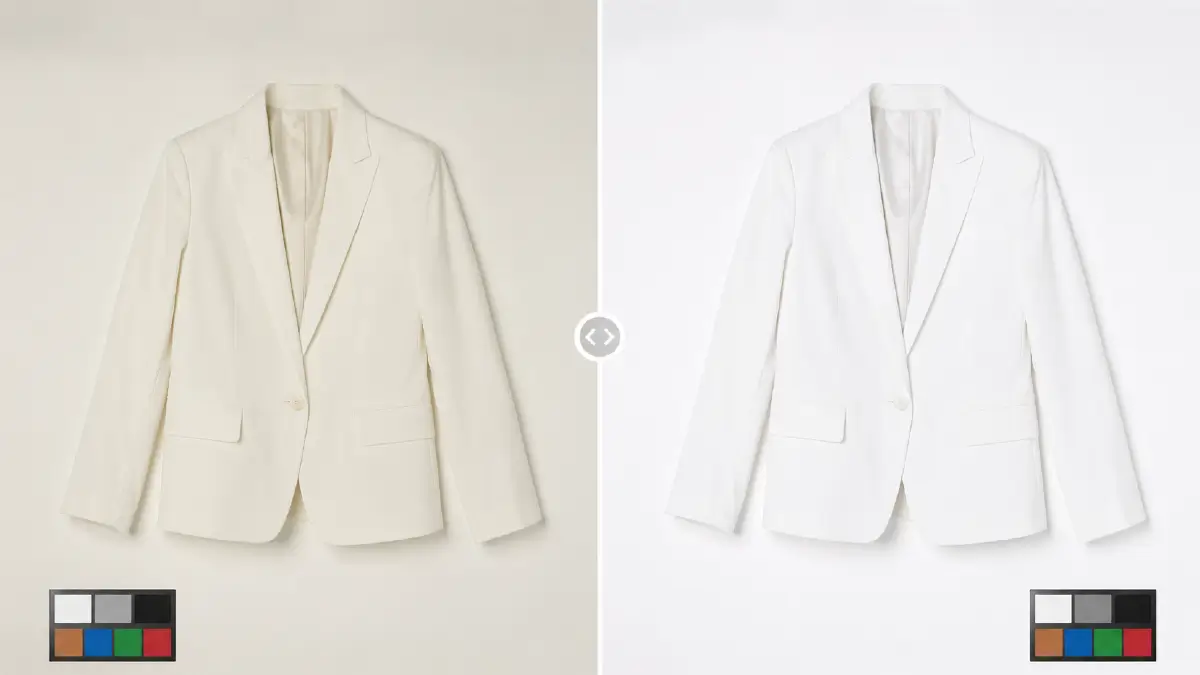
Color is the first thing a shopper notices, and the first reason they’ll return a product. If the burgundy blazer looks cherry red on screen, expect it back in the mail.
Skilled retouchers always start by adjusting white balance at a global level to neutralize any environmental color cast picked up during the shoot — whether that’s warm studio lighting or cool daylight from a window. The goal is a neutral baseline where whites look white and grays look gray. From there, individual hue and saturation adjustments bring the product color in line with its real-world appearance.
This isn’t about making the product look better than it is. It’s about making it look exactly as it is — which is what earns customer trust.
Remove Distractions With Clean Background Editing
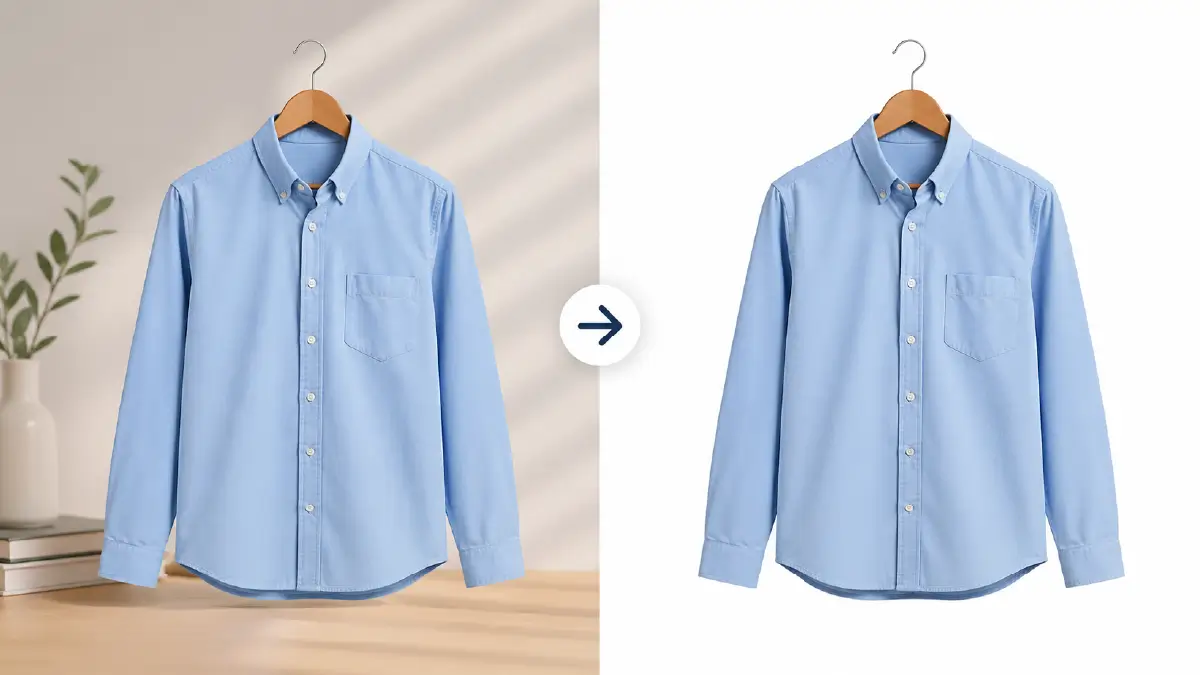
Most major eCommerce marketplaces — Amazon, Zalando, ASOS — require a clean white background for a reason. It removes visual noise and puts 100% of the viewer’s attention on the product itself.
The process typically begins with background removal, isolating the garment from whatever environment it was shot in. Once the product is cleanly separated, the background is replaced with a pure white or neutral tone, and any stray shadows, reflections, or surface blemishes are cleaned up.
The result is a product image that looks sharp, professional, and marketplace-ready — on any screen, at any size.
Use Ghost Mannequin Editing for a Better Fit View
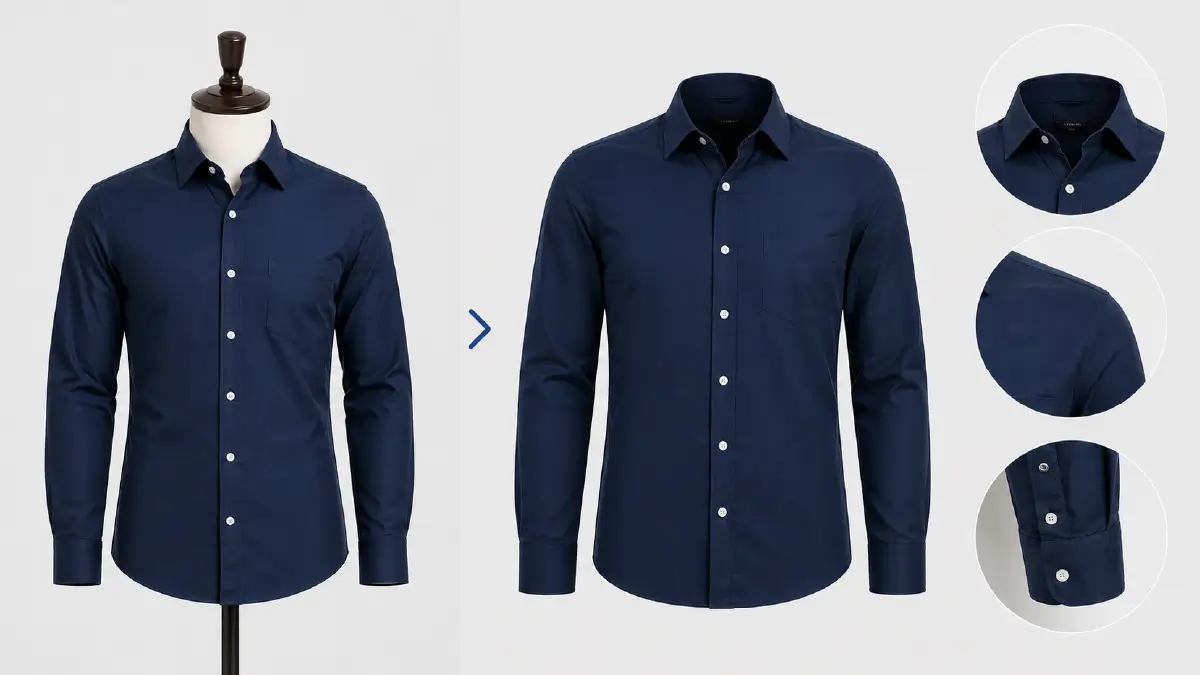
Flat-lay photos show a garment. Ghost mannequin photos show how a garment fits. That’s a meaningful difference for shoppers trying to visualize themselves in a product.
The ghost mannequin effect — also called the invisible mannequin or hollow man effect — works by photographing the garment on a model or mannequin, then editing out the figure entirely in post-production. Editors typically combine multiple shots (front, back, interior label) to reconstruct a seamless 3D shape that appears to float naturally in space.
The payoff is significant: shoppers can clearly see the neckline, shoulder structure, sleeve shape, and interior construction — all without the distraction of a model. It’s one of the most conversion-friendly edits in fashion eCommerce.
Refine Wrinkles, Texture, and Fabric Details
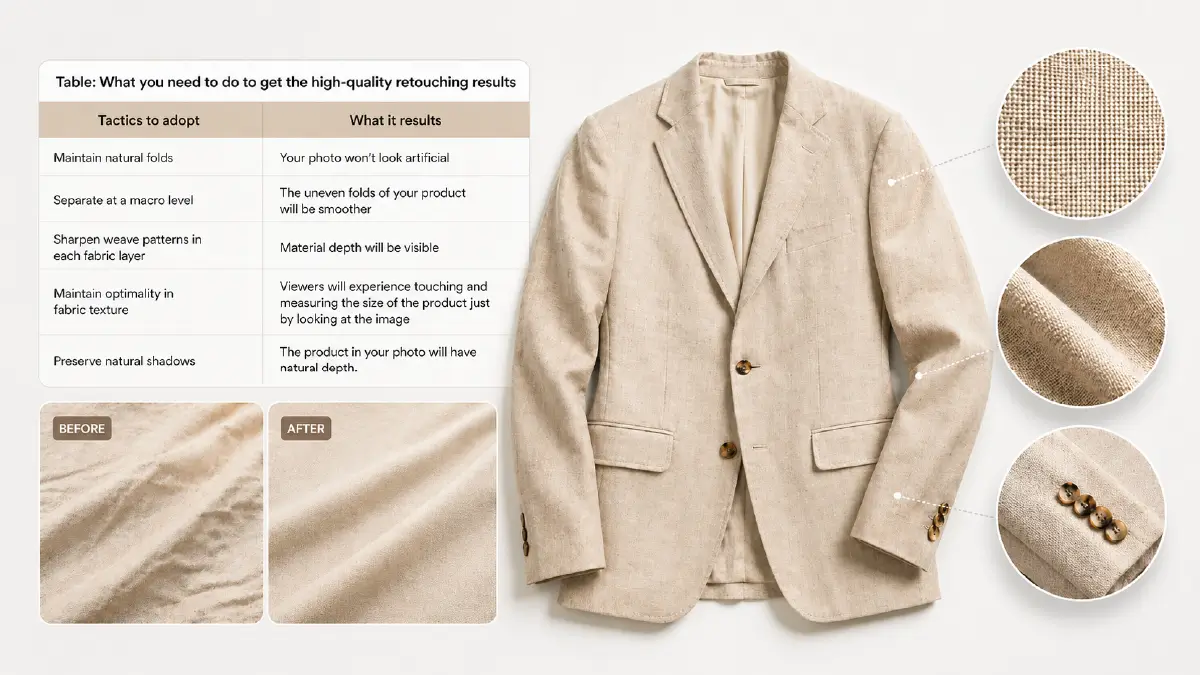
Even a beautifully styled product can look cheap if the photo shows creases, uneven folds, or muddy fabric texture. Retouching at this level is what separates catalog-quality images from everything else.
The goal isn’t to make the garment look wrinkle-proof — it’s to make it look well-presented. Natural folds and drape should be preserved; only the distracting, accidental wrinkles get smoothed out. Here’s a quick breakdown of what high-quality fabric retouching looks like in practice:
| Technique | What It Achieves |
|---|---|
| Maintain natural folds | Keeps the image looking realistic, not artificial |
| Smooth uneven drape | Garment looks properly fitted and neat |
| Sharpen weave patterns | Material depth and fabric quality become visible |
| Optimize fabric texture | Shoppers can almost feel the material through the screen |
| Preserve natural shadows | Product retains dimensional, lifelike depth |

Keep Every Product Image Consistent Across the Catalog
Inconsistent product photos quietly damage brand perception. When one image is bright and warm and the next is cool and slightly cropped differently, the catalog feels disjointed — and shoppers notice, even if subconsciously.
Batch processing solves this by applying a standardized set of adjustments — exposure, white balance, crop ratio, shadow style — across your entire image library simultaneously. This is especially critical for large catalogs where you’re managing hundreds or thousands of SKUs across multiple seasons.
Consistent images don’t just look better. They create a browsing experience that feels polished and trustworthy, which directly supports conversion.
Use AI Tools Without Losing Authenticity
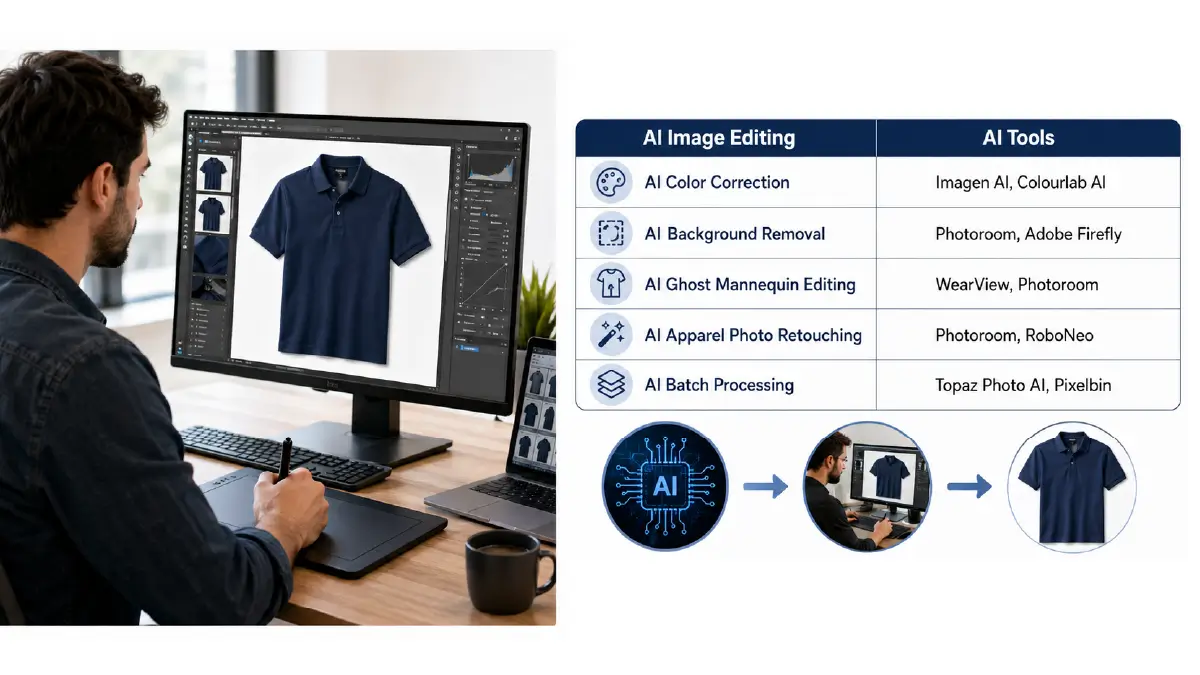
AI editing tools have genuinely transformed what’s possible for high-volume fashion catalogs. Here’s a snapshot of where they perform well:
| Task | Recommended AI Tools |
|---|---|
| Color Correction | Imagen AI, Colourlab AI |
| Background Removal | Photoroom, Adobe Firefly |
| Ghost Mannequin Editing | WearView, Photoroom |
| Apparel Retouching | Photoroom, RoboNeo |
| Batch Processing | Topaz Photo AI, Pixelbin |
That said, AI tools have a clear ceiling. They’re fast and scalable, but they frequently struggle with fine fabric textures, edge refinement around complex necklines, and preserving subtle shadow detail. Relying on them blindly is how you end up with images that look processed rather than professional.
The smarter approach is a hybrid workflow: let AI handle the bulk processing and repetitive tasks, then have skilled human retouchers — working in Photoshop or Lightroom — review and correct the output. This combination gives you the speed of automation without sacrificing the quality that protects your brand.
Frequently Asked Questions About Apparel Photo Editing
1. Which apparel photo editing techniques improve eCommerce conversions?
The highest-impact techniques are color correction (ensuring accurate color matching), background removal, the ghost mannequin effect, wrinkle removal with texture enhancement, and natural shadow creation. Together, they close the expectation gap that drives returns.
2. How do I avoid an overly retouched, artificial look?
Preserve the product’s natural folds, fabric shadows, and weave patterns during retouching. These details are often the first casualties of aggressive editing — and losing them makes even premium products look cheap or fake.
3. What’s the best way to achieve a floating or 3D look for clothing?
The ghost mannequin effect is the industry standard for this. By removing the model or mannequin in post-production, the garment appears to hold its 3D shape naturally — giving shoppers a clear view of fit, structure, and silhouette.
4. Can AI tools deliver high-quality results for fabric photos?
Not consistently, no. AI performs well on straightforward tasks like background removal but falls short on complex details — fine fabric textures, intricate patterns, subtle edge refinement. For top-tier quality, a human retoucher reviewing and correcting AI output is non-negotiable.
5. How do I maintain consistent cropping and lighting across a large catalog?
Batch image processing is the answer. It lets you define a standard set of parameters — crop ratio, exposure, white balance, shadow style — and apply them uniformly to every image in your catalog, regardless of volume.
Wrapping Up
Every practice covered here serves the same end goal: making sure the product a shopper sees online is the product they’re excited to receive in the mail.
Accurate color correction builds trust before a purchase is made. Clean backgrounds and ghost mannequin editing communicate quality at a glance. Wrinkle removal and texture refinement hold up under scrutiny. Batch processing keeps your catalog consistent at scale. And a hybrid AI-human workflow lets you move fast without cutting corners on quality.
Fashion returns aren’t inevitable. A lot of them are preventable — and it starts with how your products are presented.