
Jewelry photography and editing draw a clear line in judging the quality of ecommerce product images, and this applies to Etsy and Shopify as well. Etsy’s own case study shows that-
During online shopping online, 90% of consumers pay the most attention to the photo quality of products.
Since it’s all about measuring images purely through seeing them, the clarity and metallic finish of gemstones are absolutely essential. After all, the easier this measurement is, the more your conversion rates go up significantly.
Keep moving forward with this blog, as it is going to give you an easy-to-follow guide. It’ll walk you through the way of the high-end quality of your products on Shopify and Etsy, which results in a reduction in your product returns on the platforms.
TL;DR:
- For jewelry photography, use soft lighting, a steady camera setup, and a simple background. Limit editing to the point where the image is realistic, flawless, and clear.
- Etsy favors warm, natural images, while Shopify requires professional looks, but the common goal for both is to show jewelry images that buyers can trust in what they are seeing.
Best Lighting Setup for Jewelry Photography
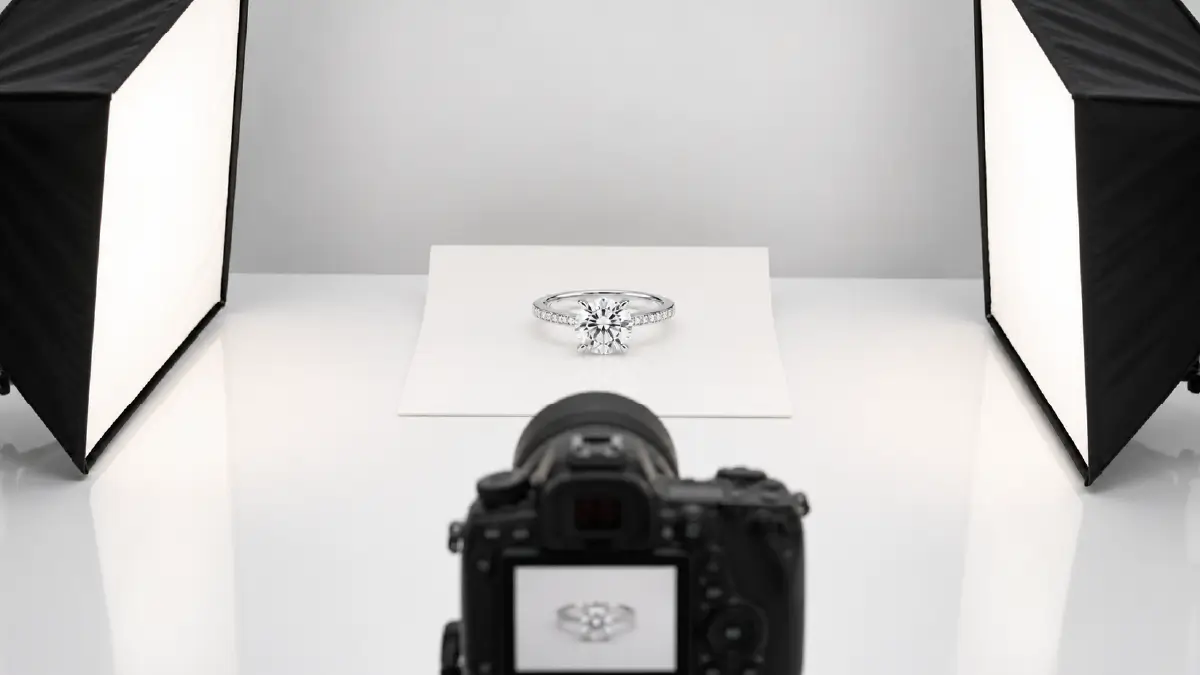
The biggest problem to consider when doing this is unwanted shadows and messy reflections of light on the metal surface of the jewelry. The most effective way to control these is to use diffuse, soft lighting.
A simple light tent can be enough for this, or you can use two softboxes. This way you can keep the lighting balanced, which will prevent you from creating hot spots.
When setting up the lighting, be careful not to create annoying specular highlights. You will see that they will blur the details rather than bring out every aspect of the gemstone.
Natural Light vs Artificial Light for Jewelry
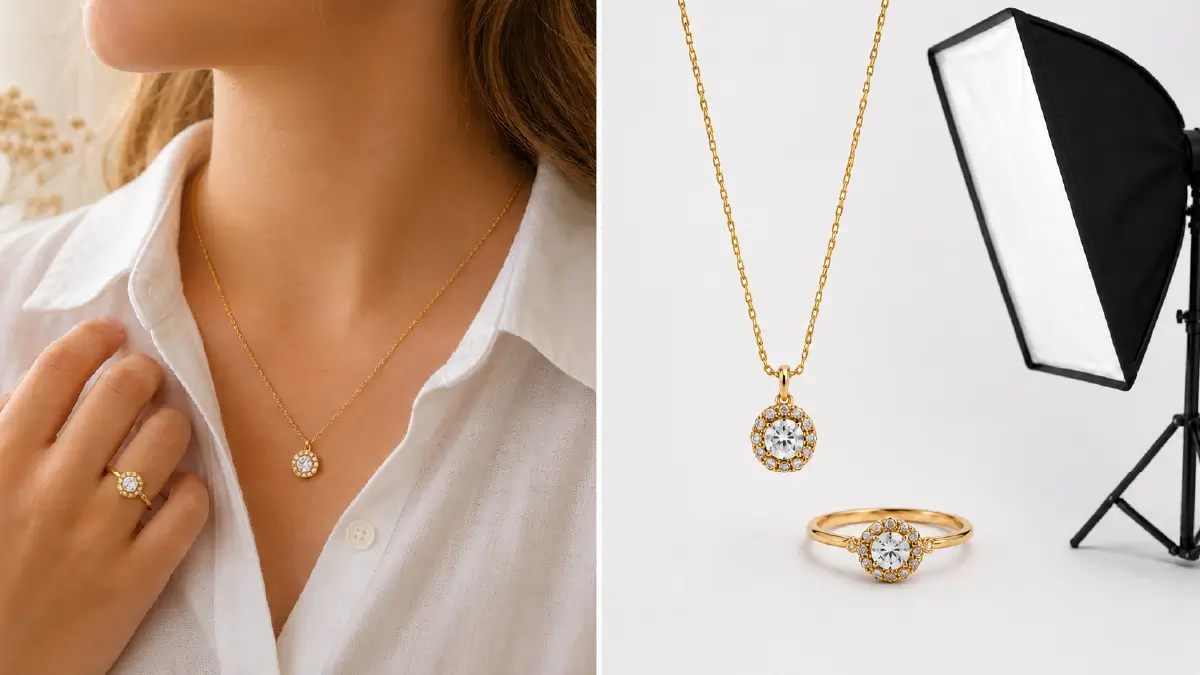
Etsy-style demands lifestyle shots, where the jewelry is intertwined with the warmth of its design and the emotions of the user. To highlight this, you need to make the most of natural light.
- For this, you will get great results from using a window where the daylight is diffused or refracted rather than directly falling inside.
For the Shopify platform, you will need to carefully master artificial or studio light. Because this will allow you to keep things consistent for each photo in the catalog, such as clear backgrounds, contrast, and original colors.
- For getting such results, there is a softbox with a diffuser for you, which is more than suitable for batch image processing.
Camera Setup and Shooting Angles That Sell
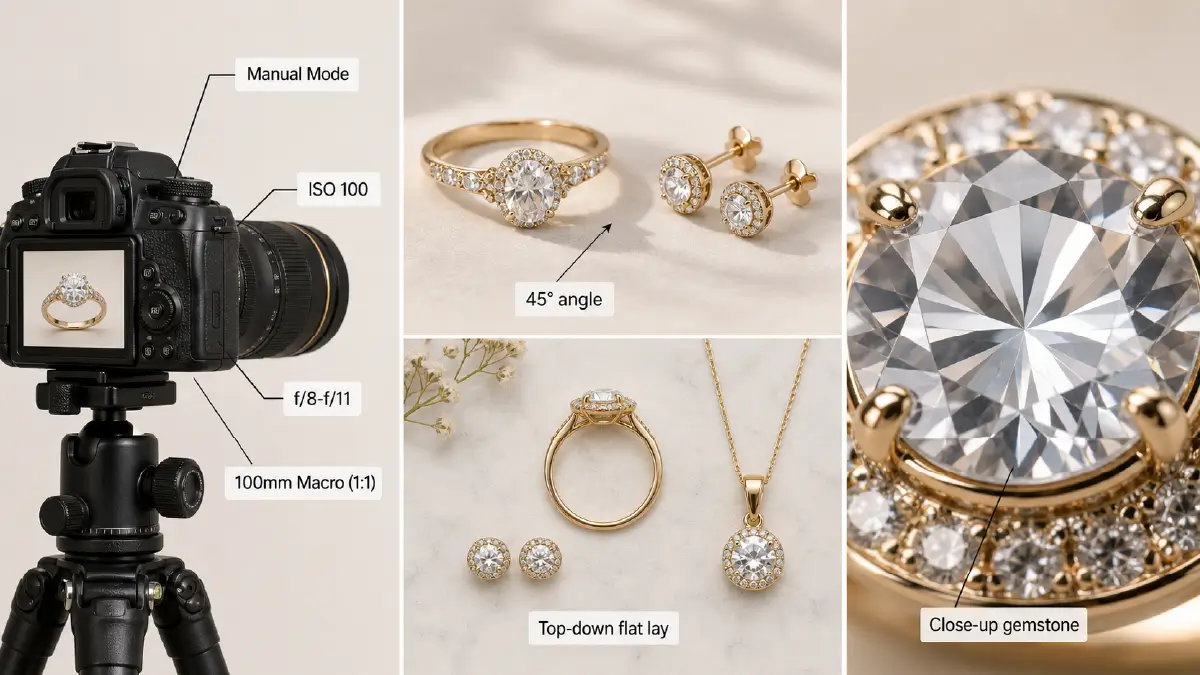
The first thing to do is to reduce noise, and for this, switch the camera to manual mode and lower the ISO to 100. Then, it’s time to deepen the focus, and to do this, adjust the aperture to between f/8 and f/11.
You must feel the need to capture the details of the jewelry (rings/earrings), and for this, you need to be quite careful because there is a risk of distortion. But know that just a 100mm macro lens (1:1 ratio) will suffice for this.
- Thinking of adding depth? Stand at a 45-degree angle to the jewelry.
- Want to take a shot at flat lay symmetry? Hold the camera from above.
Get very close to the gemstone to get a clear picture of its pattern and material. Then press the shutter button, and that’s it, you are good to go.
Necessary Jewelry Photo Retouching
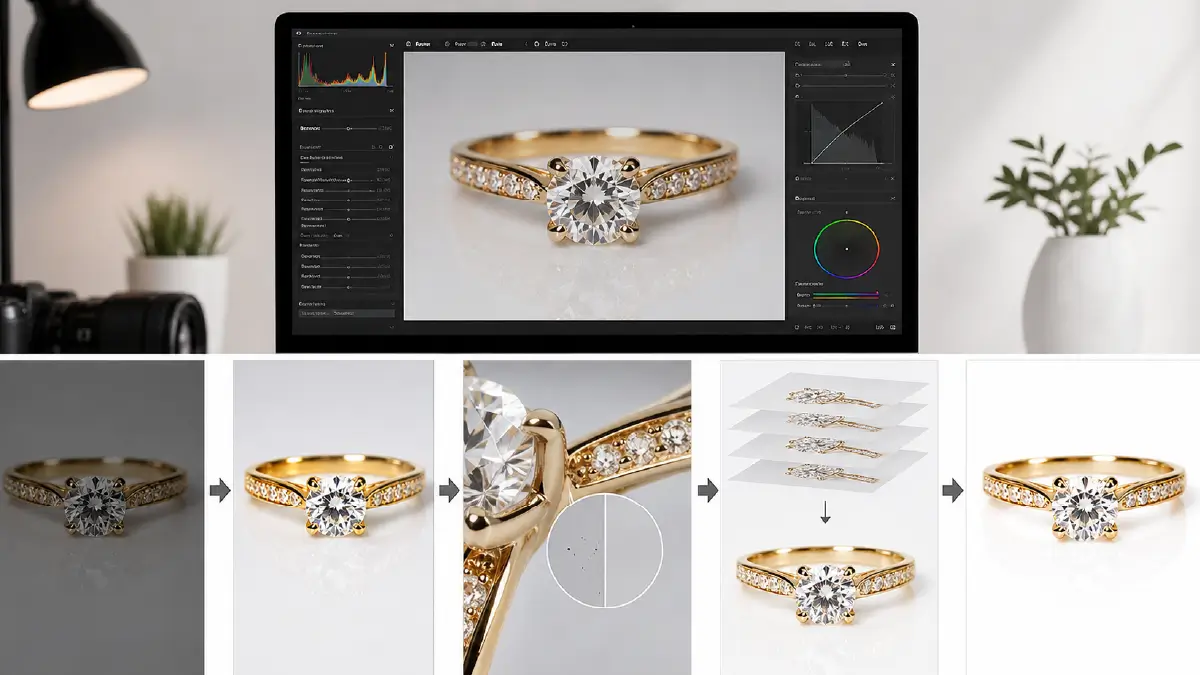
A photoshoot alone is not enough for quality jewelry photos; you also need a consistent jewelry photo editing workflow. It also needs to be non-destructive.
Start with RAW processing, for which your best tool is software like Adobe Lightroom. Then add the following steps to your image editing queue:
- Do color correction; the jewelry color should be original at all costs.
- Carefully do the in-depth photo retouching, as high-resolution photos reveal tiny imperfections.
- Use focus stacking, as it is important to show both the front and back of the jewelry in sharp and clear light.
- Finally, make the background white, clean, and give the facets a little sharpness. This is the level of pro-retouch that gives the viewer the feeling that they are nearly touching the gemstone.
Etsy Photo Style vs Shopify Photo Style
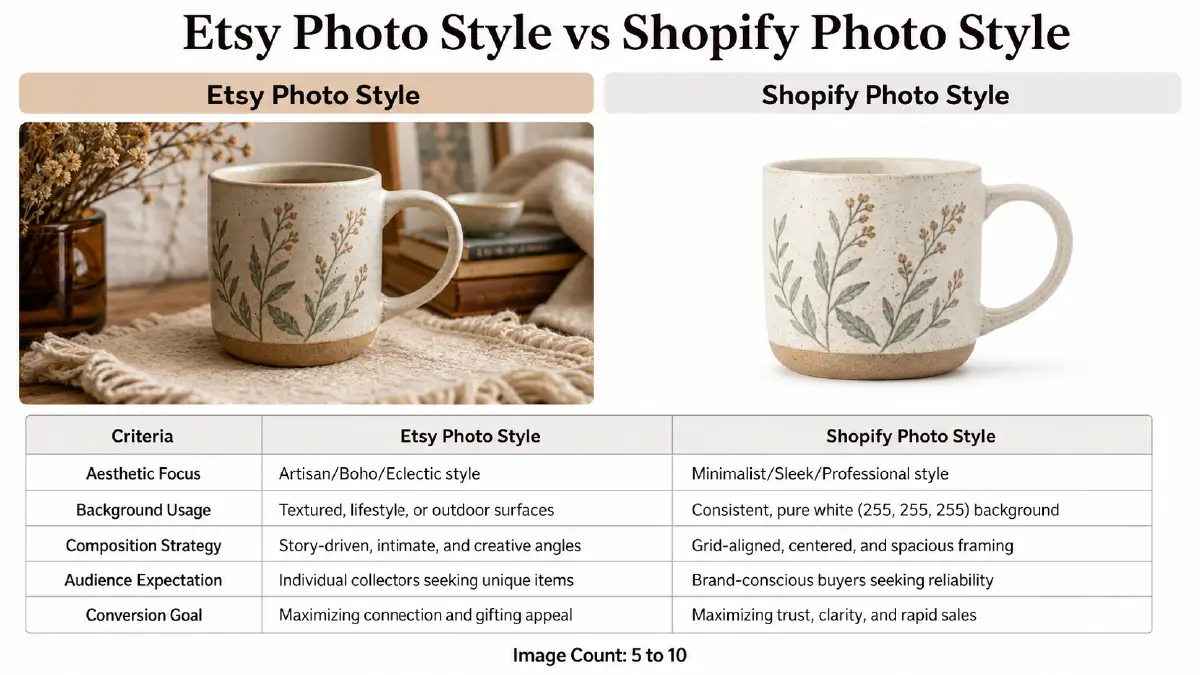
When it comes to photography, you need to find out what kind of photo styles these ecommerce platforms demand. The following comparison table will help you prepare your catalog for both sites:
Table: Difference between Etsy and Shopify photo styles
| Criteria | Etsy Photo Style | Shopify Photo Style |
| Aesthetic Focus | Artisan/Boho/Eclectic style | Minimalist/Sleek/
Professional style |
| Background Usage | Textured, lifestyle, or outdoor surfaces | Consistent, pure white (255, 255, 255) background |
| Composition Strategy | Story-driven, intimate, and creative angles | Grid-aligned, centered, and spacious framing |
| Audience Expectation | Individual collectors seeking unique items | Brand-conscious buyers seeking reliability |
| Conversion Goal | Maximizing connection and gifting appeal | Maximizing trust, clarity, and rapid sales |
| Image Count | 5 to 10 |
Common Jewelry Photography Mistakes to Avoid
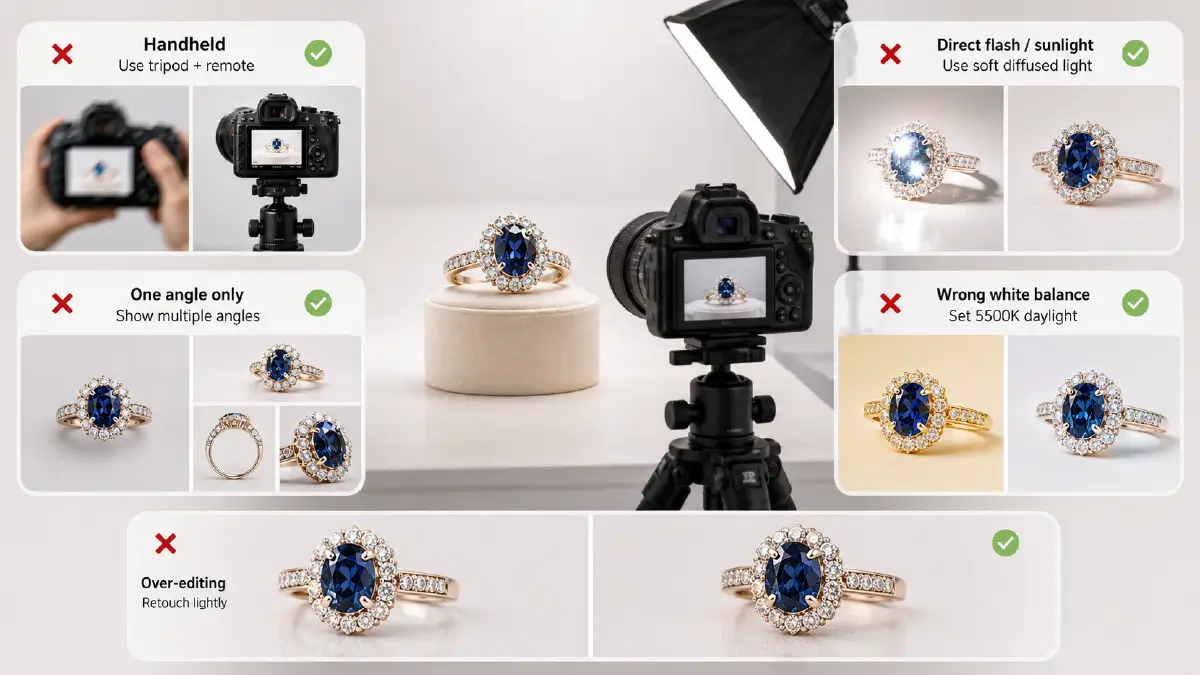
- Taking pictures handheld: This way you can’t stop the camera from moving, and even the slightest shake can blur the details of the jewelry.
- Tip: It’s best to use a sturdy tripod and even better if you use a remote shutter release.
- Shooting in direct flash or sunlight: This creates glare and reflections on the gemstone’s metallic surface, which blur the geometric pattern, weave, and different facets.
- Tip: To avoid this problem, shoot gemstones in soft diffused light, and you’ll see the jewelry regain its elegance.
- Taking photos from only one angle: Doing this means losing the three-dimensionality of your jewelry as well as the trust of your customers.
- Tip: Add different view shots of the jewelry, including close-ups, top views, and side views, you will see your audience’s engagement with your photos increase.
- Misusing White Balance: This mistake will most likely result in a color tone that is not the true color of the jewelry.
- Tip: Before shooting, set your white balance to 5500 Kelvin in daylight for accurate color. Forget about editing it out after you take the photo, because there is nothing as difficult as complex color correction. Plus, it does not produce very good results anyway.
- Over-editing: Excessive editing, especially the use of harsh filters, can make jewelry look plastic.
- Tip: So limit yourself to the bare minimum, such as mandatory tasks like removing dust or blemishes.
Frequently Asked Questions About Jewelry Photography Lighting and Editing
1. What is the best lighting for jewelry photography?
Whether you choose natural sunlight through a window or artificial studio lighting, you want soft, diffused light. Direct light from a window and flash from a softbox or light tent can make jewelry sparkle and blur its fine details.
2. Should I use natural light or studio lights for jewelry photos?
If your goal is to take soft, lifestyle shots where the jewelry has a practical and relevant environment, then choose natural light. And when you’re just going to take pictures of jewelry, which is usually required for Etsy or Shopify listings, then you should go with studio lighting.
3. How do I stop jewelry from looking blurry in photos?
During your photoshoot, use a tripod that doesn’t move at all and take the shot with a gemstone as the precise focus point. This will allow you to capture the details of small ornaments like earrings and rings without any blurring.
4. How much should I edit jewelry photos?
You should only edit jewelry photos as little as possible. For example, don’t retouch so much during tasks like cleaning, adjusting colors, etc. that it radically changes the appearance of the jewelry and makes it confusing.
5. What images should Etsy and Shopify jewelry listings include?
The types of images you should add to your Etsy and Shopify listings are:
- Hero image (a single main image of the product on a white background)
- Close-up shot (to make details easy to see)
- Shot of the model wearing the item (where measurements are clear enough)
- A lifestyle shot (where the jewelry is seen in real-world use)
- Packshot (a premium shot of the jewelry with labels and packaging)
- Minimum 5 to maximum 10 images for Etsy and at least 7 high-end images for Shopify
Final Thoughts
Soft and diffused light works best as jewelry photography lighting, where you only need to focus on minimal editing. By maintaining this, natural light works the best with capture warm lifestyle shots for Etsy. On the other hand, the studio’s artificial light is there to create a premium look that’s conversion-friendly for Shopify.
To capture the diffused fall of natural light, place the jewelry near a window so that the light doesn’t fall directly on it. And in the studio, use a light tent or soft box with a diffuser.
That’s all. Just don’t forget to take a close-up shot when taking photos of the jewelry from different angles.